Overview
GameCardSystem (GCS) is TinyGiants' visual card roguelike battle framework for Unity. It covers the complete workflow from content authoring to runtime. ScriptableObject-based Workbench modes let you create cards and battle content visually, while the built-in FlowGraph system can reproduce classic card mechanics from games such as Slay the Spire and Night of Full Moon without writing code. A complete low-level API and event surface remains available when a project needs deeper runtime extensions.
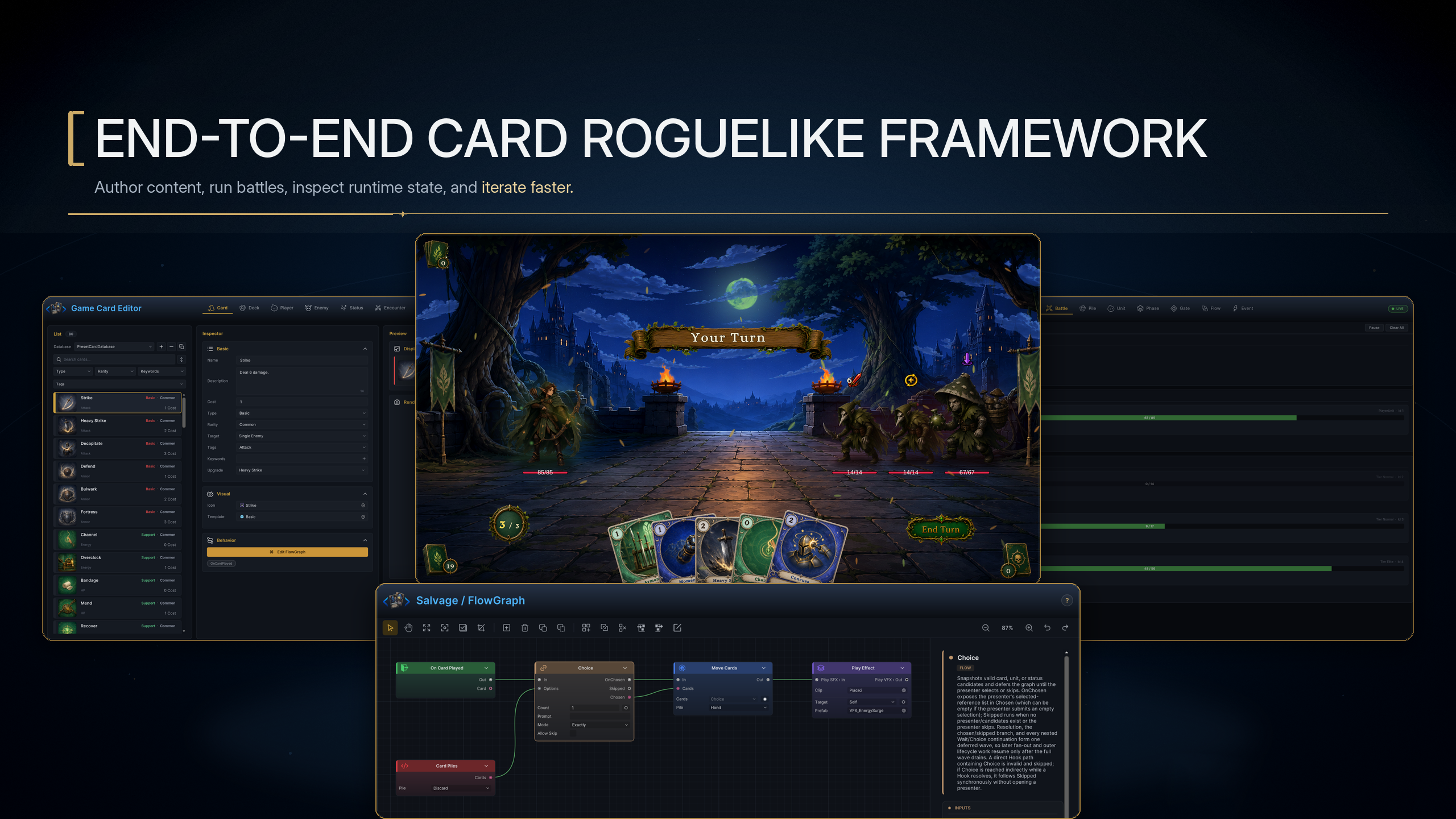
The image above shows the complete GCS workflow from content authoring to Play Mode verification. Game Card Editor defines cards and battle content. FlowGraph Editor arranges gameplay rules into Behaviors. Play Mode executes the battle, and Game Card Monitor returns state and execution records to the authoring process. All four stages use the same content and runtime, so you can follow a mechanic from its asset definition to its live result and then revise it using concrete runtime evidence.
When a project needs a custom HUD, map, quest, or save system, GCSApi and Events connect those systems to the same battle. Custom nodes, ports, and content registries also use the existing FlowGraph and authoring interface instead of introducing a separate battle implementation.
Enter the complete workflow through scene initialization
The practical entry point to GCS is a runnable scene foundation. Once the Manager, Bootstrap, and content databases are ready, content definitions and Behaviors can enter Battle Runtime. Monitor, the API, and events then carry the result back to the authoring tools and into other project systems.
The diagram above connects scene initialization, content authoring, behavior design, battle execution, diagnosis, and code integration in one repeatable workflow. The editors establish content and rules, the runtime produces results, Monitor supplies evidence, and the API and events connect the same battle to the rest of the project. This relationship defines the main capabilities and working model of GCS.
| Capability | Core scale | Direct value to your project |
|---|---|---|
| Visual content authoring | 6 editing modes | Create cards, decks, players, enemies, statuses, and encounters in one window |
| Visual gameplay authoring | 147 available nodes and 103 mechanic recipes | Combine nodes to express card, status, and enemy behavior |
| Runtime and code integration | 170 public GCSApi member names and 47 built-in events | Read, control, and extend battles while connecting project flows and custom UI |
| Play Mode diagnosis | 7 Monitor tabs | Check live state, wait sources, Flow execution summaries, and event history |
| Included finished content | 13 battles across 2 isolated database sets | Run the 12 single-character battles or the focused Party Showcase without mixing their authoring data |
Build battle content on the scene foundation
Open Game Card System and click Initialize System. GCS creates or reuses GameCardManager and GameCardEncounterBootstrap, adds the battlefield, hand, HUD, and presentation objects, and registers the six preset database types. Once initialization finishes, you can author content or start a fixed Encounter.
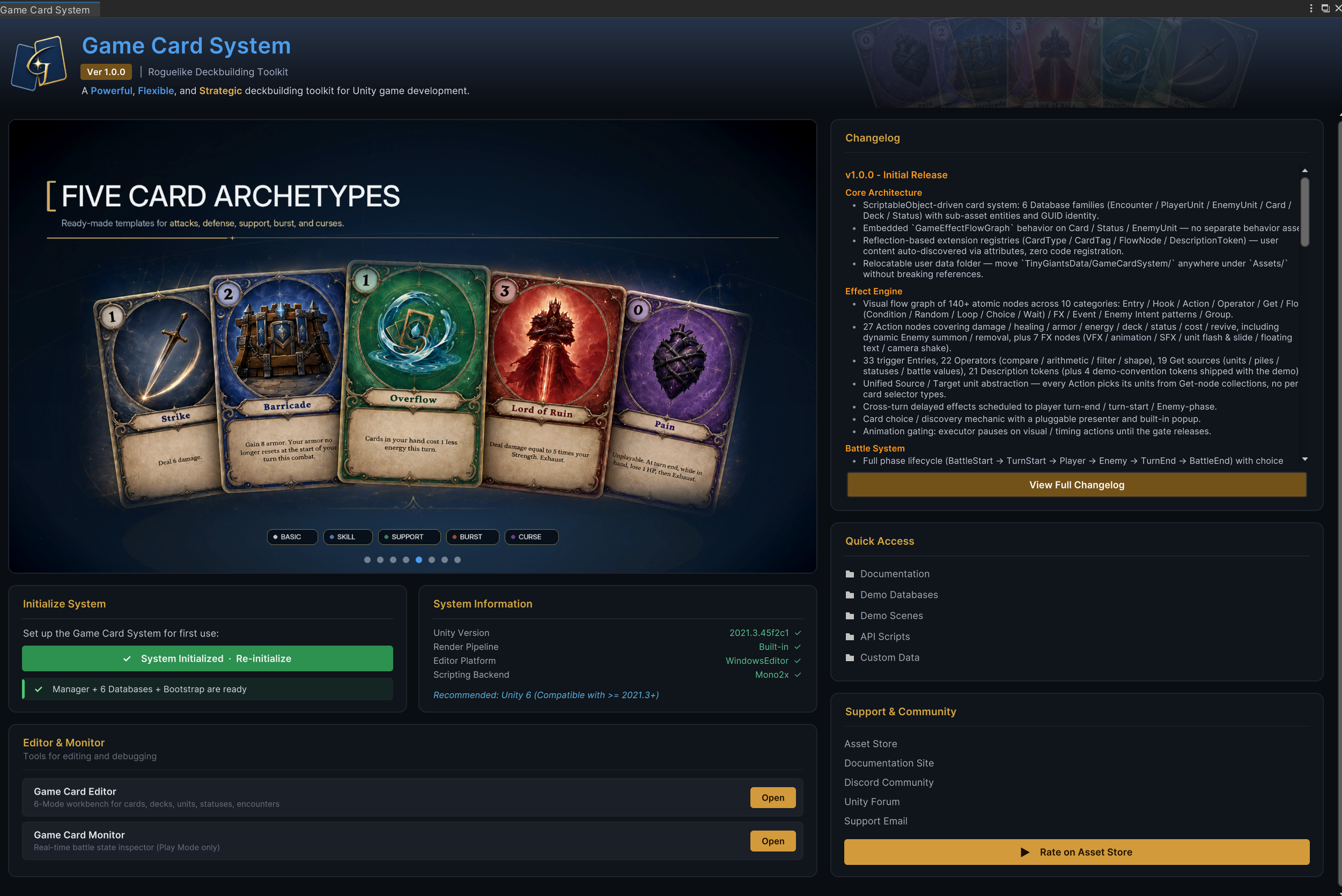
When the Manager, six database types, and Bootstrap are all ready in the panel, the scene has a working battle entry point. Battle scenes explains each object's responsibility, while Starting a battle distinguishes fixed and dynamic entry points.
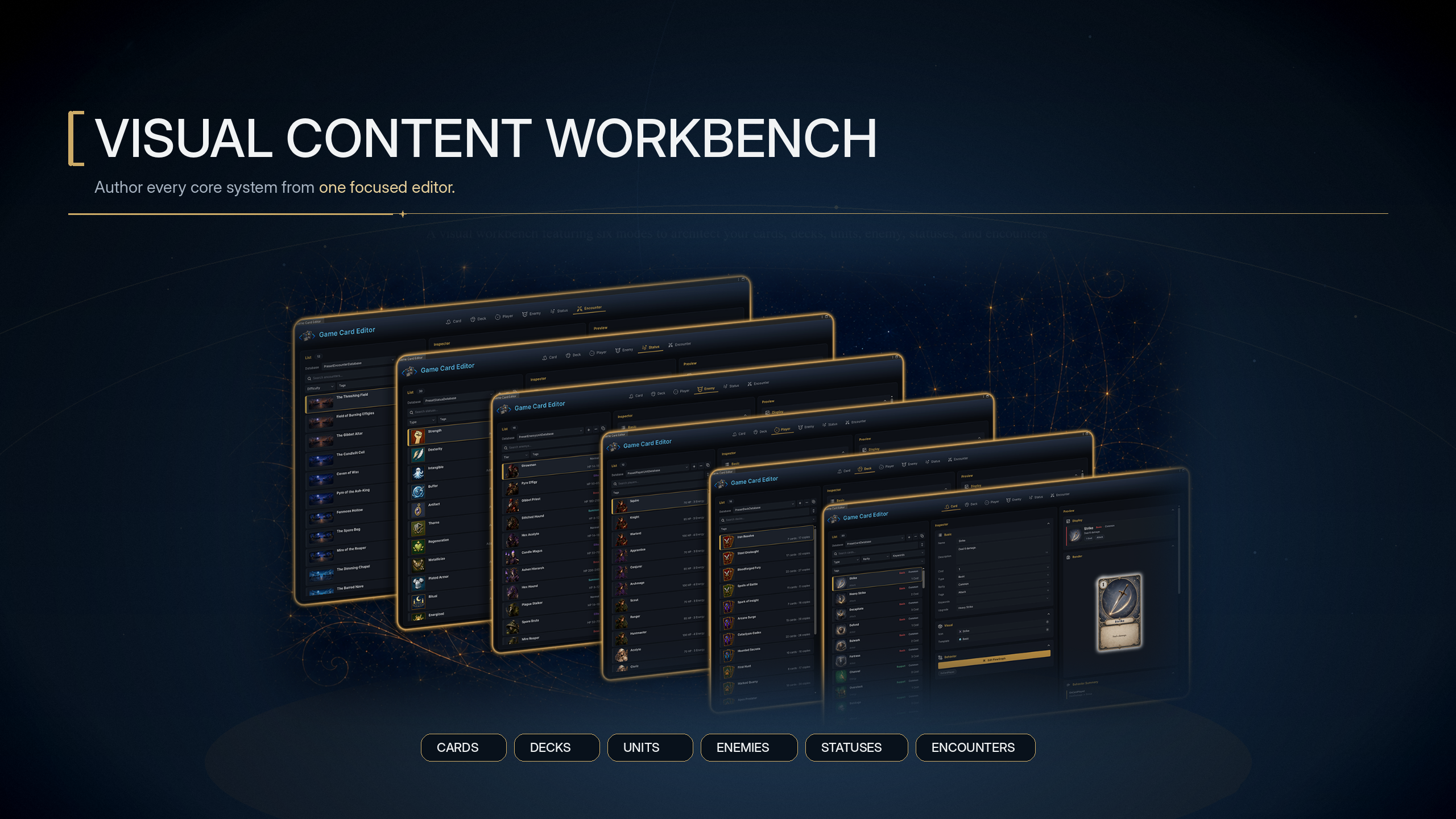
Game Card Editor keeps List, Inspector, and Preview synchronized around the current content. List manages databases and entries. Inspector edits the definition and its Behavior. Preview checks appearance, composition, behavior summaries, and direct references. All six modes also share search, filtering, sorting, Undo/Redo, Validation, and Used By, so after completing one content type you can follow its references into the next.
| Content | Main definition | Responsibility in battle |
|---|---|---|
| Cards | Name, description, cost, type, Target, keywords, art, and Behavior | Player actions, card lifecycle, and resolution rules |
| Decks | Card entries and copy counts | Content sources for the Starting Deck, Reward Deck, and Master Deck |
| Player units | HP, energy, starting deck, Prefab, and resource display | Player units, starting resources, and character presentation |
| Enemies | HP range, Tier, Prefab, Intent, and Behavior | Preview and execute enemy actions |
| Statuses | Buff/Debuff identity, stacking, cap, decay, icon, and Behavior | Persistent effects, rule changes, counters, and turn responses |
| Encounters | Player, enemy lineup, reward deck, and Battle Rules | Assemble existing content into a battle that can start and resolve |
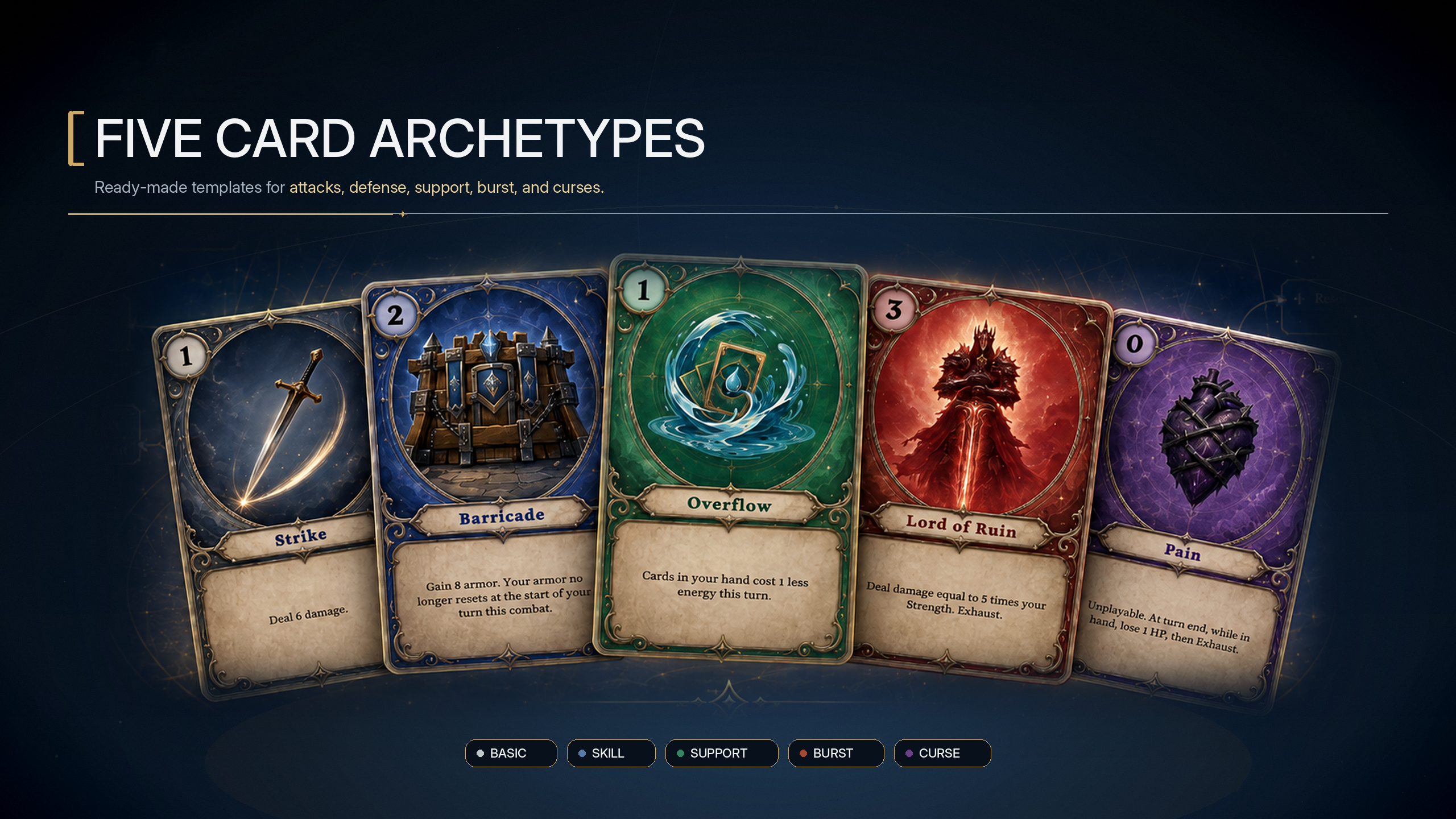
Cards are the main authored actions, the single-character databases contain 80 cards across 5 types and 4 rarities, Party Showcase uses a separate set of Strike, Defend, and four ally-targeting cards
These cards demonstrate attacks, skills, bursts, support, curses, cost changes, multi-hit attacks, status application, card generation, pile operations, and ally targets
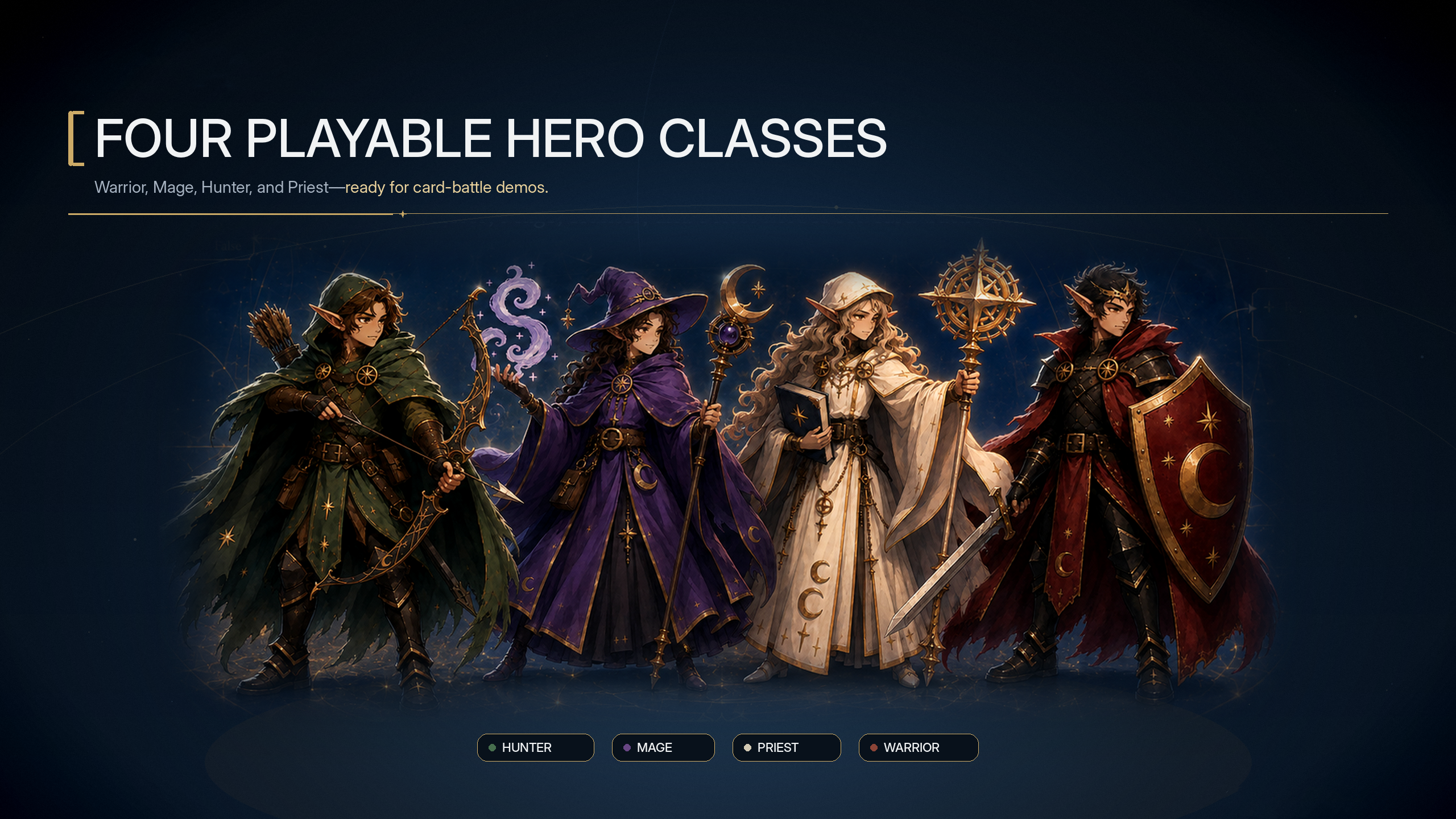
Player units define the controlled character: HP, energy display, starting deck, class tag, prefab, and preview art; the demo includes four class lines: Warrior, Mage, Hunter, and Priest
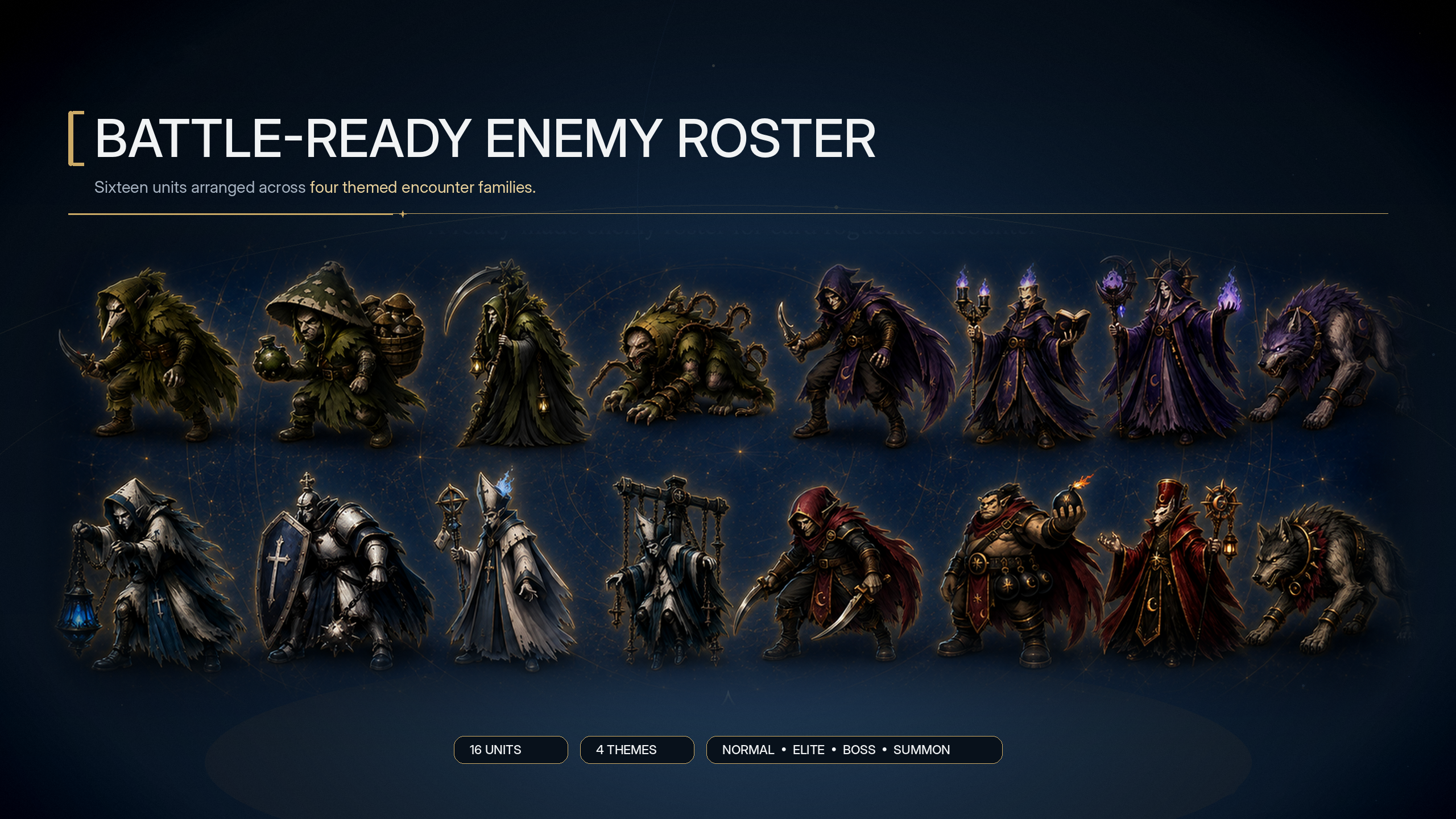
Enemies define the other side of the battle; the 16 shipped enemies cover normal, elite, boss, and summon roles, each driven by an intent behavior graph rather than hard-coded AI
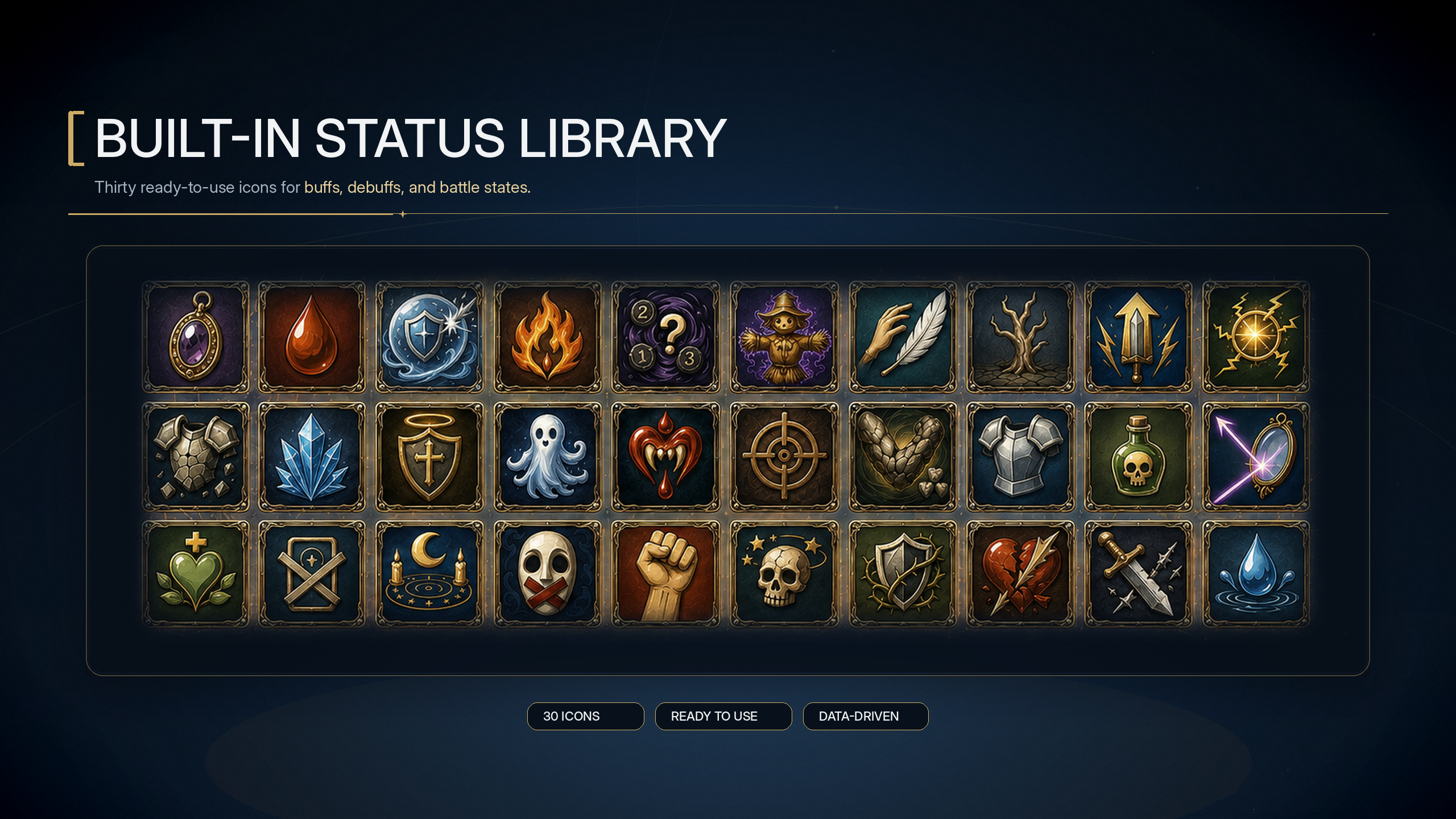
Statuses model buffs, debuffs, counters, and rule modifiers; the 30 shipped statuses cover damage-over-time, shields, strength/dexterity-style modifiers, control states, reactive damage, regeneration, and hook-based rule changes
These six content types are stored as ScriptableObject sub-assets in their databases. When a battle starts, GCS creates independent card, unit, status, and pile instances from those definitions. Runtime values such as HP, cost, and status stacks change only on the instances and never write back to the source assets. Database management explains how content is organized and activated. Definitions and runtime instances covers the boundary between static definitions and runtime data.
Game Card Editor defines which objects exist in a battle and how they reference one another. The actual behavior of Cards, Statuses, and Enemies belongs to their FlowGraph Behaviors.
Combine gameplay behavior with 147 nodes
Cards, Statuses, and Enemies each have their own Behavior but share the same nodes, ports, and execution context. Entry nodes determine when execution starts. Control connections organize order and branches, while data connections carry units, cards, sets, and calculated results. When a fixed field cannot express a dynamic rule, you can turn it into a port and accept upstream data.
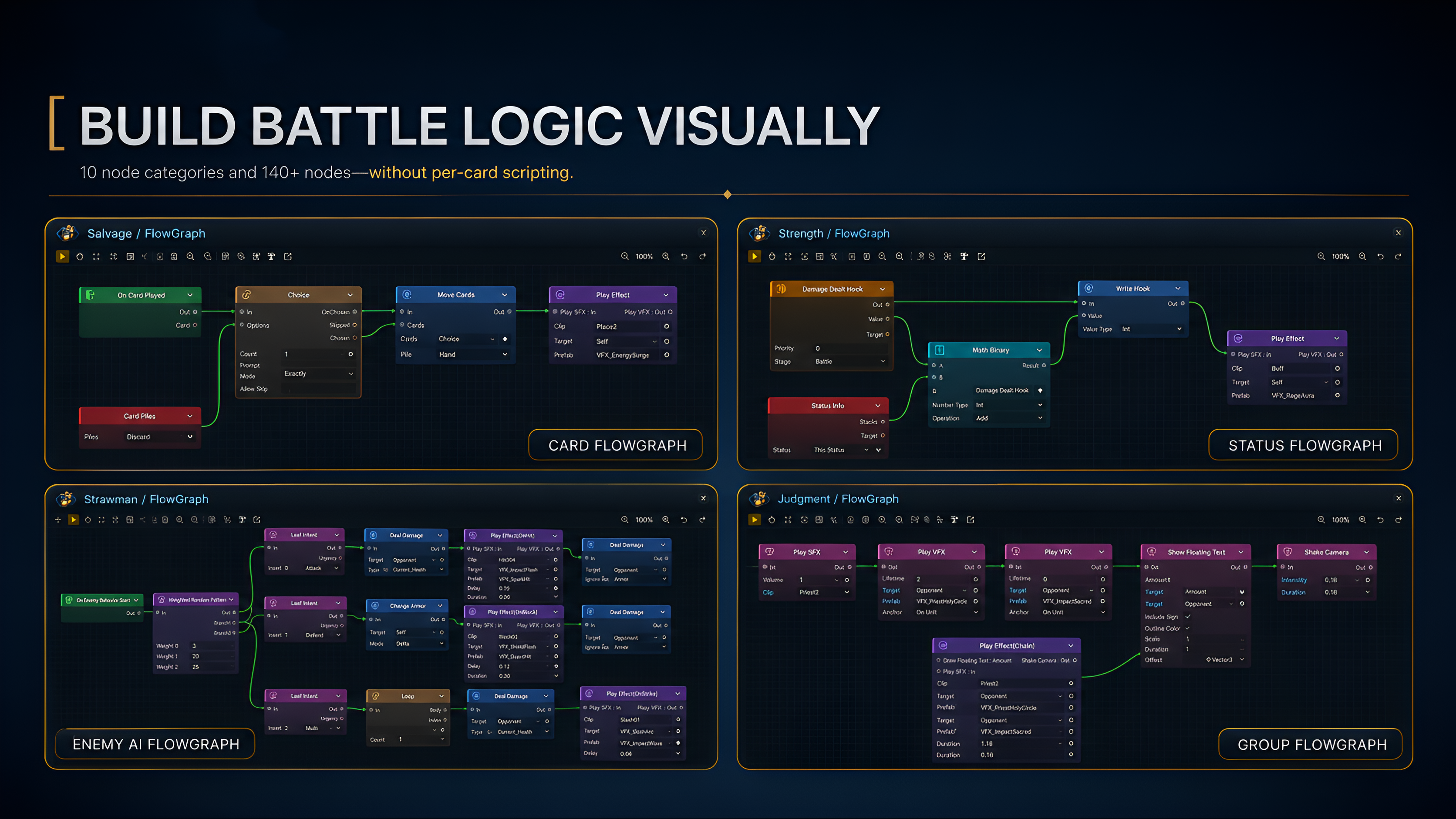
The image above places all three Behavior types and Group on the same canvas system. Cards resolve from card play or lifecycle entries. Statuses respond to battle timing and Hooks. Enemies select actions through Intent Patterns. Group organizes a dense section of connections without changing execution. The 147 available nodes consist of 145 core nodes and 2 Demo FX extension nodes.
| Node family | Count | Main responsibility |
|---|---|---|
| Entry | 33 | Start a Behavior from battle, turn, card, unit, status, energy, or event timing |
| Hook | 18 | Modify or cancel damage, armor, healing, energy, draw, cost, and other results before commit |
| Action | 27 | Modify HP, armor, energy, cards, statuses, variables, turns, and units |
| Operator | 22 | Compare, calculate, filter, sort, select, combine, and convert data |
| Get | 19 | Read units, cards, piles, statuses, variables, and event arguments |
| Flow | 10 | Organize branches, loops, sequences, Choice, Switch, Wait, and Gate |
| FX | 7 + 2 Demo | Request VFX, SFX, animation, floating text, movement, flashes, and camera feedback |
| Intent | 6 | Build enemy intent leaves, sequences, random patterns, and HP-threshold patterns |
| Event | 2 | Raise internal GCS events or optional GES events |
| Group | 1 | Organize a complex canvas without changing its real execution relationships |
FlowGraph basics explains control flow, data flow, context, and evaluation. Node overview provides an entry point for every family. The three recipe libraries organize common mechanics into 103 editable FlowGraphs.
| Mechanic range | Recipe entry point |
|---|---|
| Multi-hit attacks, X-cost cards, draw and discard, discover, replay, transform, cost, and card lifecycle | 52 card recipes |
| Poison, burn, strength, vulnerable, thorns, barricade, silence, revival, equipment, and global rules | 30 status recipes |
| Intent sequences, weighted random behavior, boss phases, summoning, splitting, escape, deck disruption, and cross-system events | 21 enemy recipes |
These recipes use only production nodes and runtime systems. After copying one, you can continue changing ports, fields, and target sources. Once the Behavior is complete, it produces cost changes, target selection, damage, statuses, pile movement, and presentation requests in Play Mode.
Execute and verify rules in Play Mode
When a player plays a card, GCS checks the current Phase, hand ownership, effective cost, target, keywords, and Hooks. Once the action is accepted, it executes the Card Behavior and uses the Controller to update damage, armor, statuses, and piles. The card then enters Discard or Exhaust. A Behavior can use Choice, Wait, or Gate when it must pause for a player selection or a specific process. Ordinary VFX, SFX, and animation requests do not block the phase automatically.
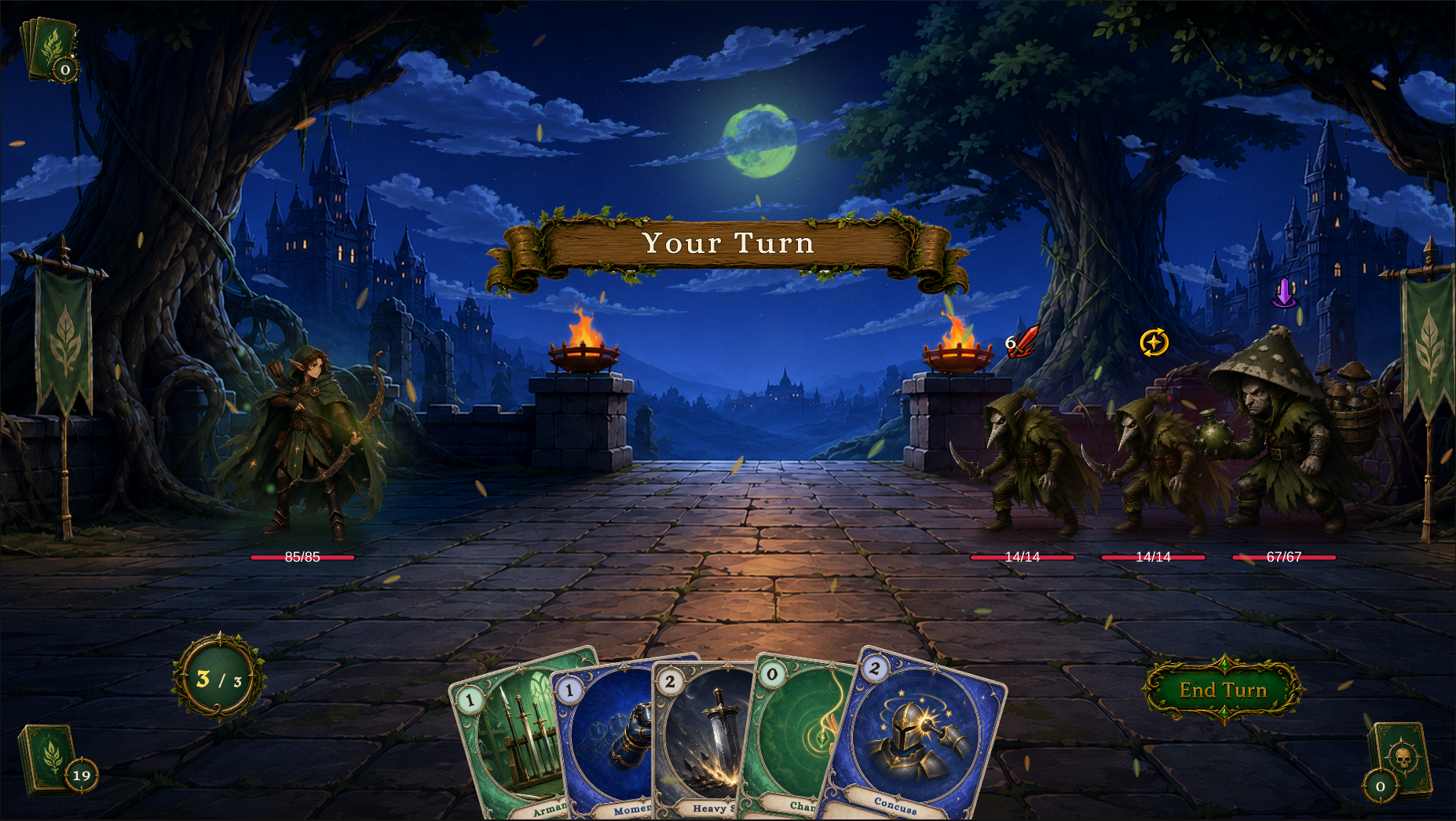
The player and enemy HP, card costs, energy, pile counts, enemy intents, and current turn shown above all come from the same battle state. Encounter defines the initial lineup and rules. Behaviors resolve mechanics, while the battle state machine advances turns, enemy actions, Choice, Reward, and victory or defeat.
| Runtime scope | Responsible result | Read next |
|---|---|---|
| Battle lifecycle | Initialization, player turns, enemy phases, victory, defeat, Choice, and Reward | Battle flow, Battle lifecycle |
| Cards and piles | Draw, Hand, Discard, Exhaust, and the Master Deck across battles | Card and pile lifecycle |
| Target selection | Self, Opponent, All, Selector, random targets, and player choice | Target selection |
| Statuses and Hooks | Stacking, decay, sources, Behaviors, and modification before commit | Status lifecycle |
| Presentation and waits | UI, VFX, audio, animation, Wait, Gate, and Choice | Custom UI integration, FX nodes, and Flow nodes |
| Scene and startup | Manager, Bootstrap, Battle Board, Hand, HUD, and Presentation | Battle scenes, Starting a battle |
These systems maintain the final battle result together. When the screen cannot explain where a result came from, Game Card Monitor places live state and the execution process in one diagnostic window.
Verify results with Game Card Monitor
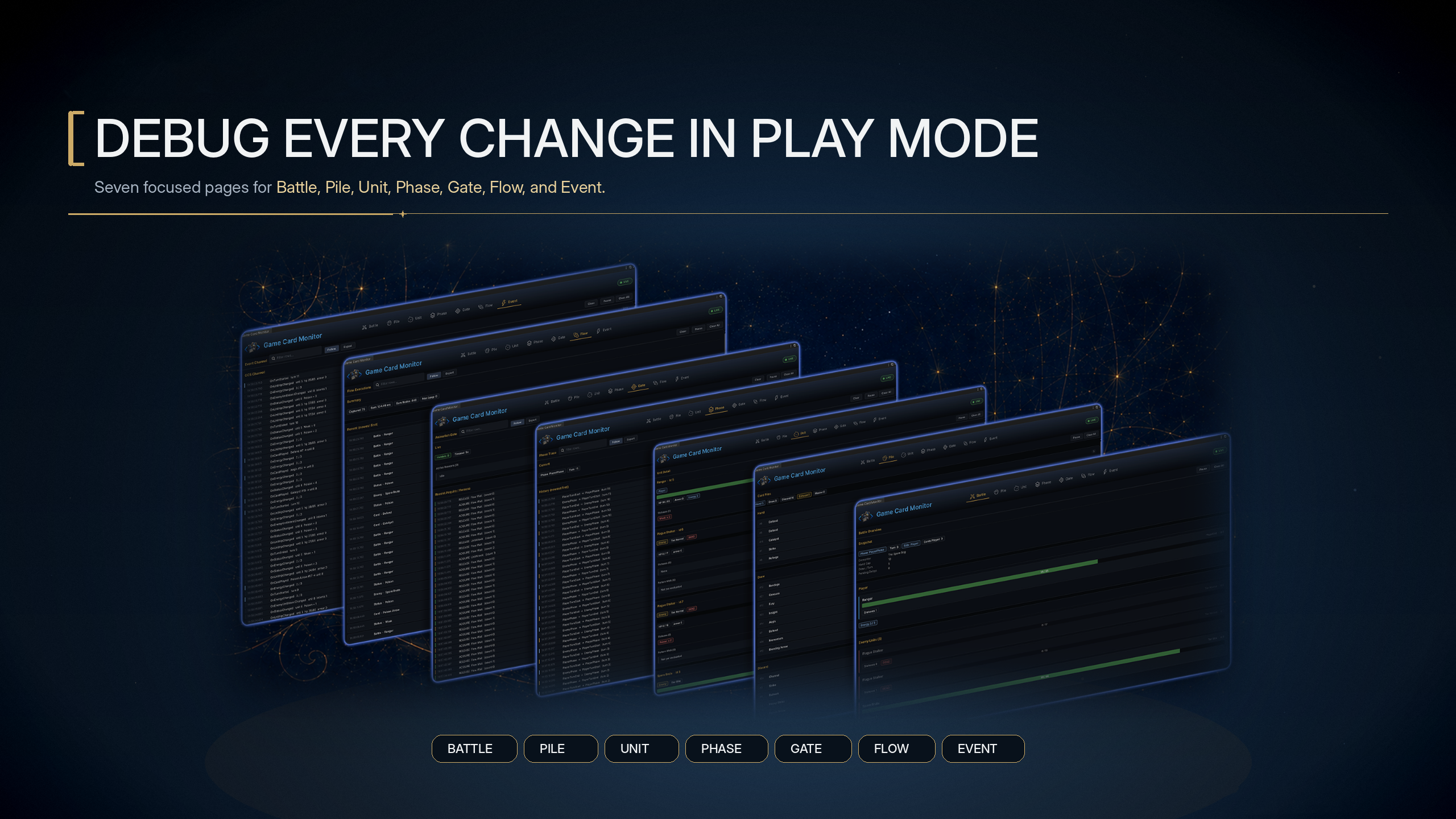
The seven tabs above provide both result evidence and process evidence. Battle, Pile, and Unit confirm the current battle, piles, and unit state. Phase, Gate, Flow, and Event show where the process stopped, which nodes were visited, and whether the corresponding event fired.
| Tab | What you can inspect |
|---|---|
| Battle | Encounter, Phase, Turn, player, enemies, Pending Intent, and wait state |
| Pile | Hand, Draw, Discard, Exhaust, and Master Deck |
| Unit | HP, armor, energy, status stacks, alive state, and Pattern Walk |
| Phase | Phase transition history and Choice Pending |
| Gate | Holder, Active Reasons, and Acquire/Release records |
| Flow | Behavior Owner, Trigger, visited node count, and synchronous execution time |
| Event | Event timeline, Payload summary, and subscriber count |
Game Card Monitor explains every field and the inspection order. Problem index starts from startup, card play, status, event, and presentation symptoms and leads to the matching repair path. Monitor confirms what happened in the battle. GCSApi lets project code read that result and submit the next action.
Integrate the project through GCSApi and extend it further
GCSApi is the single entry point for project code that accesses a battle. A HUD, map, quest, save system, or development tool can use it to start battles, submit player actions, read state, mutate the battle through supported paths, and subscribe to events. Project code and visual content always drive the same battle state.
The smallest integration selects an Encounter and submits player intent. The actual battle rules still come from content assets and Behaviors.
using TinyGiants.GCS.Runtime;

GCSApi.StartBattle(encounter);
bool played = GCSApi.TryPlayCard(card, target);
GCSApi.EndPlayerTurn();
GCSApi guide provides integration examples, API reference lists public members, and Event guide and Event reference explain subscriptions and trigger timing for all 47 built-in events
When a project needs its own mechanics, extensions continue to use the same FlowGraph and runtime contracts.
| Extension point | Use case | Documentation |
|---|---|---|
| Custom nodes | Add gameplay actions, data sources, selectors, operators, or presentation requests | Custom nodes |
| Custom ports | Infer field inputs or declare result outputs, choices, and control branches | Custom ports |
| Execution context | Read inputs and targets, mutate state through the Controller, and publish results | Execution context |
| Types, tags, and description tokens | Add project classifications, filter dimensions, and dynamic card text | Card types, tags, and description tokens |
| Copyable samples | Start from seven family templates and seven matching finished nodes | Custom nodes |
Four registries discover nodes, card types, tags, and description tokens that follow the contracts, so you do not maintain a manual registration list. If the project also uses GameEventSystem, GES integration creates a two-way channel between FlowGraph and the external event system.
Inspect complete finished content in the included Demo
The Demo builds playable battles with the standard authoring tools, FlowGraph, runtime, and presentation interfaces, Warrior, Mage, Hunter, and Priest each have Normal, Elite, and Boss scenes, Party Showcase reuses the Hunter scene with six separate databases for a three-member party
| Demo content | Count | Composition |
|---|---|---|
| Playable scenes | 13 | Twelve class battles plus Party Showcase |
| Single-character database set | 12 Encounters, 12 Players, 16 Enemies, 80 Cards, 16 Decks, 30 Statuses | The original four class lines and their complete reusable content |
| Party database set | 1 Encounter, 3 Players, 3 Enemy definitions, 6 Cards, 1 Deck, 5 Statuses | Scout, Squire, and Apprentice share Party Tactics against a Normal, Elite, and Boss Hunter enemy |
Demo overview explains the databases and content scale. Demo battle scenes shows every lineup and live battle view. Demo content reference and Asset layout connect the scene results back to the content assets and their file ownership.
This finished content also provides engineering evidence that the same toolchain covers multiple class builds, normal battles, elite battles, boss phases, summons, complex statuses, and post-battle rewards.
Engineering boundaries for production projects
| Engineering area | Included foundation |
|---|---|
| Unity and render pipelines | Supports Unity 2021.3 and later, with Unity 6 recommended. The Demo supports the Built-in Render Pipeline and URP |
| Runtime dependencies | The GCS runtime has no third-party dependencies. Transitions and procedural animation use TinyGiants' own TGTween |
| Content stability | ScriptableObject sub-assets store definitions, Unity references connect content, Active Database controls active discovery, and GUIDs support content lookup |
| Authoring safeguards | Game Card Editor provides Undo/Redo, Validation, Used By, and cross-database copy. FlowGraph Editor checks node identity, Host, and port structure |
| Runtime consistency | The Controller submits mutations, Hooks modify or cancel them before commit, events broadcast changes, and explicit Gates wait for presentation work |
| Diagnostic access | Monitor displays Battle, Pile, and Unit snapshots and records Phase, Gate, Flow, and Event history |
Installation and initialization gives the supported versions, import result, and first scene check. Project structure explains the boundary between package content and project data. Once both are clear, enter the tutorial, authoring guides, references, or troubleshooting section that matches your current task.
Choose the next step
When evaluating GCS, start with the first battle or a Demo scene. When integrating it into a project, continue with the second battle, content authoring, or code integration. Use the remaining sections according to the task at hand.
| Current goal | Recommended entry point |
|---|---|
| Play one complete battle | First battle |
| Build a custom battle from an empty scene | Second battle |
| Understand content, Behaviors, and runtime mechanics | Database management, FlowGraph basics, Battle flow, and Runtime overview |
| Create cards and battle content | Cards, Decks, Player units, Enemies, Statuses, and Encounters |
| Find a node or existing mechanic | Node overview, Card recipes, Status recipes, and Enemy recipes |
| Integrate UI and project code | GCSApi guide, Custom UI integration, and Event guide |
| Extend nodes and content types | Custom nodes, Custom ports, and Execution context |
| Diagnose authoring or runtime problems | Problem index, Authoring problems, and Runtime problems |