Enemy authoring
Define an enemy's identity, HP range, Prefab, and the behavior graph that selects and resolves its Intents
Squire already brings Iron Resolve into The Threshing Field. Strawman in the same battle comes from a GameEnemyUnit that stores the enemy name, Tier, Tags, HP range, battle Prefab, and Behavior. Before editing, confirm that the current scene's GameCardManager has at least one Enemy Unit Database enabled. Database setup determines which enemies Game Card Editor can list, create, and edit.
Open Game Card Editor:
Tools > TinyGiants > GCS > Game Card Editor
Select Enemy at the top, then locate Strawman in List.
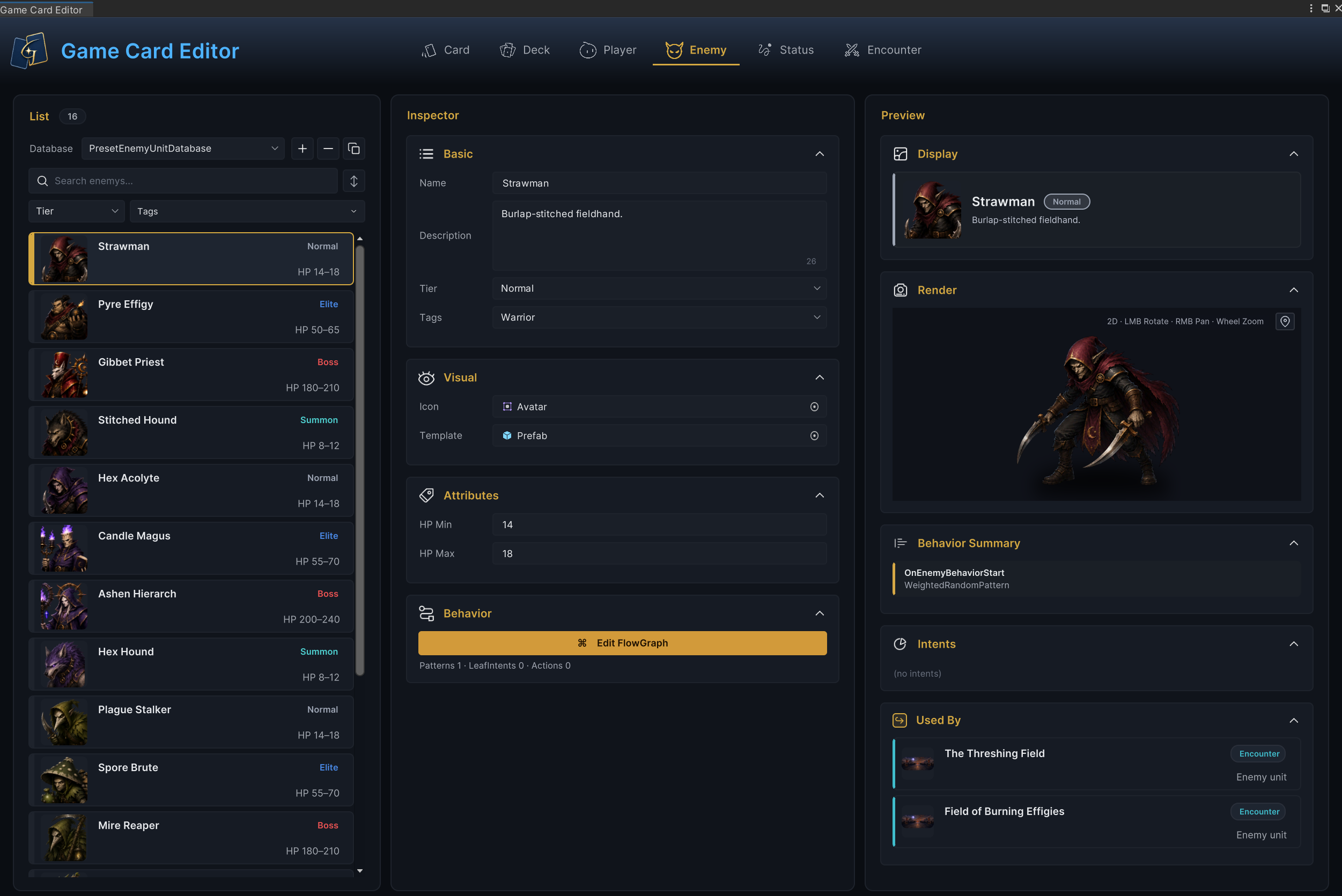
The workspace above follows Strawman. List on the left selects the enemy. Inspector in the center stores its identity, battle Prefab, 14–18 HP, and Behavior. Preview on the right checks the result, while Used By lists Encounters that reference it.
All four regions use the selected GameEnemyUnit. Confirm Strawman in List first, and the configuration, preview, and reference checks continue from the same data.
Select the enemy to edit
Enemy mode reads nonnull enemies only from Enemy Unit Databases enabled on the current GameCardManager. Each List row shows the enemy Icon, name, Tier, and HP range, so you can compare them without opening Inspector.
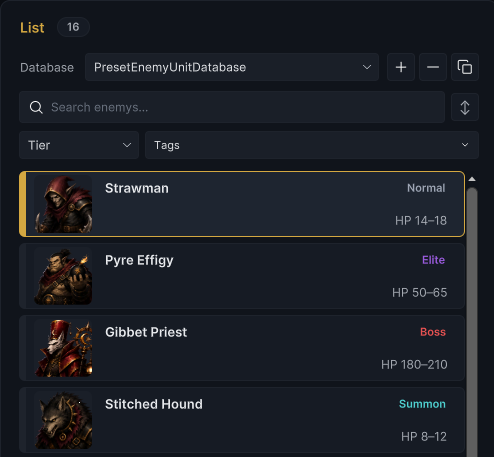
PresetEnemyUnitDatabase contains 16 included enemies: 4 each of Normal, Elite, Boss, and Summon. The selected Strawman shows Normal · HP 14–18.
List also manages assets in the current Enemy Unit Database.
List operations
| Operation | Method and result |
|---|---|
| Select database | Select the target Enemy Unit Database under Database. The current selection and workspace switch to that database |
| Create | + creates a sub-asset with NewEnemyUnit as the base name. Defaults are Normal Tier and 20–30 HP. Name, Description, Icon, Template, and Tags are empty. Behavior exists but has no nodes or connections |
| Copy | Copies the current fields and Behavior into an independent asset. The sub-asset name gains _Copy, while display Name initially remains unchanged |
| Delete | − deletes the current enemy after confirmation without protecting or migrating references |
| Search and filter | Search and name sorting read the sub-asset name. Tier uses case-insensitive exact matching. Tags keeps enemies matching any selected tag, with case-sensitive comparison |
| Sort and drag | The sort button cycles through database order, name ascending, and name descending. Dragging a List row changes only authoring order |
| Batch operations | Duplicate multiple selections, add or remove Tags, delete in batches, or copy between Active databases of the same type with Ctrl/Cmd+C and Ctrl/Cmd+V |
See Game Card Editor for window-level selection, shortcuts, and batch interaction.
Once the List row shows Normal · HP 14–18, keep Strawman selected. Configure the identity used by List, UI, and runtime classification, then assign the Icon and Template used for battle presentation.
Configure enemy identity and battle presentation
Basic
| Field | Configuration and use |
|---|---|
| Name | Enemy display name. A nonempty edit also changes the sub-asset name. When empty, List and Display fall back to the sub-asset name, but Validation still reports an error |
| Description | Text read by Display and project enemy UI. The included Demo shows it in unit hover information |
| Tier | Select Normal, Elite, Boss, or another project label. The value enters runtime EnemyUnitState.Tier and participates in Tier filters, unit attribute reads, and related events |
| Tags | Free-form labels used by List filters and project logic. FlowGraph Filter uses case-sensitive matching and accepts a unit when its Tags match any requested tag |
Set Name to Strawman, keep Burlap-stitched fieldhand., select Normal Tier, and add the Warrior Tag.
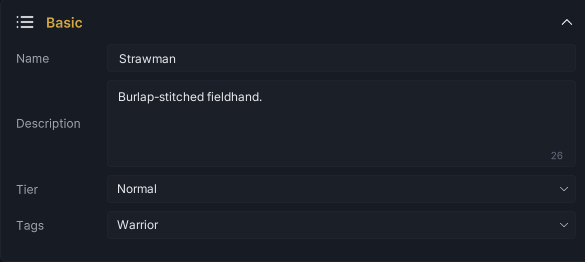
Tier does not increase HP or damage automatically. The included Demo uses it to adjust unit scale, position offsets, and Intent height. See Target selection for how Tier and Tags participate in unit collection filters.
Visual
Icon is used by Enemy List, Display, and the included Demo's unit hover information. Template writes to GameUnit.Prefab for Editor Render and the project presentation layer to instantiate.
Assign the enemy Avatar and Prefab to Strawman.

The GCS core battle state machine creates only EnemyUnitState. It does not create scene objects automatically. In the included Demo, BattleBoard reads state.Source.Prefab, instantiates the Template, and binds UnitView.
With identity and presentation references ready, Attributes determines the health range used whenever the runtime creates a Strawman state.
Configure the health range
Set HP Min on Strawman to 14 and HP Max to 18.

At runtime, GCS chooses one of the five integers 14, 15, 16, 17, and 18 with equal probability. It writes that result to both current and maximum HP on the new EnemyUnitState. The average starting health is therefore 16.
Set both values to the same number for fixed health. When one Encounter references Strawman more than once, each slot still creates an independent state and rolls HP separately.
When editing HP Max, Game Card Editor prevents it from going below the current HP Min. Raising HP Min does not rewrite an existing HP Max. Reversed ranges left by scripts or old assets are not repaired automatically, and Validation reports HpMin > HpMax.
HP determines how much damage the enemy can take. Behavior determines which Intent it announces and which action it executes during each enemy phase.
Author Behavior and Intents
Click Edit FlowGraph to open the current enemy's Behavior. The summary below the button shows top-level Pattern, Leaf Intent, and Action counts.

The summary counts only top-level nodes. Leaf Intent has its own count, Pattern excludes Leaf nodes, Action counts only MutatorNode, and nodes inside Groups are omitted.
The top-level graph for Strawman contains 14 nodes. Four Groups contain another 21 nodes, for 35 serialized nodes in total.
Open the complete graph in FlowGraph Editor.
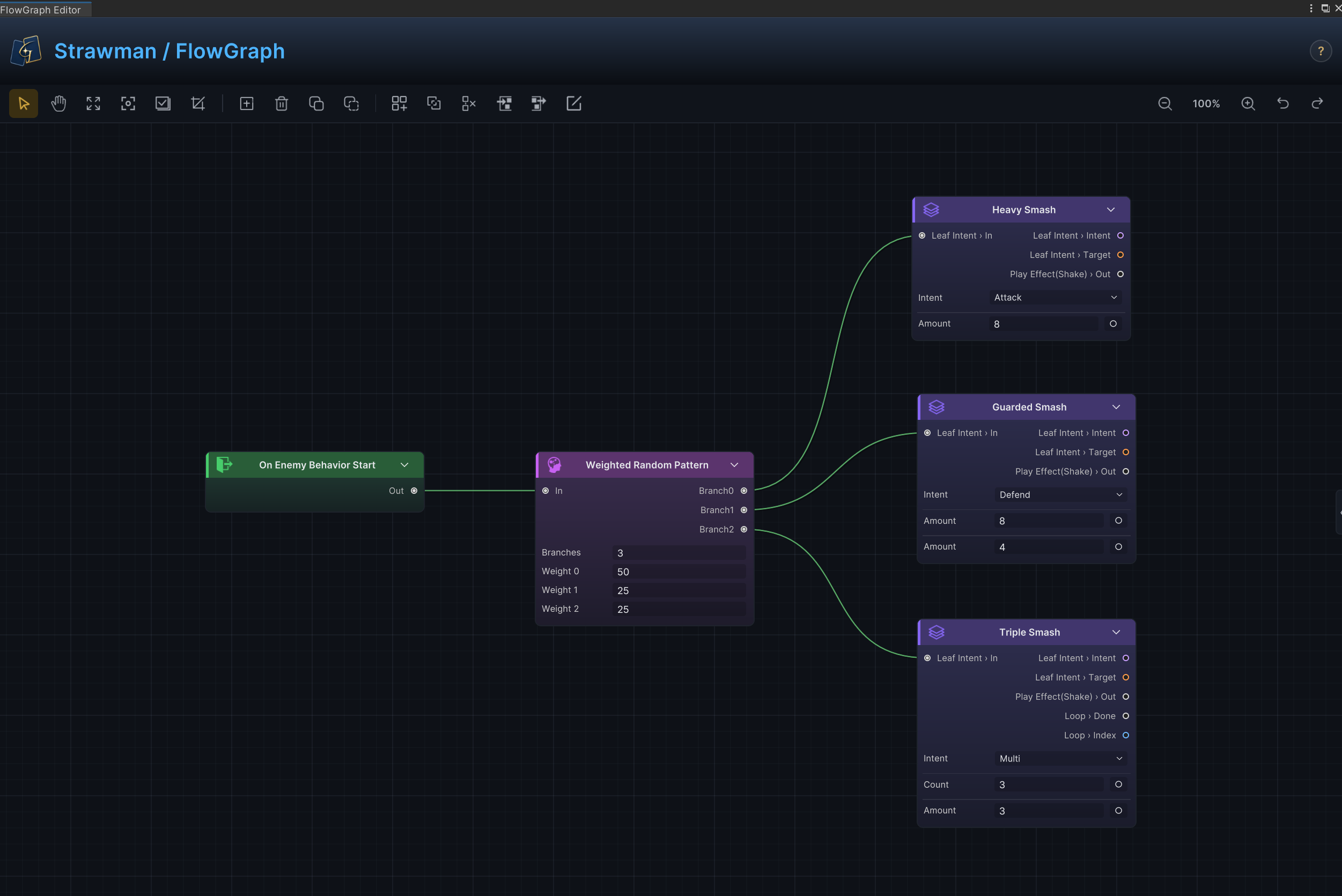
The graph starts at On Enemy Behavior Start, enters Weighted Random Pattern, then connects each of its three weighted branches to a Leaf Intent and action chain. Those visible relationships produce the following runtime results.
| Branch | Weight | Announced Intent | Action executed during enemy phase |
|---|---|---|---|
| Attack | 50 | Attack | Deals 8 raw damage to the player |
| Defend | 25 | Defend | Gains 8 Armor, then deals 4 raw damage to the player |
| Multi | 25 | Multi | Loops 3 times and deals 3 raw damage to the player each time as three separate resolutions |
-
Planning starts from the
Outport of the first top-levelOnEnemyBehaviorStartnode in Behavior. Before reaching a Leaf Intent, the path can pass only through Patterns. Actions, statuses, and presentation chains must follow the Leaf. -
If planning reaches an Action, Control, Group, or another node first, it stops immediately and produces zero Intents. Validation does not report this structural problem, so check the connection order directly.
-
At battle start, GCS follows a valid Pattern path and stores the Leaf ID, Pattern path, and Intent in that enemy's
EnemyUnitState. Enemy phase executes the same announced Leaf instead of choosing again. After the action, stateful Patterns such as Sequence, Once Per Battle, and Every N Turns advance their internal progress. A new Intent is planned after enemy phase ends. See Battle loop for the exact timing. -
Each planning pass produces zero or one
IntentEntry. Whether it contains a display value depends on the linearOutpath after the Leaf. Attack, Defend, and Heal read the first matching damage, armor, or positive healing value. Multi, Buff, Debuff, and Special keep an Intent value of-1.
Enemy Intent Display on the Encounter controls how the plan appears externally.
| Mode | External result |
|---|---|
Full | OnEnemyUnitIntentChanged carries the Intent category and a display value estimated through relevant Hooks |
IconOnly | The event keeps the Intent category but changes the display value to -1 |
Hidden | The runtime still plans and stores the Intent internally but does not raise OnEnemyUnitIntentChanged |
CurrentIntentTag(), CurrentIntentValue(), and PendingIntents() still read the raw internal plan and are not rewritten by the display mode. See Encounter authoring for all Encounter options.
Built-in enemy Patterns also include Sequence Pattern, HP Threshold Pattern, Once Per Battle, and Every N Turns. See Intent nodes for port and runtime rules.
Strawman uses one weighted branch to build the smallest complete enemy loop. More complex Behaviors can combine HP thresholds, several weighted branches, statuses, and presentation nodes after the same Entry.
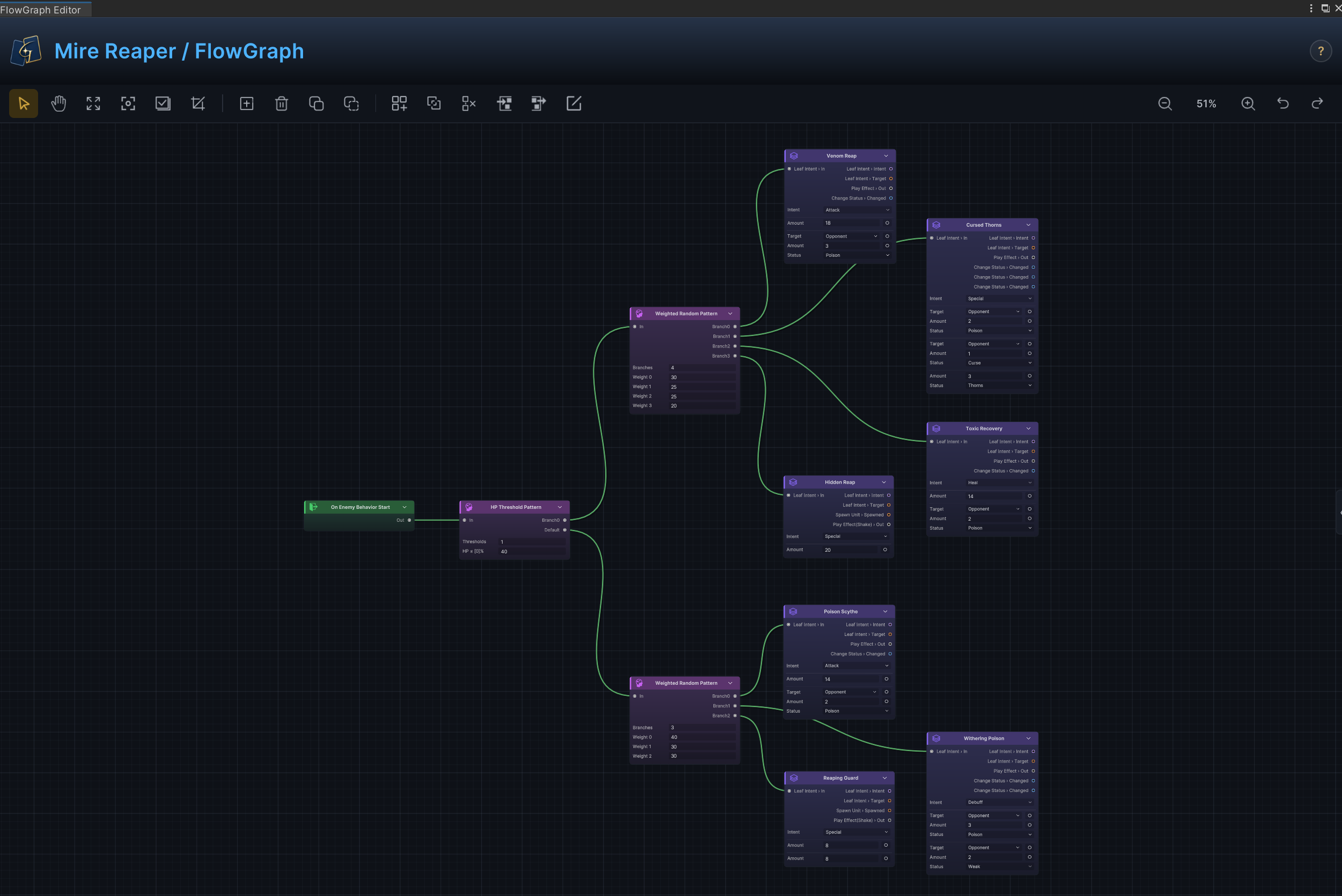
The graph above switches from Strawman to Mire Reaper. It uses HP Threshold to select a high- or low-HP branch, then two Weighted Random Patterns to organize Poison, Weak, damage, and presentation paths. See Enemy behavior recipes for the complete structure.
After checking how a complex Behavior extends the same model, return to Game Card Editor and select Strawman again. Preview shows its identity card, Template, Entry summary, and Intent composition in order.
Inspect the enemy preview
Display information
Display combines Icon, Name, Tier, and Description in an enemy identity card. Confirm that the portrait, Strawman name, Normal label, and description are present and correct.
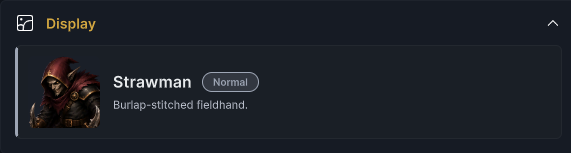
Display proves only that the Editor can read these fields. Project runtime UI decides whether to use the same layout. Check Template separately in Render.
Prefab rendering
Render instantiates the Template in an isolated preview scene. Hold the left mouse button to rotate, use the right or middle button to pan, scroll to zoom, and use the button in the upper-right corner to restore automatic framing.
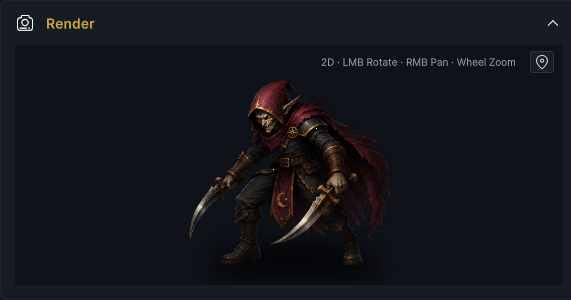
This preview confirms only that the Editor can instantiate and render the Prefab. Check BattleBoard anchors, Tier scale and offsets, scene sorting, runtime bindings, and interaction components in Play Mode.
Behavior Summary
Behavior Summary lists top-level Entries and follows the first control connection named Out from each one for up to 8 levels.

OnEnemyBehaviorStart → WeightedRandomPattern confirms only that the Entry and first control segment exist. The summary does not expand every Leaf behind a Pattern branch or prove that a branch reaches an Action.
Intents
Intents traverses top-level nodes in Behavior and builds a distribution bar from the category and count of Leaf Intents.

Strawman contains one Attack, one Defend, and one Multi Leaf, so Preview shows three equal sections. This counts Leaves, not runtime probability from the 50/25/25 weights. It also does not check whether a Leaf is reachable, has an Action, or is inside a Group.
All four Preview panels are local checks. Inspect the Issue Badge for structural errors across the current Enemy Unit Database.
Handle validation issues
The Issue Badge in Enemy mode scans every enemy in the selected Enemy Unit Database, not only Strawman.
| Level | Trigger |
|---|---|
| Error | Name is empty |
| Error | HpMin > HpMax |
| Warning | Behavior is nonnull and FlowGraphValidator returns a structural problem |
Behavior Warnings from FlowGraphValidator fall into three groups.
| Check scope | Reported problem |
|---|---|
| Nodes and identity | Empty or duplicate NodeId, node disallowed for Enemy Host, custom Value node without a data output, or Internal Event or GES Event missing required identity |
| Connections and ports | Connection references a missing node or port, port types are incompatible, or connection metadata disagrees with the output port |
| Group Body | Recursively checks the same node, identity, connection, and port problems inside Groups |
Validation does not cover the following responsibilities. Check them in Preview, FlowGraph Editor, or Play Mode.
| Unchecked scope | Manual boundary |
|---|---|
| Behavior completeness | Behavior is empty, OnEnemyBehaviorStart is missing, the Entry is disconnected, a Pattern cannot reach a Leaf, or a Leaf has no Action |
| Presentation assets and text | Icon or Template is missing, Description is empty, or Tags are empty |
| Field boundaries | Tier is unexpected or HpMin < 1 |
Issues do not block saving, deletion, or Play Mode. Ping only locates the enemy, field, or FlowGraph. After structural checks, use Used By to confirm which Active Encounters directly store the current enemy.
Inspect Encounter references
Used By scans only Encounter Databases enabled on the current scene's GameCardManager and checks direct references from GameEncounter.EnemyUnits to the current enemy.
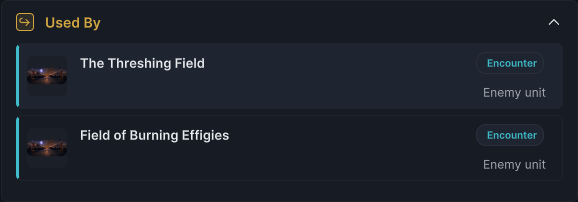
The Threshing Field references one Strawman. Field of Burning Effigies references two Strawman entries together with one Pyre Effigy. Repeated references in the same Encounter still produce one Used By row.
Click a result to switch to Encounter mode and locate the asset. The scan does not cover disabled databases, other scenes, Prefabs, code references, GCSApi.SummonEnemy(), or FlowGraph Summon Enemy.
After opening The Threshing Field, Enemy Units shows Normal Tier and 14–18 HP for Strawman and preserves its slot order in the enemy lineup.
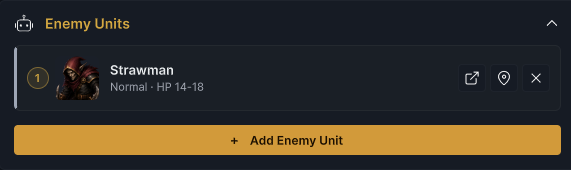
This confirms the direct reference from Encounter to GameEnemyUnit. Play Mode still needs to verify that the Template, randomized HP, and Behavior enter the battle.
Verify the enemy in Play Mode
Open the included 1-The Threshing Field scene and enter Play Mode. Confirm that the Template for Strawman is created and that its current HP falls between 14 and 18.
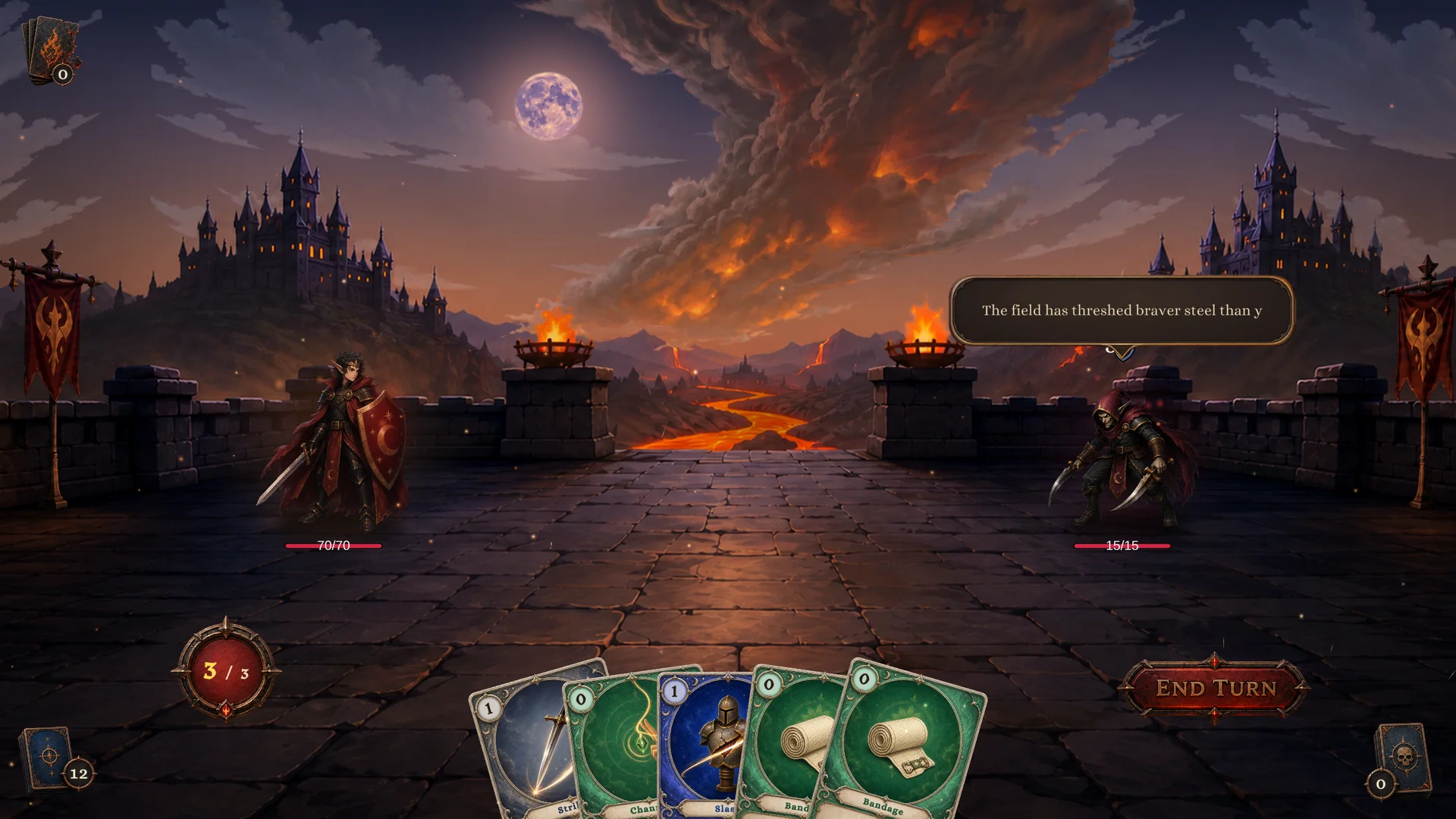
The visible 15/15 HP is one valid result from the 14–18 range, not fixed health for Strawman. This run also confirms that the included Demo loaded the enemy lineup from The Threshing Field, instantiated the enemy Prefab, and bound runtime state.
After the player ends the turn, enemy phase executes the Leaf announced at battle start, then plans the next turn's Intent. Inspect live HP, Armor, statuses, Intent, and Flow execution in Game Card Monitor. See Demo scene index for the other runnable scenes.
Play Mode confirms that the definition enters a real battle. Each enemy slot in an Encounter creates an independent runtime instance. Current HP, armor, statuses, and planned Intent never write back to GameEnemyUnit. See Definitions and runtime instances for this boundary and GCSApi guide and Event guide for project-code query, summon, and event entry points.
Attack, Defend, and Multi on Strawman now plan and execute in The Threshing Field. Poison and Weak in the Mire Reaper graph use Statuses to extend a single action across turns. Switch to Status at the top of Game Card Editor and continue with Status authoring to define those persistent effects.