Player authoring
Define who the player controls, which deck they bring, and how health and energy appear
Iron Resolve is complete and assigned to Squire. Player mode stores the character name, battle Prefab, health, base energy, resource UI, and starting deck in one GamePlayerUnit. Before editing, confirm that the current scene's GameCardManager has at least one Player Unit Database enabled. Database setup determines which player characters Game Card Editor can list, create, and edit.
Open Game Card Editor:
Tools > TinyGiants > GCS > Game Card Editor
Select Player at the top, then locate Squire in List.
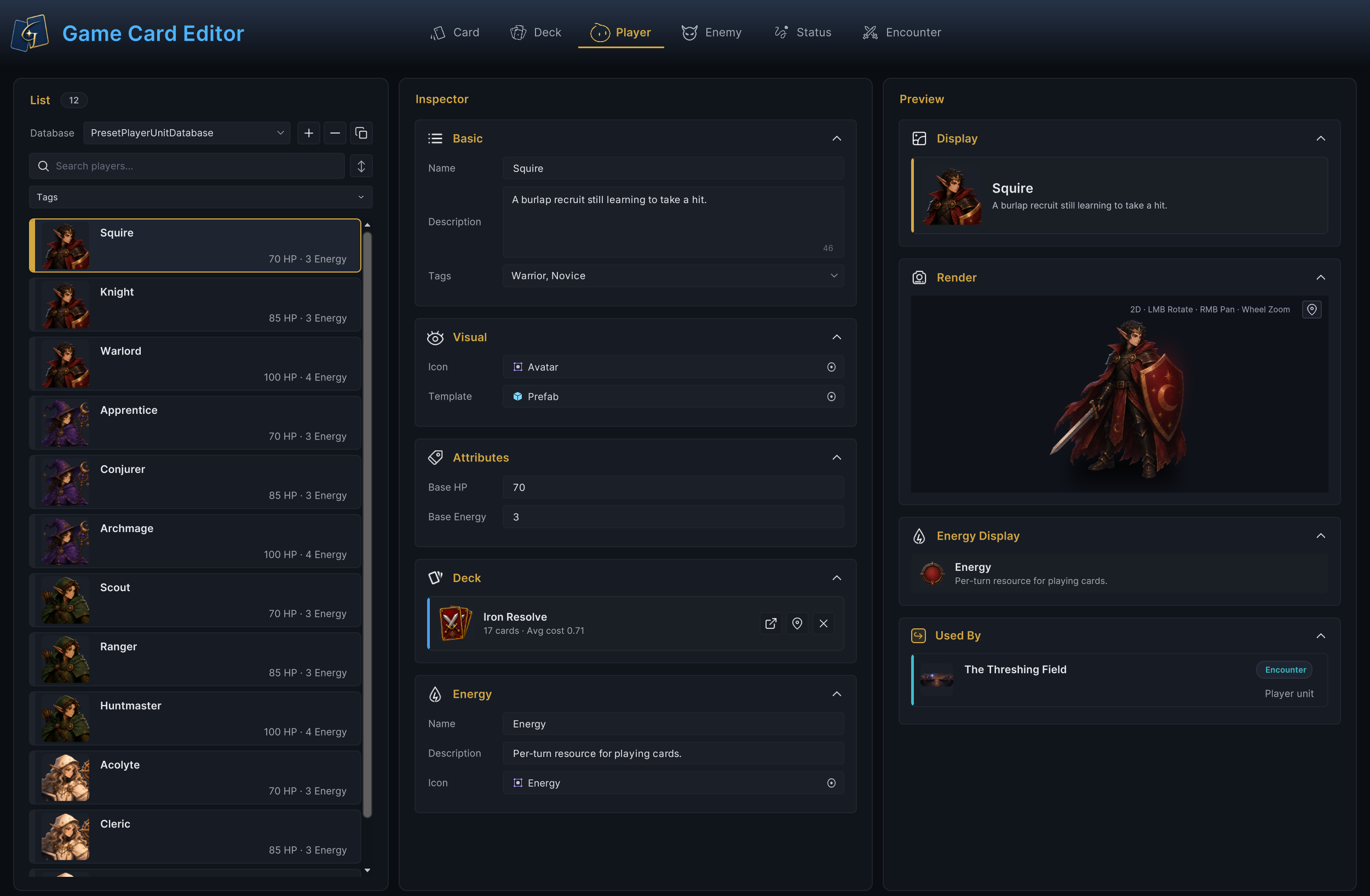
The workspace above follows Squire. List on the left selects the character. Inspector in the center stores the name, battle Prefab, 70 health, 3 base energy, and Iron Resolve. Preview on the right checks UI and the Prefab, while Used By shows the direct reference from The Threshing Field to Squire.
The GamePlayerUnit selected in List is the data source for the whole workspace. Inspector, Preview, and Used By all follow that selection.
Select the player character to edit
Player mode lists nonnull characters from Player Unit Databases enabled on the current GameCardManager.
List operations
| Operation | Method and result |
|---|---|
| Select database | Select the target Player Unit Database under Database. Later creation, paste, and sorting operations affect this database |
| Create | + creates a sub-asset with NewPlayerUnit as the base name. New characters default to 70 health, 3 base energy, and resource name Energy. Name, Icon, Template, and Starting Deck remain empty |
| Copy | The copy button preserves every field. The copy initially keeps the original Name and changes its sub-asset name only after you enter a new nonempty name |
| Delete | − deletes the current character after confirmation |
| Search and filter | Search and name sorting read the sub-asset name. The Tags multiselect keeps characters that match any selected tag |
| Sort and drag | The sort button cycles through database order, name ascending, and name descending. Dragging a List row changes only authoring order in the database |
| Batch operations | Select several characters with Ctrl/Cmd or Shift, then use Duplicate, Tag +, Tag −, or Delete |
| Copy across databases | Ctrl/Cmd+C and Ctrl/Cmd+V copy a character into another enabled database of the same type |
See Game Card Editor for complete List interaction.
Every List row shows the character Icon, name, Base HP, and Base Energy, so you can compare basic health and energy without opening Inspector.
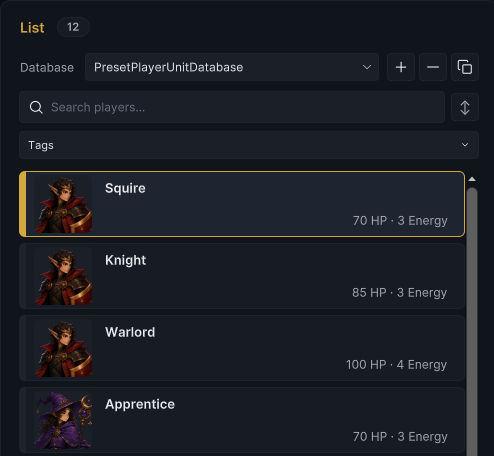
PresetPlayerUnitDatabase contains 12 included player characters. Squire shows 70 HP · 3 Energy in List. Keep Squire selected, configure the name, description, and portrait used by List and project UI, then assign the Prefab created in battle.
Configure character identity and battle presentation
Basic
Basic stores Name, Description, and Tags for display name, character description, and tag matching.
| Field | Configuration and use |
|---|---|
| Name | Character display name. A new nonempty Name also changes the sub-asset name. If Name is empty, UI falls back to the sub-asset name, but Validation still reports an error |
| Description | Character description read by Display and project character UI. The included Demo shows this text in the character hover panel |
| Tags | Free-form labels used by List filters and project logic. FlowGraph Filter is case-sensitive and accepts a unit when its Tags match any requested tag |
Set Name to Squire, keep A burlap recruit still learning to take a hit., then add Warrior and Novice.
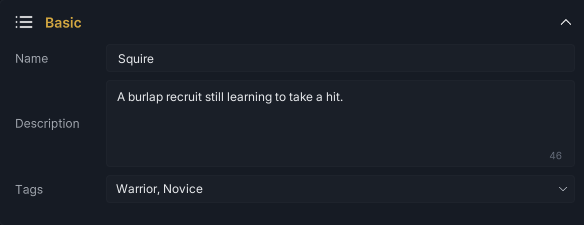
Display reads Name and Description from Squire. List search reads the sub-asset name, and unit filters read Tags. See Target selection for how tags participate in FlowGraph target collections.
Visual
Icon is the portrait used by List, Display, and project character UI. The included Demo also uses it in character hover information. Template writes to GameUnit.Prefab, and Preview Render instantiates this Prefab in an isolated view. The GCS core battle state machine does not create scene objects for the project. In the included Demo, BattleBoard instantiates the Template and binds UnitView.
Assign the Warrior Avatar and Prefab to Squire.

The UI portrait and battle Prefab are now assigned separately. Use Attributes to set the health and base energy that Squire brings into battle.
Configure starting attributes and deck
Attributes
| Field | Runtime meaning |
|---|---|
| Base HP | Sets both current and maximum HP when the player enters battle. Normal healing does not exceed maximum HP. The Editor clamps input to at least 1 |
| Base Energy | Base energy at the start of each player turn. The Editor clamps input to at least 0 |
Set Base HP on Squire to 70 and Base Energy to 3.

At battle startup, the new PlayerUnitState has 70/70 HP and 3 current energy. Each later player turn recalculates energy for that turn.
When BattleRules.StartingEnergy is greater than 0, it replaces Base Energy. The runtime then adds Run Energy Bonus and passes the result to the OnEnergyPerTurn Hook. If the Hook does not cancel, the result is clamped to at least 0; if it cancels, the value from before adjustment remains. See Battle loop for the exact turn position.
GainEnergy() can temporarily raise current energy above the per-turn limit. SetEnergy() clamps the result to the current MaxEnergy. Name, Description, and Icon under Energy Display do not participate in either calculation.
After setting health and energy, assign a Starting Deck to Squire so battles without a Master Deck have an initial card set.
Starting Deck
The first button on the right side of the deck card selects or replaces Starting Deck. The second opens the assigned deck in Game Card Editor. × clears the reference. Double-clicking the card also opens the selector. The selector first reads Deck Databases enabled in the current scene. One nonempty database appears as a flat list, several databases appear in groups, and only when no group is available does it fall back to all GameDeck assets in the project.
Select the completed Iron Resolve for Squire.
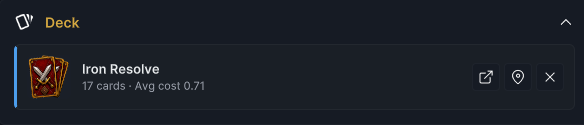
The deck card shows 17 total cards in Iron Resolve and an average base cost of 0.71, calculated from valid card references and copies. Fix missing references or invalid copies in Deck authoring.
When Master Deck is empty, GCS creates a battle deck from Iron Resolve and its Copies, otherwise it uses Master Deck instead of Starting Deck, party battles use only Player Unit 1's Starting Deck, other members can use their decks when acting as the primary player in another Encounter
GamePlayerUnit has no independent Behavior, cards supply player actions while statuses, Encounters, and runtime hooks supply persistent rules, see FlowGraph model for execution and Cards, hand, and deck for pile changes
After assigning the deck, configure the UI name, description, and icon for the card-cost resource under Energy.
Configure energy display
| Field | Display responsibility |
|---|---|
| Name | Resource name such as Energy, Mana, or Focus |
| Description | Resource text that project UI can use in a Tooltip or rule explanation |
| Icon | Resource icon that project UI can display beside the energy count |
Set the energy name on Squire to Energy, the description to Per-turn resource for playing cards., then assign the Warrior energy icon.
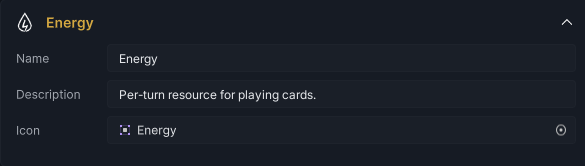
These three fields are presentation metadata only. They do not change Base Energy, Starting Energy, Run Energy Bonus, or the value calculated by Hooks. Energy Display in Game Card Editor previews the name, description, and icon together. In Play Mode, UnitEnergyDisplay in the included Demo currently reads Name and Icon only. Project UI can also read Description when needed.
After these static fields are ready, Preview checks the character card, Template, and energy resource separately.
Inspect the character preview
Display information
Display combines Icon, Name, and Description in a compact character card. Confirm first that the portrait and text belong to the same character.
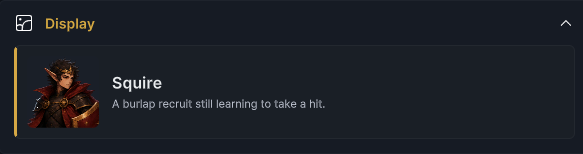
Display confirms that the portrait, name, and description work together. Render then checks whether the Template assigned under Visual can be instantiated and drawn by the Editor.
Prefab rendering
Render instantiates the Template in an isolated preview scene. Hold the left mouse button to rotate, use the right or middle button to pan, scroll to zoom, and use the button in the upper-right corner to restore automatic framing.
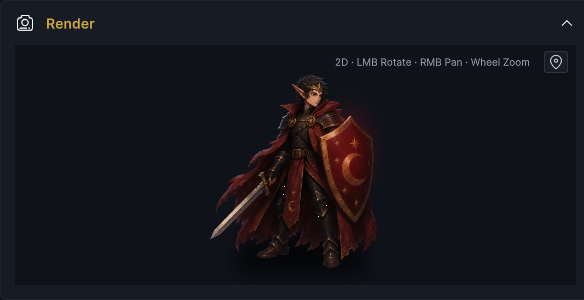
This preview confirms only that the Editor can instantiate and draw the Prefab. Check actual battle position, root scale, scene anchors, and component dependencies in Play Mode. The included Demo also uses Unit Scale and Unit Offset from BattleBoard to adjust final layout.
After the Template renders correctly, use Energy Display to confirm that the energy icon, name, and description match.
Energy Display
Energy Display shows Icon, Name, and Description. When Icon is empty, it uses a circular placeholder containing Base Energy. It does not read live energy from a current battle.

After all three Preview results are correct, check the Issue Badge for missing Name, StartingDeck, or Template fields in the current Player Unit Database.
Handle validation issues
The Issue Badge in Player mode scans every character in the selected Player Unit Database, not only Squire.
| Level | Trigger |
|---|---|
| Error | Name is empty |
| Warning | StartingDeck is empty |
| Warning | Template reference is empty |
Important boundaries:
-
These Issues do not block saving, deletion, or Play Mode. Ping on an Issue only locates the affected character or field.
-
Validation does not check Icon, Description, Tags, Base HP, Base Energy, or Energy Display. It also does not inspect card entries inside Starting Deck or runtime components on Template.
-
Editing Base HP and Base Energy through the Editor applies minimum values. Player Validation does not repair invalid values left by external serialization or old assets.
After handling these structural problems, use Used By to confirm which GameEncounter assets reference the current character directly through Player Unit.
Inspect Encounter references
Used By lists Encounters in the current scene's active Encounter Databases whose Player Units include this character, click a result to enter Encounter mode and locate the asset
Disabled databases, other scenes, Prefabs, code, and indirect runtime references are outside the scan, deleting a character does not protect these references automatically
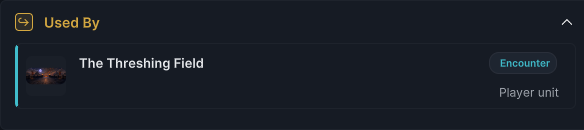
The Threshing Field above stores Squire as Player Unit. This proves only that the direct reference exists. A playable Encounter also needs enemies, a reward deck, Battle Rules, and scene integration. See Encounter authoring for the complete field set.
Verify the character in Play Mode
Open the included 1-The Threshing Field scene and enter Play Mode. Confirm that the Template, 70 health, 3 energy, and Iron Resolve on Squire all take effect together.
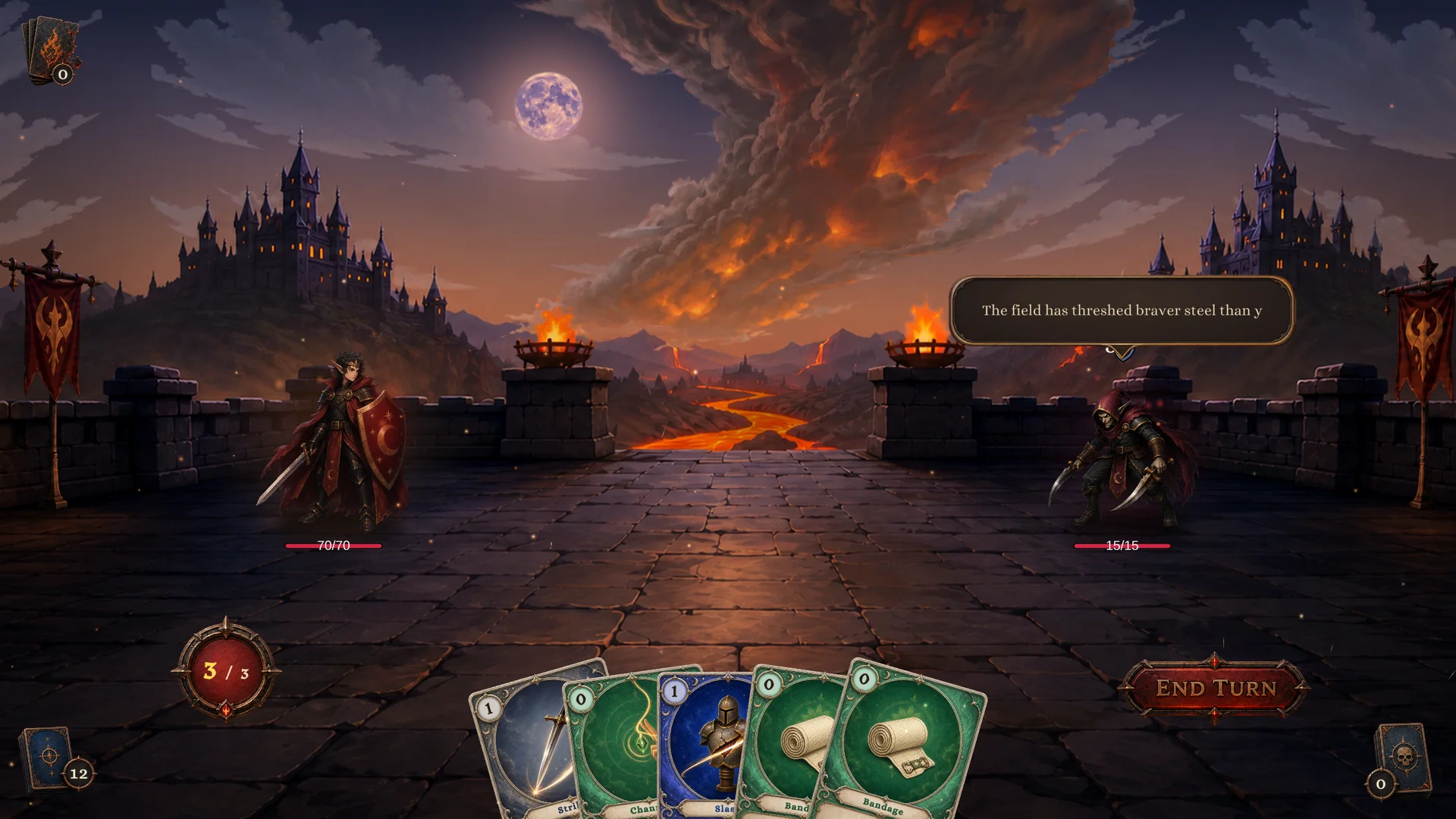
Squire enters the battle with 70/70 HP and 3/3 energy. The 5 cards in hand and 12 in Draw total 17, matching the card count in Iron Resolve. This run also confirms that the Warrior Template can be created, character attributes take effect, and The Threshing Field uses Squire as its player.
GamePlayerUnit is a reusable character definition. After battle starts, GCS creates an independent runtime instance. HP, armor, energy, and status changes remain in the current battle and never write back to the character asset.
See Definitions and runtime instances for this boundary, GCSApi guide for project-code access, and Demo scene index for the other 11 runnable battles.
Squire now brings Iron Resolve, 70 health, and 3 base energy per turn into The Threshing Field. Switch to Enemy at the top of Game Card Editor and continue with Enemy authoring to inspect Strawman in the same battle.