Target selection
First decide how the player selects a target, then make the Behavior resolve the same object or collection
Target on the card controls the card-play interaction. The target source in its Behavior controls which objects an Action actually affects. Both must describe the same range. Otherwise, a card may let the player select one target but affect a different object during resolution
Card Target controls player input
| Target | Player action | Common target source in Behavior |
|---|---|---|
None | Select no unit | The Behavior decides whether it needs a unit, card, or no target |
Single Enemy | Select one living enemy | Opponent reads the enemy submitted by the player |
All Enemies | Select no unit | AllOpponents resolves every living unit opposing the card's Host |
Self | Select no unit | Self resolves the member playing the card |
Single Ally | Select one living ally, including the source | Target reads the submitted ally |
Other Ally | Select one living ally other than the source | Target reads the submitted ally |
All Allies | Select no unit | AllAllies resolves every living unit on the source side |
Random Ally | Select no unit | Runtime chooses one living player member and submits that result to the Behavior |
Random Opponent | Select no unit | Runtime chooses one living opposing unit and submits that result to the Behavior |
Any Unit | Select any living player or enemy | Target reads the submitted unit without a team restriction |
Single Enemy, Single Ally, Other Ally, and Any Unit display the aiming arrow and highlight valid units before submission, the remaining modes resolve their range directly
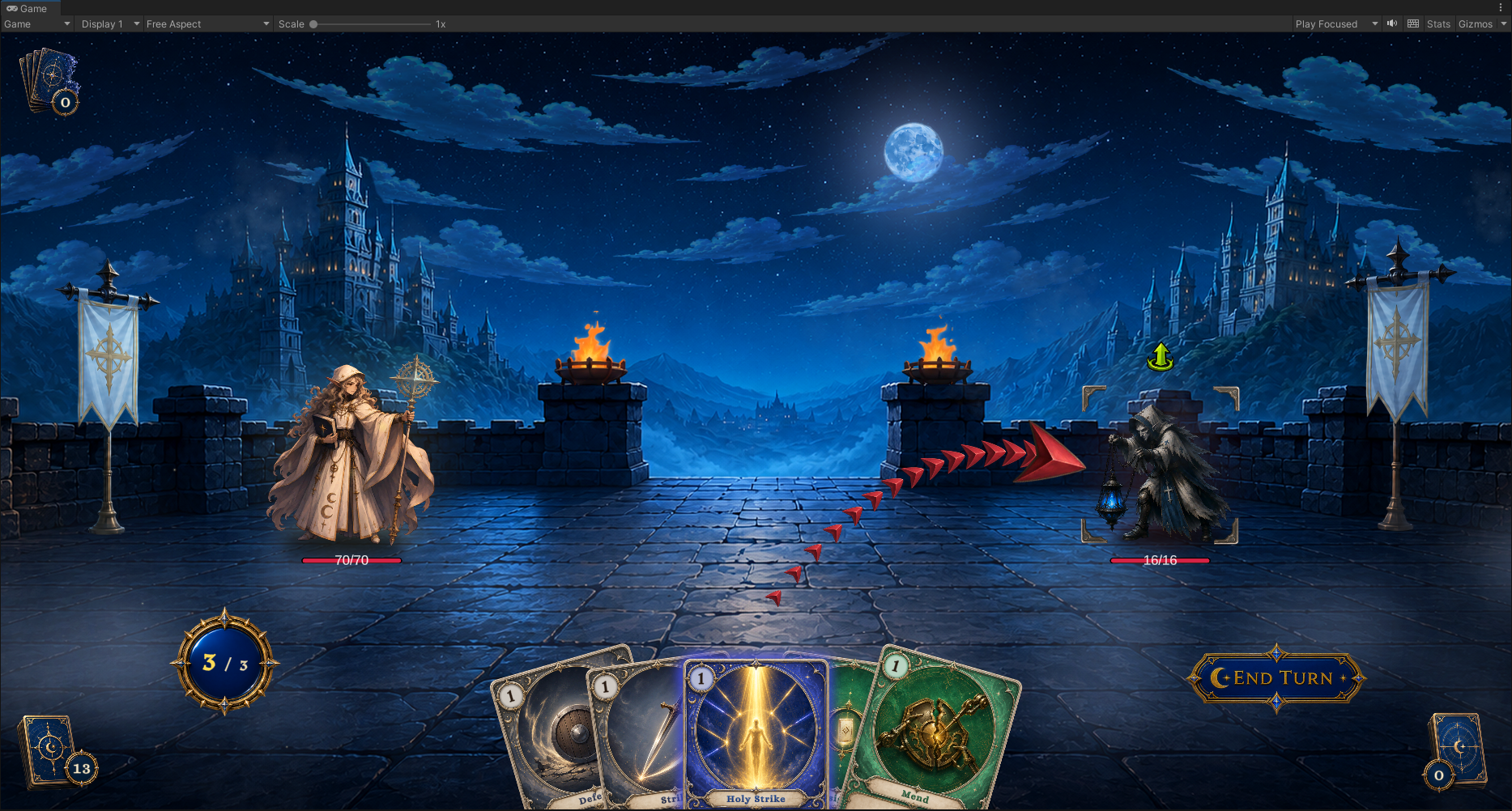
The card above is waiting for a target, clicking a valid enemy submits the play and Opponent reads that selection, single-ally and Any Unit modes use the same input flow through Target, ally modes allow only the source's team and Other Ally excludes the source itself
Random Opponent automatically selects one living opponent and submits it through Target, while All Enemies uses AllOpponents to read all living opponents
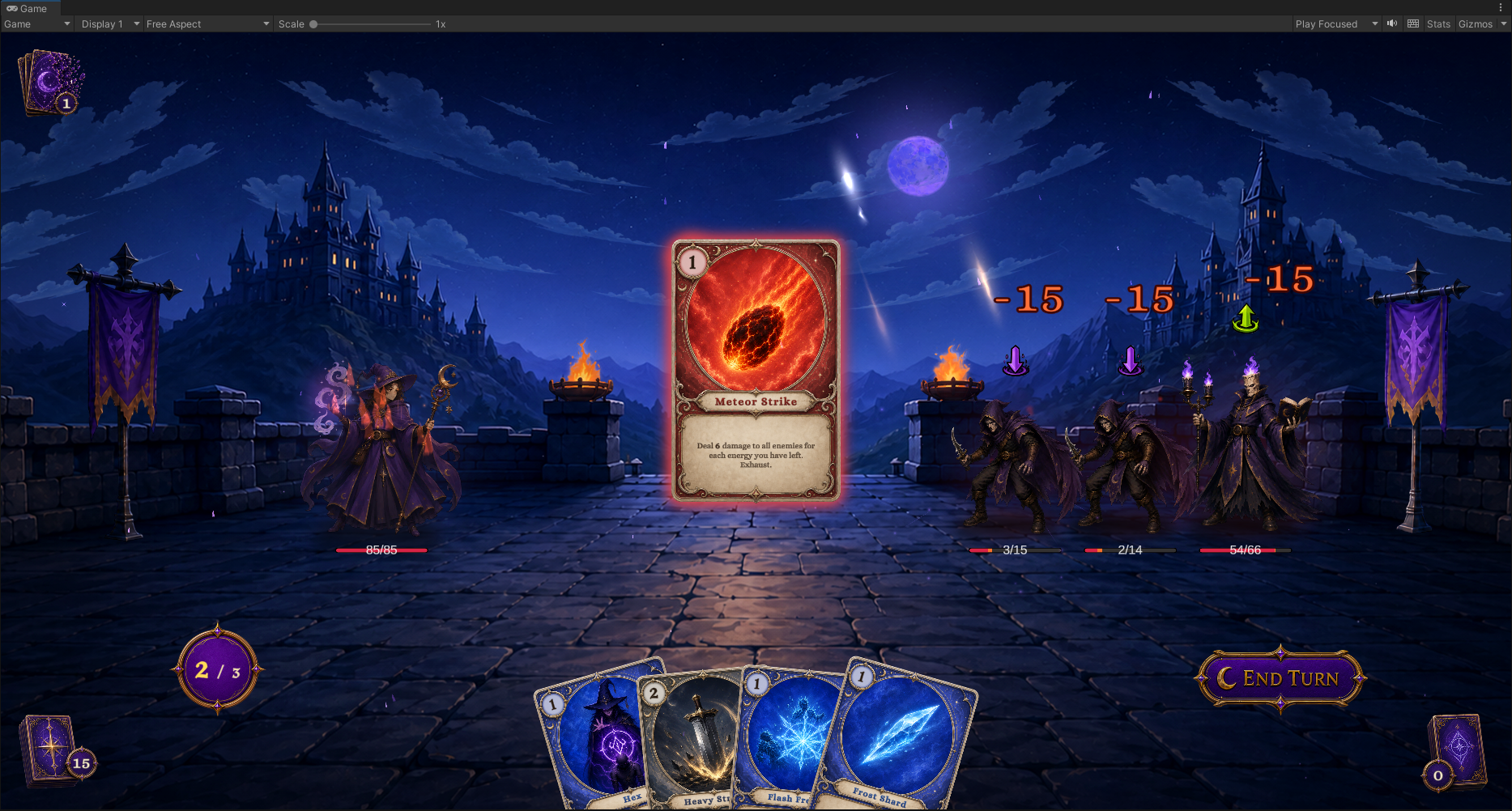
Meteor Strike above resolves 15 damage on three living enemies at the same time. Its Card Target, Behavior target collection, and player-facing text all describe the same range
Unit Source resolves units from the current context
| Source | Resolved result |
|---|---|
Self | The current Host: the player in a player Card, the owner in a Status, or the acting enemy in an Enemy Behavior |
Opponent | Reads the submitted opposing Target, then the opposing Attacker, otherwise selects the first living opponent, a submitted target remains selected after death |
AllUnits | Every living player and enemy unit |
ActivePlayer | The currently active living player member |
AllAllies | Every living unit on the Host's team |
AllOpponents | Every living unit on the opposing team |
AllDeadAllies | Every dead unit still retained on the Host's team for revival rules |
Target | The unit explicitly submitted by the current card, reaction, or call context without changing its team |
Use Self for healing, armor, and self-Buffs, Opponent for single-target attacks, and AllAllies or AllOpponents for team-wide effects that work with player and enemy hosts
When the first effect kills the selected target, later Opponent effects still refer to it, damage and status application skip dead targets while presentation and death rules can use the reference, connect a filtered selection to the next node's Target port to choose a living opponent
A connected port overrides the node field
When a node has both a Target input port and a Source field, the connection has higher priority
Target port connected -> Use the unit or collection supplied by the connection
Target port unconnected -> Resolve the target from the current context through the Source field
This rule lets an Action use Self as its default target and later switch to a dynamic target through a Selector connection. Before switching the port, confirm that the original field no longer controls the result
Card Source reads current card instances
| Source | Resolved result |
|---|---|
ThisCard | The CardInstance currently resolving |
HandPile | The current hand |
DrawPile | The current draw pile |
DiscardPile | The current discard pile |
ExhaustPile | The current exhaust pile |
AllPiles | The combined hand, draw pile, discard pile, and exhaust pile |
These sources read the current piles when a downstream node executes. Evaluating again after moving cards returns the new collection. Save a snapshot first when later logic needs the result from before the move
A Selector chooses targets from a collection
When rules rather than player input decide a target, use a Selector to filter, sort, and limit the collection in order
- Use Filter to keep units or cards that satisfy the conditions
- Use Sort to order them by HP, cost, or another value
- Use Pick, Take, or Random to obtain the objects required by the Action
-
Check whether the collection is empty before the Action and use Branch to enter a fallback path
-
State the target restriction in the card description
-
Give the failure path visible feedback, or reject the invalid action before the card is played
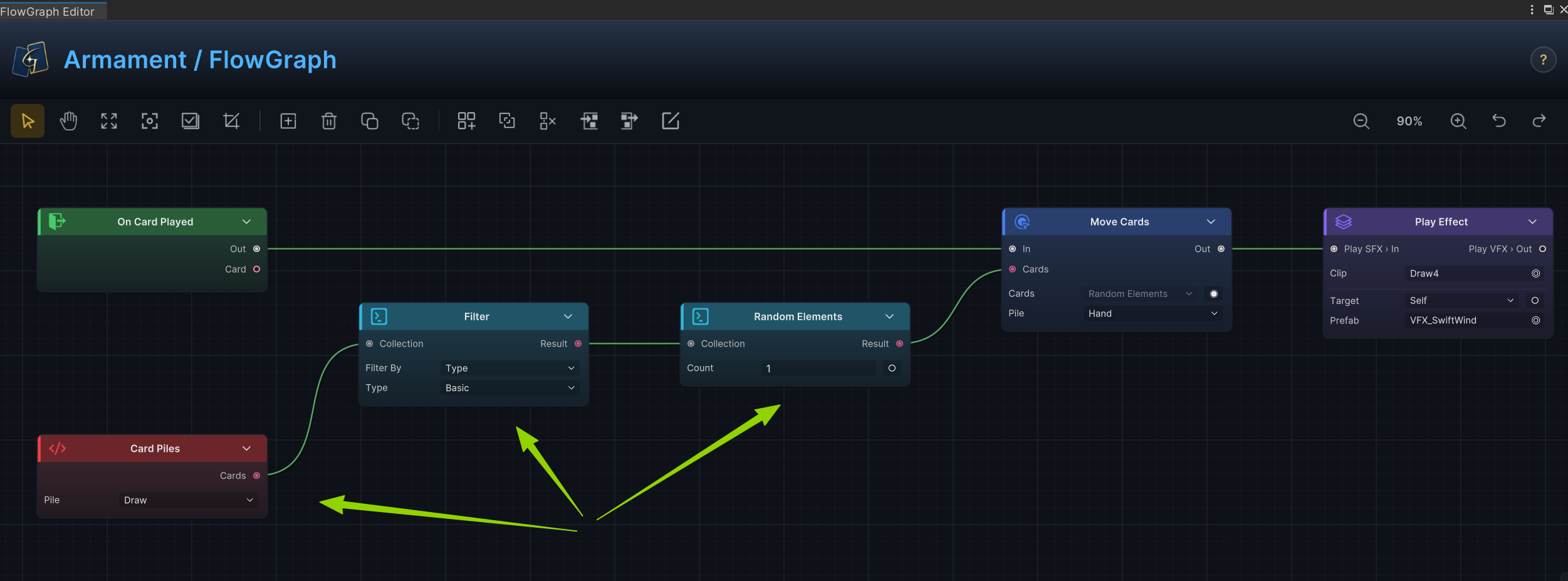
The graph above filters the Draw pile to Basic Attack cards, selects one at random, and moves it to Hand, use the same steps for units, sorting AllOpponents by ascending HP and taking the first element selects the living opponent with the lowest HP
Empty results do not become fallback effects automatically
Built-in Actions skip empty, dead, or invalid targets. When the final collection is empty, the Action produces no effect and does not select another object automatically
If an empty result conflicts with the card text or player expectations, handle it explicitly in the Behavior
Card descriptions state the target and result directly, such as "Deal 8 damage to the selected enemy", "Give another ally 6 Armor", or "Restore 4 health to all allies", Opponent, UnitSource, and CardSource are editor configuration names