Demo overview
Use the playable Demo to evaluate GCS, inspect how finished battles are built, and reuse the same authoring workflow in your project
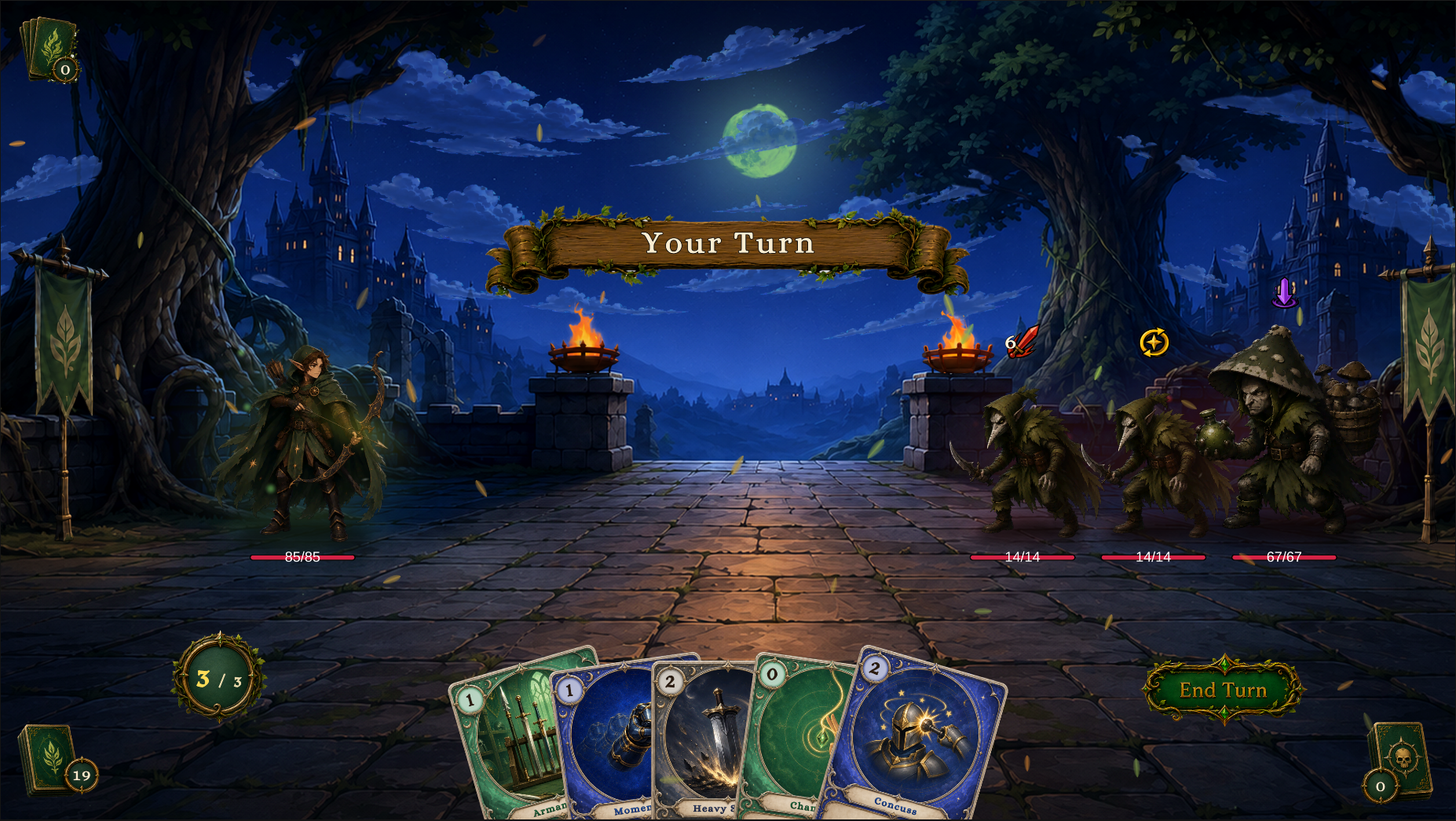
The image above shows the Demo's actual battle result. The player, enemy, hand, energy, Intent, and scene presentation all run on the bundled databases, FlowGraphs, and production runtime. Each part can be opened in the Game Card Editor, FlowGraph Editor, or scene Hierarchy for inspection
Included content
| Content | Count | Owning location |
|---|---|---|
| Battle scenes | 13 | Demo/Scenes/Single-Character/<Class>/ and Demo/Scenes/Multi-Character/ |
| Single-character databases | 12 Encounters, 12 Players, 16 Enemies, 16 Decks, 80 Cards, 30 Statuses | Demo/Databases/Single-Character/ |
| Party databases | 1 Encounter, 3 Players, 3 Enemy definitions, 1 Deck, 6 Cards, 5 Statuses | Demo/Databases/Multi-Character/ |
Warrior, Mage, Hunter, and Priest each have Normal, Elite, and Boss scenes, Party Showcase uses Scout, Squire, and Apprentice against three Hunter enemies to demonstrate a shared deck and four ally-targeting cards
Party Showcase reuses existing presentation assets with separate databases, the Demo supports Unity 2021.3 and later, including Unity 6, and its presentation supports the Built-in Render Pipeline and URP
Open the reference that matches the content you need
| Need | Open |
|---|---|
| Scene names, tiers, lineups, and Play Mode captures | Demo battle scenes |
| Database ownership for cards, decks, statuses, units, and encounters | Demo content reference |
| Asset ownership and folder placement | Demo asset layout |
Two six-database sets
Demo/Databases/Single-Character/ stores preset content and Demo/Databases/Multi-Character/ stores Party Showcase content, each set has card, deck, encounter, enemy, player, and status databases, scenes register the set they use
The Demo content reference maps each content family to its database and explains how to reuse a graph structure or rule block in project-owned content
Separate mechanics from presentation
When inspecting a demo effect, separate the mechanic from its presentation:
-
Card, Status, Enemy, and Encounter definitions store authored data
-
FlowGraph determines the behavior sequence
-
Prefabs, art, VFX, SFX, and animation handle presentation
-
Scenes and Bootstrap connect runtime views
When cards resolve, resources change according to the rules, enemies follow their Intents, and the battle reaches a result, the mechanical path is working. If the project has replaced or removed audio, effects, or animation assets, continue the investigation in the presentation layer rather than changing the Encounter definition