Workbench Tour
One lap around the Workbench: what each of the six modes edits, where behavior graphs hide, and how a change reaches the battle.
For your first session in the authoring window. This is the tour; the full reference is the Game Card Editor page.Every card, status, enemy, and encounter you met in the first battle was authored in one window: the Workbench. This page walks you through it once, so that the quick starts that follow feel like filling in blanks instead of exploring.
Open it from the Unity menu:
Tools/TinyGiants/GCS/Game Card Editor
or from the Game Card Editor card on the Game Card System dashboard.
Three columns, one habit
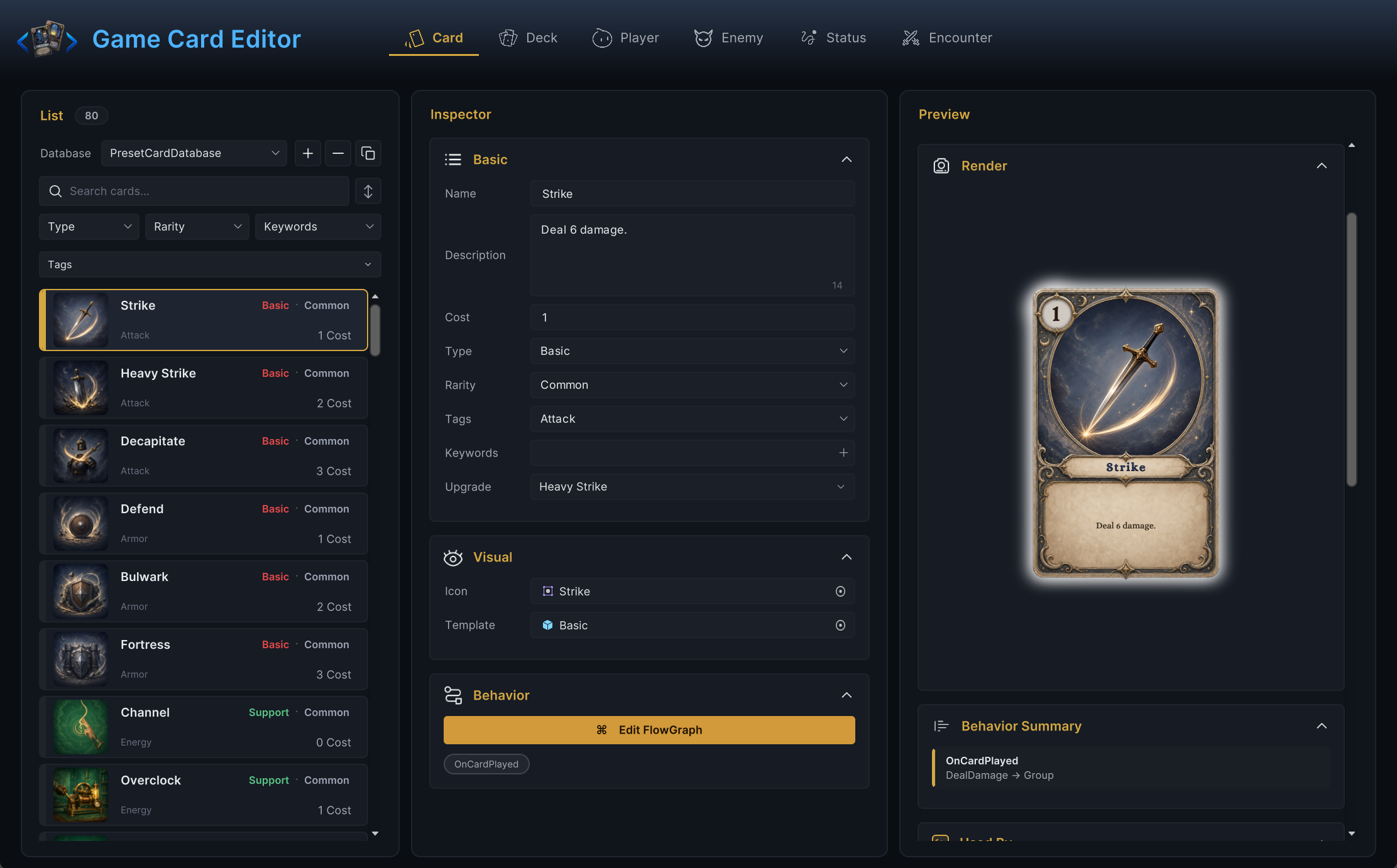
The window is split into three columns, and the split never changes:
| Column | What lives there |
|---|---|
| List | Database picker, search field, filters, and the entries of the active database. |
| Inspector | Every editable field of the selected entry, including Edit FlowGraph on entries that own behavior. |
| Preview | A live render of the selection, plus the Used By panel listing everything that references it. |
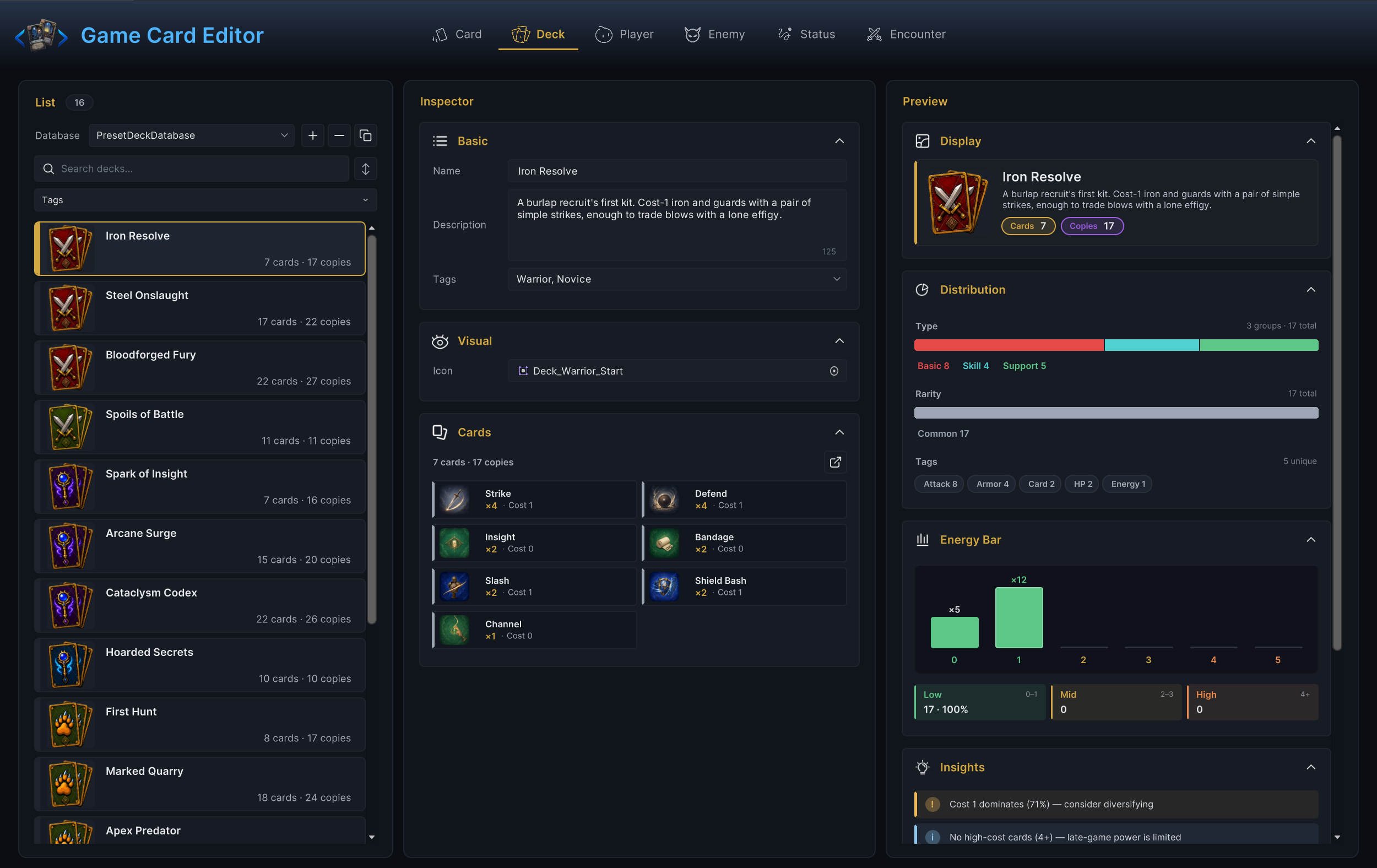
Because the layout is identical everywhere, learning one mode teaches you all six. Here is the same window in Deck mode: different fields, same three columns. Even the analytics change with the mode; a deck's Preview breaks down type, rarity, and energy curve.
Six modes
The mode tabs run in a fixed order: Card, Deck, Player, Enemy, Status, Encounter. Pick the tab by the thing you want to make:
| Mode | Use it for |
|---|---|
Card | Cost, type, rarity, tags, keywords, upgrade target, artwork, description, and the card's behavior graph. |
Deck | Starting decks and reward decks, built from card entries with copy counts. |
Player | Playable units: base HP, base energy, starting deck, template prefab, tags, and the energy display. |
Enemy | Enemy units: HP range, tier, tags, icon, template prefab, and the enemy's behavior graph. |
Status | Buffs and debuffs: the Buff or Debuff toggle, stack rule, decay rule, max stacks, icon, and the status's behavior graph. |
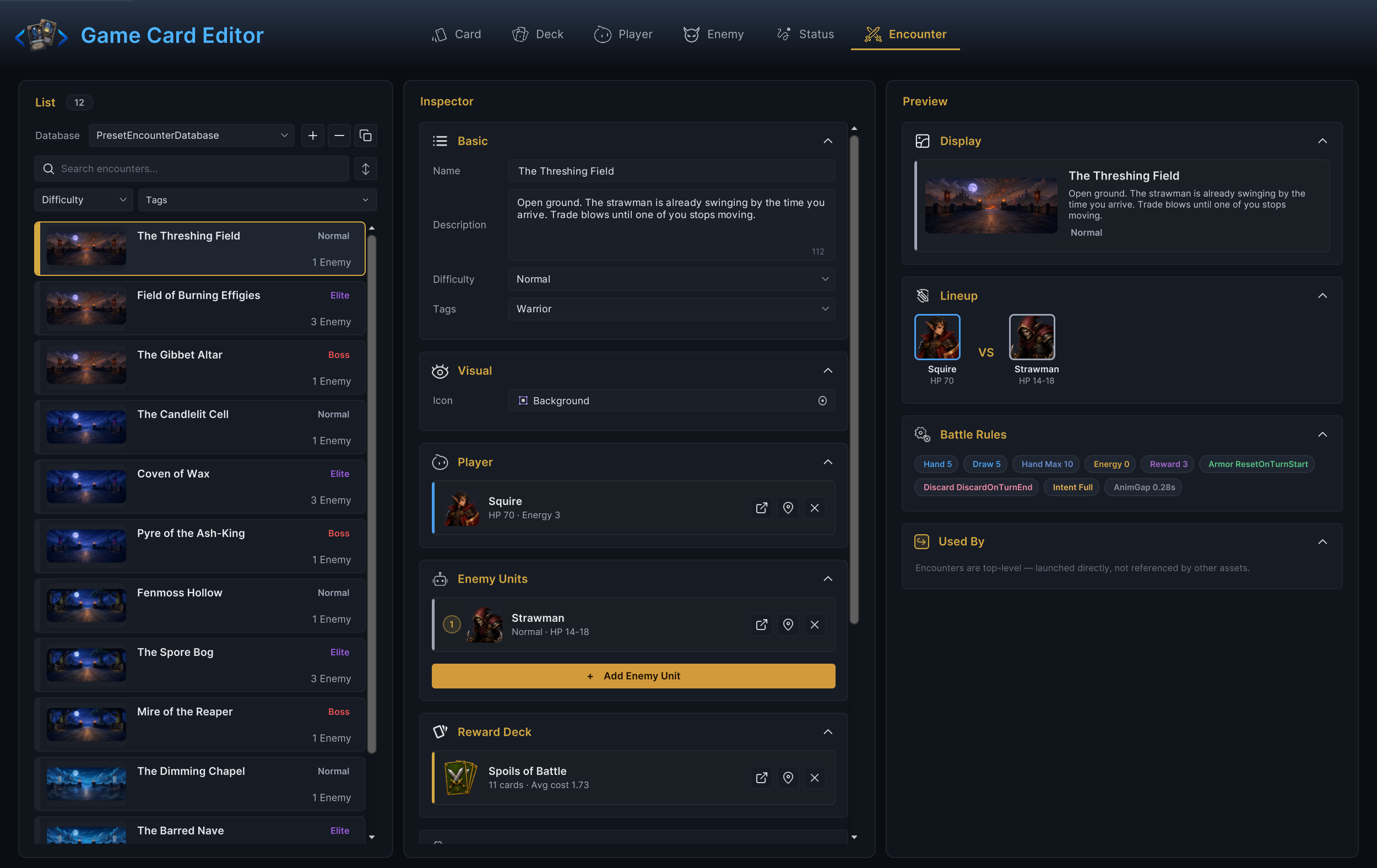
Encounter | A whole battle: one player unit, the enemy lineup, a reward deck, and the battle rules. |
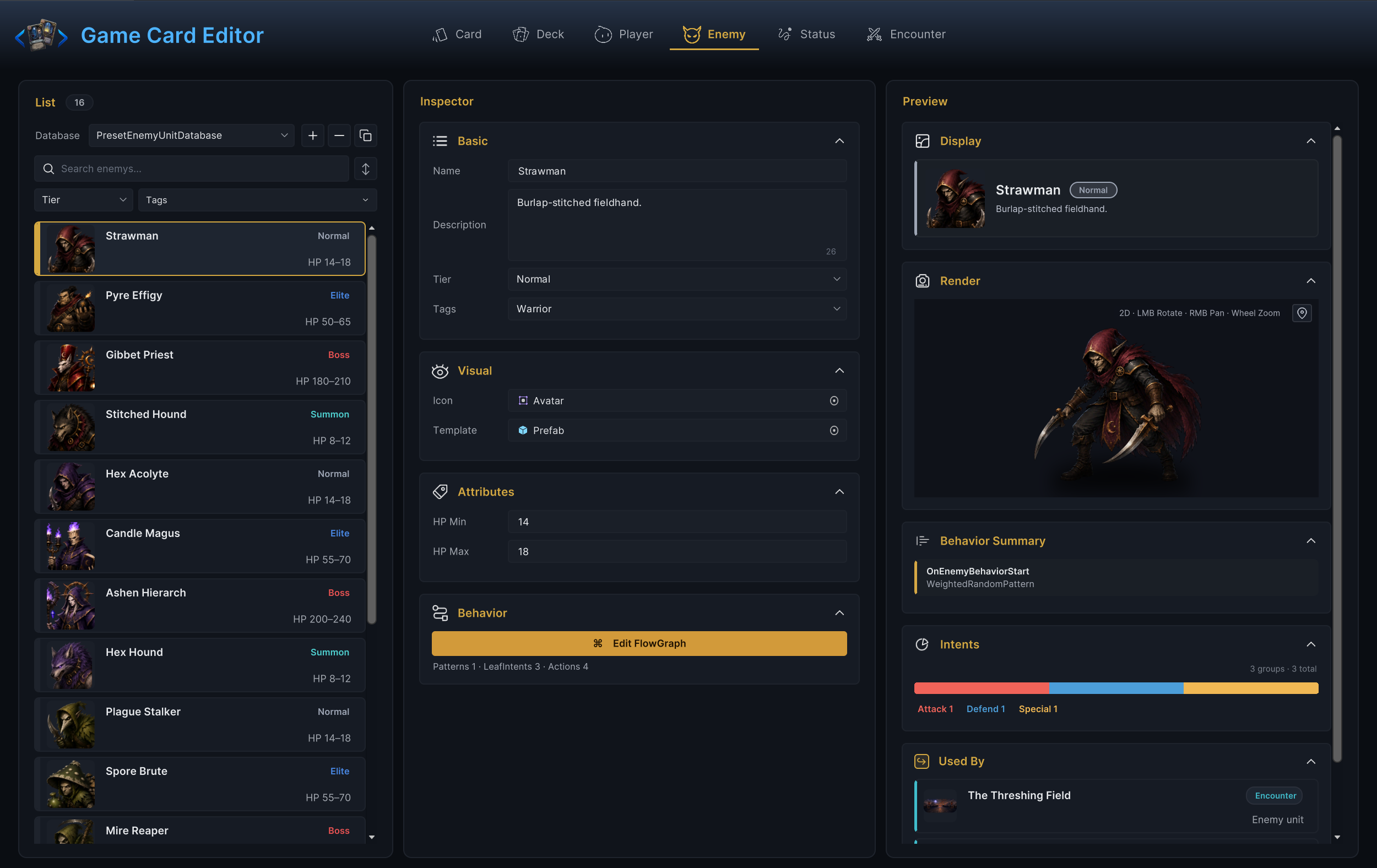
Each mode groups its inspector into small foldouts, so the same habits carry over: identity fields sit in Basic, presentation in Visual, numbers in Attributes, and graphs in Behavior. Enemy mode is a good example, with the unit's HP range two clicks from its behavior graph:
The tab order mirrors the natural creation order. Cards fill decks, decks belong to players, enemies and statuses supply the opposition, and an encounter assembles all of it into something you can press Play on:
The authoring loop
Almost every task in the Workbench is the same six steps:
- Pick the mode that owns the content.
- Search the list, then select an entry or duplicate a working demo entry.
- Fill the identity fields first: name, description, icon or template.
- Connect references through the pickers. Never type IDs by hand.
- Press Edit FlowGraph only if the content needs behavior.
- Clear validation issues, then test in a small battle scene.
Step 4 is where reference-by-picker pays off. A player unit's starting deck, an encounter's enemy lineup, a card's upgrade target: all of them are picker cards that show what they point at, jump to it in its own mode, and clear with one click.
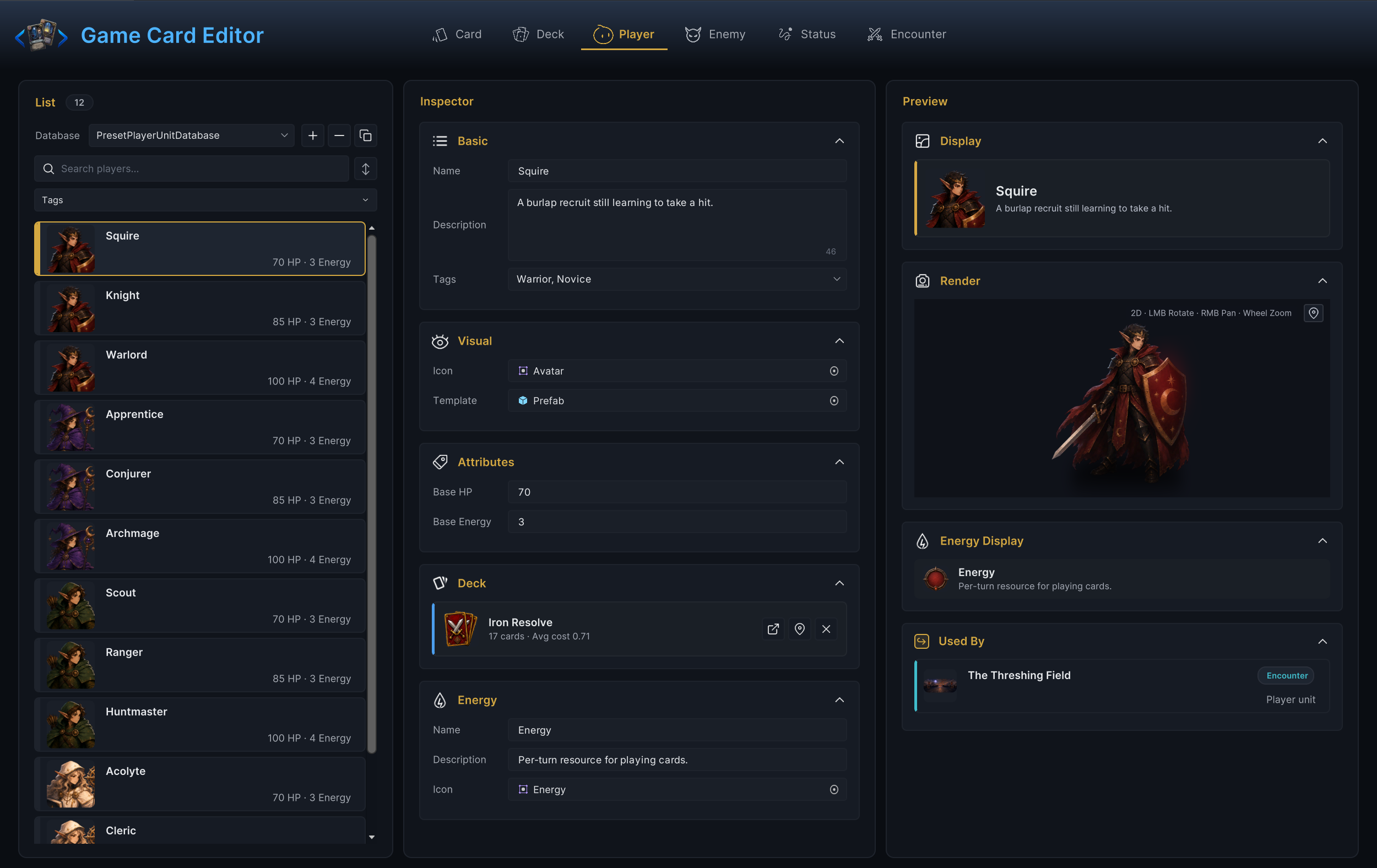
The repetition is deliberate. Once the loop is muscle memory, a new card and a new encounter cost you the same amount of thought.
Where behavior lives
Cards, statuses, and enemies each carry an embedded Behavior graph. Encounters do not; they assemble content that does.
| Owner | The graph decides |
|---|---|
| Card | What happens when the card is played, and any hooks it registers. |
| Status | What the status does on its timings and stack changes. |
| Enemy | How the enemy picks intents and resolves its turn. |
Press Edit FlowGraph in the inspector to open the graph in its own window, titled <Asset Name> / FlowGraph. Below the button, the Behavior foldout summarizes what the graph contains without opening it: entry chips on a card, pattern and action counts on an enemy. Graph editing gets a dedicated canvas with node search, alignment tools, and undo; the FlowGraph Window page covers it in depth.
Validation and Used By
The Workbench catches broken content before Play Mode can hide it behind a confusing symptom. Typical validation hits: a deck entry with no card assigned, an enemy whose HP Min exceeds HP Max, a player unit without a starting deck, an encounter missing its player unit. Fix errors before testing; a battle built on incomplete content proves nothing.
The Used By panel in the Preview column answers the other dangerous question: what breaks if I change this? Check it before renaming, replacing, or deleting anything. The demo Strength status looks like one small asset until Used By reveals the cards, statuses, and enemies whose graphs reference it:
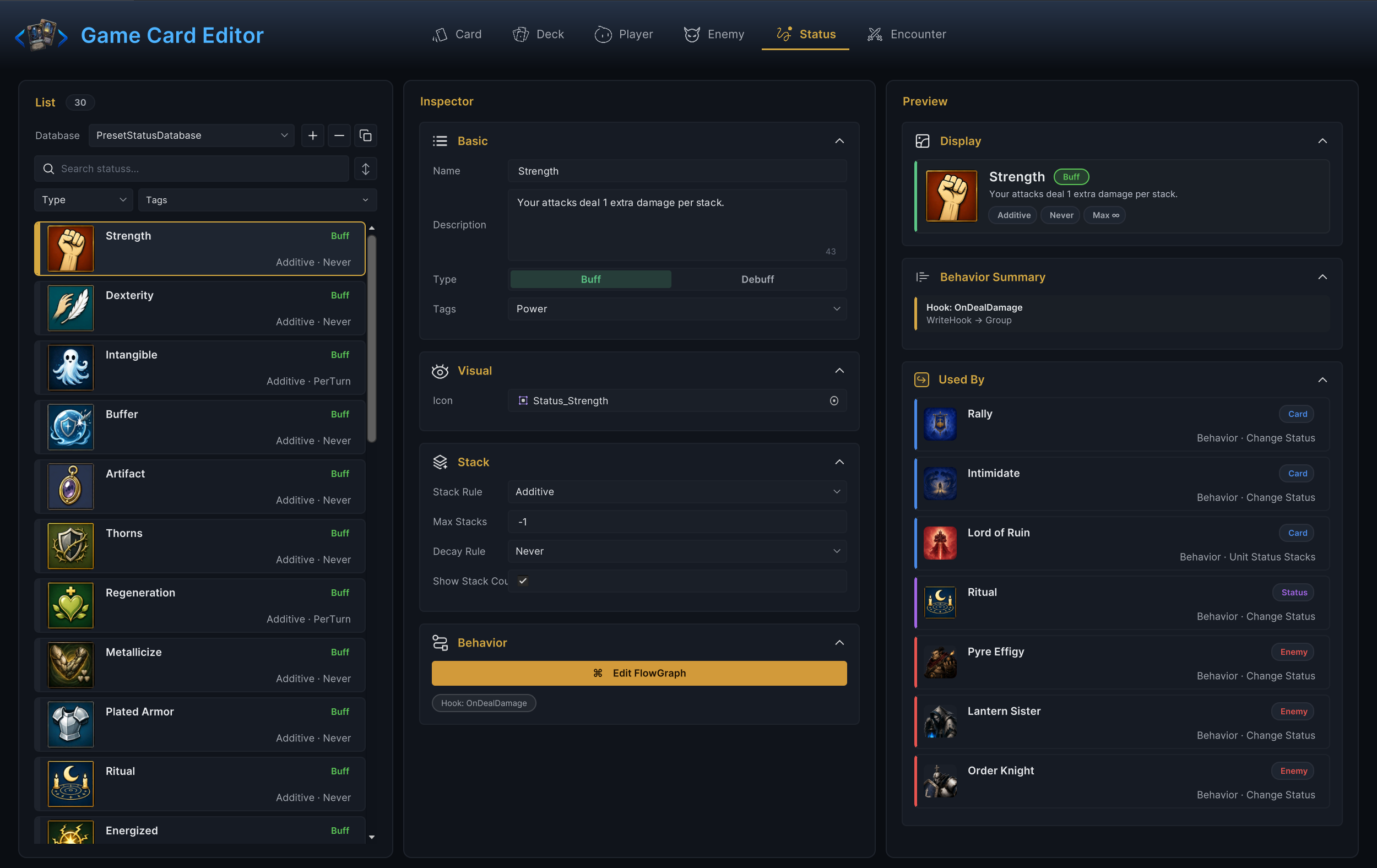
Check Used By first, delete second. The panel exists precisely because references in decks, encounters, and graphs are easy to forget.
From Workbench to runtime
The Workbench edits ScriptableObject content. At runtime, GameCardManager reads the active databases, an encounter spins up live battle state, and the graphs you authored execute during the fight. Two consequences worth knowing early:
- Editing a card definition changes every future instance created from it. A card already in a live hand is a
CardInstance, and runtime effects can modify that instance for the current battle only. - Content that is not in an active database is invisible to the manager's lookup path, no matter how correct it is.
The Workbench itself is editor-only. Nothing in it ships in a build.