Runtime Architecture
How the GCS runtime is layered: manager, state machine, state view, controller, flow execution, events, and presentation.
Read this before writing custom battle UI or gameplay code, so your code mutates state through the right surface instead of editing internal lists.The GCS runtime turns authored content into a live battle. The boundary worth memorizing is short: content assets describe what can happen, battle state stores what is happening right now, and the controller is the only safe way to change that state.
Runtime layers
| Layer | Main types | Responsibility | Rule for your code |
|---|---|---|---|
| Manager | GameCardManager, GCSApi | Holds the active databases, the active battle, the run master deck, and the public entry point. | External code starts with GCSApi. |
| State machine | BattleStateMachine | Owns battle phases, turn transitions, choice waits, reward waits, and enemy turns. | Never force phase changes. Call StartBattle, TryPlayCard, EndPlayerTurn. |
| State view | IBattleState, BattleStateView | Exposes turn, energy, units, piles, played/drawn history, and effective card costs. | Read through GCSApi.Battle or the GCSApi helpers. |
| Controller | IBattleController, BattleStateView | Mutates health, armor, energy, statuses, cards, delayed triggers, variables, and summoned enemies. | Mutate through GCSApi or FlowGraph nodes, not by editing lists and fields. |
| Flow execution | GameCardFlowExecutor, EffectActionContext | Runs card, status, and enemy FlowGraphs with source, target, card, battle, controller, and databases in scope. | Graphs read and write through context helpers and controller actions. |
| Events | GCSEvents, IGCSEventChannel, GCSEventNames | Notifies UI, integrations, and custom systems when battle state changes. | Subscribe with GCSApi shortcuts or typed named events. |
| Presentation | UnitView, FloatingTextSystem, FX nodes, demo UI | Shows state changes through UI, animation, VFX, SFX, floating text, and camera feedback. | Presentation observes runtime results. It never owns gameplay rules. |
Public entry point
GCSApi is the documented runtime facade. It is intentionally broad so custom UI, sample code, tools, and gameplay integrations do not need to depend on internal classes.
Use it for:
- Starting and disposing battles.
- Playing hand cards and ending the player turn.
- Reading battle phase, turn, energy, unit state, enemy intents, card piles, and status stacks.
- Applying controlled state changes.
- Reading active databases and finding content by GUID.
- Maintaining the run master deck.
- Subscribing to events.
- Discovering extension registries.
GCSApi.Manager, GCSApi.Battle, and GCSApi.Controller are exposed for integration work, but most code should prefer the named helper methods. They state intent more clearly and handle a missing battle with safe defaults.
Read state versus mutate state
GCS separates read-only state from writable control.
| Surface | Type | What it can do |
|---|---|---|
GCSApi.Battle | IBattleState | Read current turn, energy, player, piles, alive enemies, played/drawn history, and effective card cost. |
GCSApi.Controller | IBattleController | Everything IBattleState can read, plus mutations that go through runtime rules. |
GCSApi helpers | Static methods | Safe, named shortcuts for the same common reads and writes. |
Directly editing UnitState.Statuses, CardPile.Cards, or UnitState.CurrentHp bypasses hooks, events, UI updates, and validation. Use controller-backed methods instead.
Battle state model
A live battle contains:
| State | Meaning |
|---|---|
TurnNumber | Starts at 1 and increments after each enemy phase resolves. |
IsPlayerTurn | True during player turn start, action, and end phases; false during the enemy phase. |
PlayerEnergy | Energy still available this turn. |
PlayerUnit | The player's unit state. |
AliveEnemyUnits | Enemies still alive. Dead units are excluded. |
HandPile, DrawPile, DiscardPile, ExhaustPile | Runtime card zones. |
PlayedThisTurn | Cards played during the current turn, in play order. |
DrawnThisTurn | Cards drawn during the current turn, in draw order. |
The draw pile is ordered so the last element is the next card drawn.
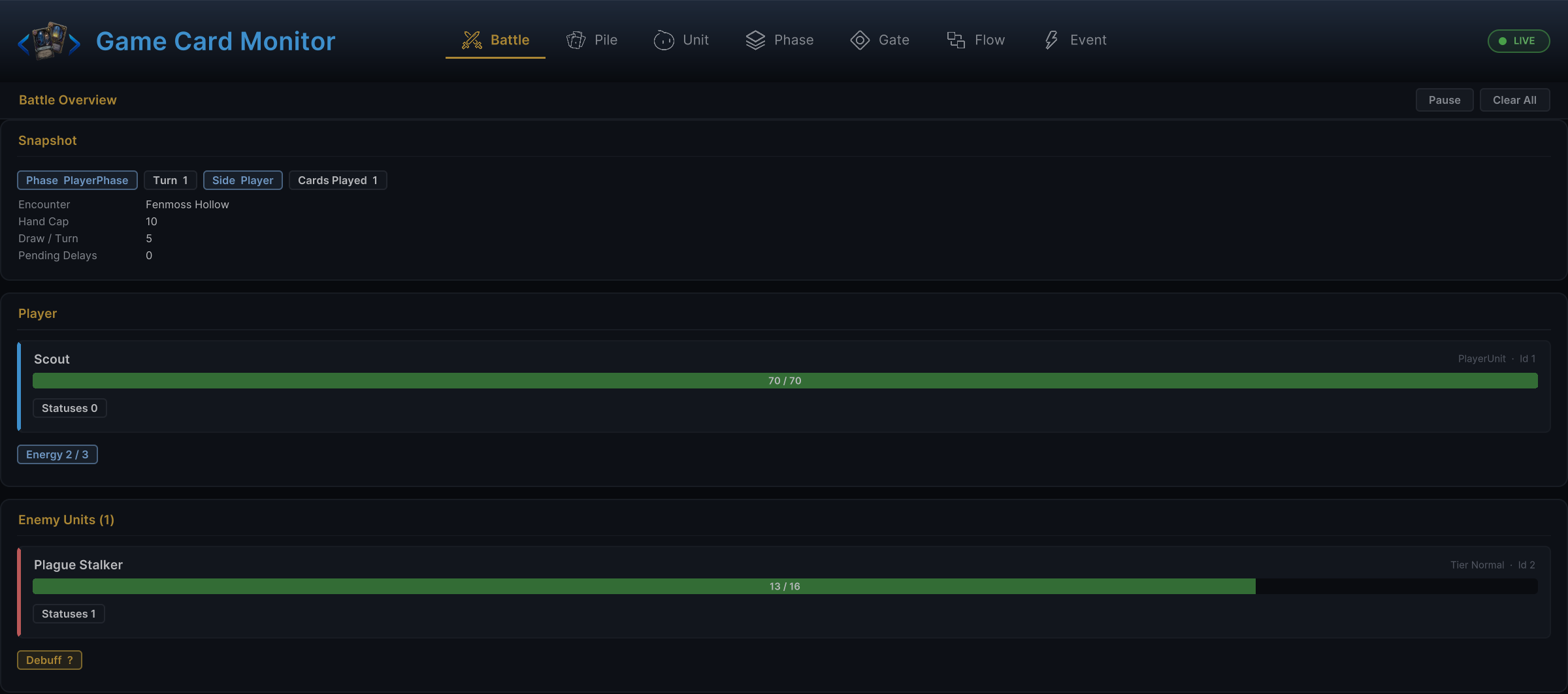
The Battle tab of the Game Card Monitor shows this model live in Play Mode: active encounter, phase, turn, a player snapshot, and the enemy list.
Unit state model
UnitState is the live unit record used by the battle.
| Field or property | Meaning |
|---|---|
UnitId | Runtime id used by UI and events. |
Source | The authored GameUnit asset behind the unit. |
CurrentHp, MaxHp | Current and maximum health. |
CurrentArmor | Current armor. |
CurrentEnergy | Energy value on the unit. For the player's battle pool, read GCSApi.PlayerEnergy. |
Statuses | Runtime stack counts by GameStatus. |
StatusAppliers | The unit that applied each status, when known. |
ActiveHooks | Runtime hooks contributed by statuses and cards. |
WasAttackedThisTurn | Whether the unit has been attacked this turn. |
SkipNextTurns | Pending skipped turns. |
IsDead | True when current HP is 0 or below. |
HpPercent | Integer percentage of current HP over max HP. |
For external reads, prefer GCSApi.Hp, GCSApi.MaxHp, GCSApi.Armor, GCSApi.HpPercent, GCSApi.HasStatus, and GCSApi.StatusesOn.
Flow execution context
When a FlowGraph runs, GCS builds an execution context that carries:
| Context value | What it means |
|---|---|
| Source | The unit responsible for the behavior. |
| Host | The unit or owner currently hosting the behavior. |
| Target | The chosen or resolved target. |
| Battle | Read-only battle state. |
| Controller | Rule-aware mutation surface. |
| Card | The active card instance, when the graph is card-related. |
| Status database | Active status lookup. |
| Card database | Active card lookup. |
| Enemy unit database | Active enemy lookup. |
Built-in nodes use this context automatically. Custom nodes should also read inputs and mutate state through the context and controller rather than through unrelated global lookups.
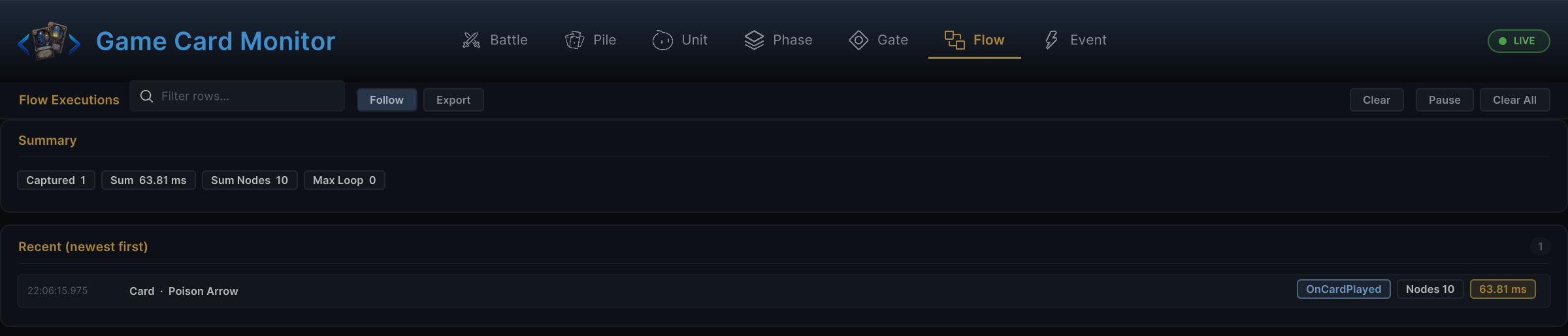
To watch this context feed real executions, open the Flow tab of the Game Card Monitor. It lists every graph run the executor reports, newest first:
Waits and async presentation
The battle state machine can pause progression while presentation or player choices are still resolving.
| Mechanism | Used for |
|---|---|
| Choice wait | Choice nodes pause execution until the player picks or skips. |
| Animation gate | Animation and presentation can hold phase transitions until a gated action completes. |
| Flow wait | Wait nodes delay a continuation by seconds or by animation id. |
| Reward wait | After a win, reward selection keeps the battle waiting until applied or skipped. |
This is why custom UI should react to events and state changes instead of assuming one API call completes every visible step immediately.
Events are notifications, not state storage
Events tell systems what just changed. They are not the source of truth. A custom UI should use events to know when to refresh, then read the current state through GCSApi:
- Subscribe to a relevant event.
- In the handler, read current state from
GCSApi. - Update your view model or UI widgets.
- Dispose subscriptions when the UI is destroyed.
This keeps UI correct even when several events fire in quick succession.
Integration boundaries
| Need | Recommended surface |
|---|---|
| Custom battle UI | GCSApi read helpers plus typed event shortcuts. |
| Card play controls | GCSApi.CurrentHand, GCSApi.CanPlayCard, GCSApi.TryPlayCard, GCSApi.RequiresTarget. |
| Unit panels | GCSApi.Player(), GCSApi.AliveEnemies(), unit helpers, HP/status/intent events. |
| Content browser | GCSApi.Cards, Decks, PlayerUnits, EnemyUnits, Statuses, Encounters, and the Find* helpers. |
| Runtime mutation from external systems | GCSApi mutation helpers or GCSApi.Controller. |
| Custom event bridge | GCSApi.Subscribe, GCSApi.Events, GCSApi.RaiseGameEvent, or GES bridge events. |
Avoid depending on demo-only components such as sample hand views, reward views, or scene-specific presenters unless you are modifying the demo itself.