Presentation Layer
How runtime state reaches UI, unit views, VFX, audio, and floating text, and why gameplay never waits on missing visuals.
Use this when building custom battle UI, wiring FX nodes, or debugging animations that hold up phase transitions.The presentation layer makes battle state visible. It observes runtime state and events, requests feedback, and animates results. It never owns gameplay rules. A single card play can fan out into damage numbers, status icons, VFX, and a camera shake, all driven by the same event stream:
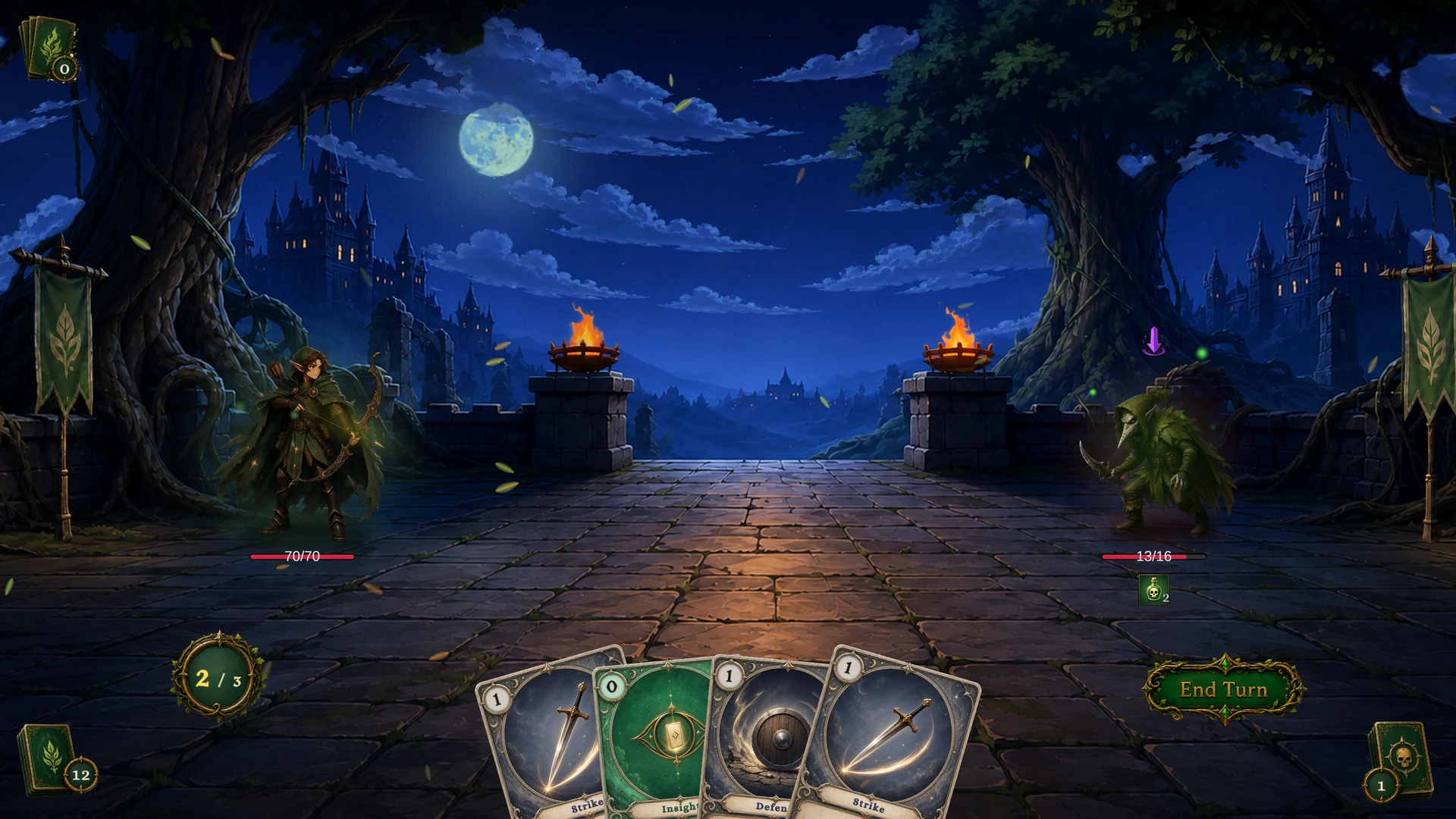
Presentation boundaries
| Area | Owns | Does not own |
|---|---|---|
| Runtime | HP, armor, energy, piles, statuses, phase, events. | Pixel layout, sound routing, particle quality. |
| UI | Hand widgets, unit bars, status icons, intent widgets, choice/reward panels. | Battle rules or card legality. |
| Unit view | Unit sprite, procedural motion, hit/heal/death reactions, status visuals. | Damage calculation or status stacks. |
| FX nodes | Requests for VFX, SFX, floating text, flash, slide, shake, animation. | Final asset polish, render pipeline compatibility, mixer setup. |
If a visual effect fails to play, gameplay still resolves.
Event-driven UI
The reactive loop is always the same: a controller mutation raises an event, your handler wakes up, reads fresh state through GCSApi, and updates the widget.
Custom UI should subscribe to runtime events, then read current state:
private IDisposable _energySub;

void OnEnable()
{
    _energySub = GCSApi.OnEnergyChanged(_ => RefreshEnergy());
    RefreshEnergy();
}

void OnDisable()
{
    _energySub?.Dispose();
}

void RefreshEnergy()
{
    energyLabel.text = $"{GCSApi.PlayerEnergy}/{GCSApi.MaxEnergy}";
}
Events tell you when to refresh. GCSApi tells you what the current value is.
Core UI refresh events
| UI area | Events to watch | State to read |
|---|---|---|
| Turn and phase label | OnTurnStarted, OnTurnEnded, OnEnemyTurnStarted, OnBattleEnded | GCSApi.Phase, GCSApi.TurnNumber, GCSApi.IsPlayerTurn |
| Energy | OnEnergyChanged, OnEnergyGained, OnEnergySpent | GCSApi.PlayerEnergy, GCSApi.MaxEnergy |
| Hand | Card lifecycle events, OnCardModified, OnEnergyChanged | GCSApi.Hand(), GCSApi.CanPlayCard, GCSApi.GetEffectiveEnergyCost |
| Unit bars | OnUnitHpChanged, OnArmorGained, OnArmorLost, OnUnitDied | GCSApi.Hp, GCSApi.MaxHp, GCSApi.Armor, GCSApi.IsAlive |
| Status widgets | OnStatusChanged, OnStatusTicked, status transition events | GCSApi.StatusesOn(unit) |
| Enemy intents | OnEnemyUnitIntentChanged, OnEnemyPhaseChanged | GCSApi.PendingIntents, GCSApi.CurrentIntentTag, GCSApi.CurrentIntentValue |
| Choice UI | OnEffectChoiceOffered, OnEffectChoiceSelected, OnEffectChoiceSkipped | Choice payload plus GCSApi.IsWaitingForChoice |
| Reward UI | OnBattleRewardOffered, OnBattleRewardSelected, OnBattleRewardSkipped | Reward payload plus GCSApi.IsWaitingForReward |
UnitView behavior
The built-in UnitView binds to a UnitState and subscribes to:
OnUnitHpChangedOnUnitDiedOnStatusChangedOnStatusTicked
It uses those events to play hit, heal, death, and status animations. It also registers itself by UnitId, so presentation nodes can find the view for a target unit.
Custom projects can reuse UnitView, subclass their own view behavior, or replace it entirely. The stable integration point is the runtime event payload plus UnitId.
Floating text
FloatingTextSystem exposes a presentation request event:
| Request field | Meaning |
|---|---|
Target | Unit receiving the text. |
Kind | Damage, Heal, Armor, Block, or Custom. |
Content | Amount or Text. |
Amount | Numeric value to display. |
Text | Custom label. |
Color, UseCustomColor | Optional color override. |
IncludeSign | Whether to show a plus or minus sign. |
ScaleMultiplier, DurationMultiplier | Per-request visual tuning. |
Offset | Position offset near the target. |
The FlowGraph Show Floating Text node raises these requests. A custom floating text presenter can subscribe to FloatingTextSystem.Requested.
FlowGraph presentation nodes
| Node | Runtime effect |
|---|---|
| Play VFX | Instantiates or requests a VFX prefab at a unit or position. |
| Play Animation | Sends an animation trigger to the target unit presentation. |
| Play SFX | Plays a one-shot audio clip. |
| Flash Unit | Calls UnitView.Flash when the target view exists. |
| Slide Unit | Moves the target presentation briefly. |
| Show Floating Text | Sends a FloatingTextRequest. |
| Shake Camera | Requests a camera shake. |
Use these nodes after gameplay state changes so the visual reflects the actual result.
Animation gates and waits
The state machine can defer transitions while presentation waits complete.
| Feature | Use |
|---|---|
| Animation gate | Holds phase transitions while a gated coroutine or animation is running. |
| Flow wait | Lets a graph delay continuation by seconds or by animation id. |
| Enemy gaps | Adds readable timing between enemy actions. |
The Gate tab of the Game Card Monitor shows who currently holds the animation gate, the acquire/release log, and the timeout, which makes stuck transitions easy to diagnose:
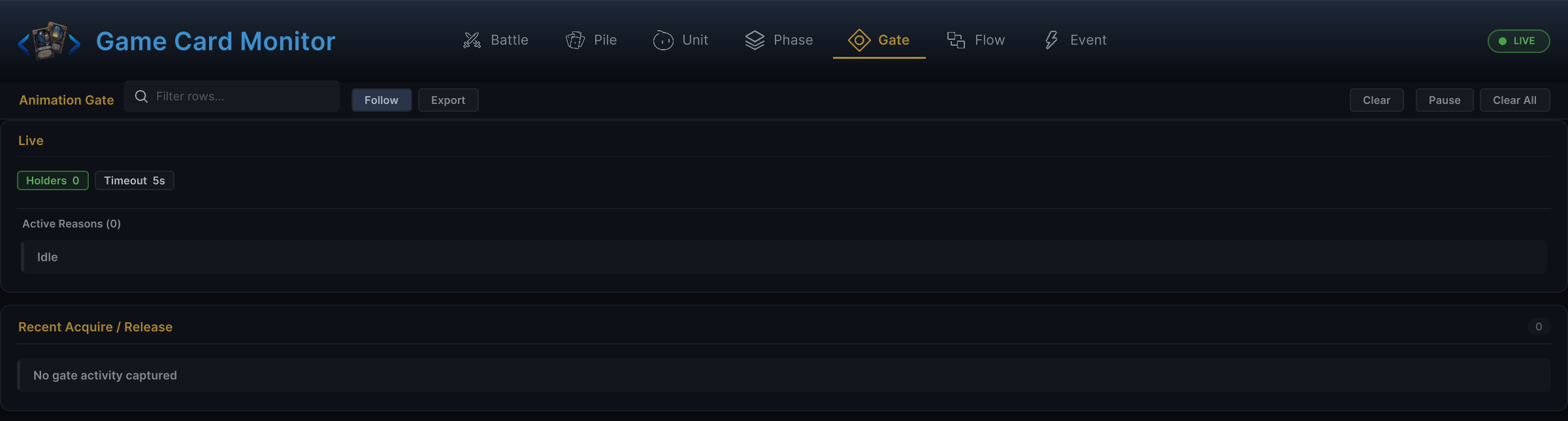
This is also why custom UI should handle state changes reactively. A card play can start state changes, animations, waits, choices, and later transitions.
VFX, audio, and render pipeline scope
The graph contract for presentation is stable, but final assets are separate:
- VFX prefabs can be replaced or upgraded later.
- SFX clips and mixer routing can be configured later.
- Render pipeline specifics (materials, shaders, post-processing) belong to the asset layer, not to graphs.
Do not encode pipeline-specific assumptions into gameplay graphs. Keep graphs requesting gameplay feedback; let the asset and presentation layer decide how to render it.
Failure behavior
Presentation degrades gracefully.
| Missing item | Expected result |
|---|---|
| Missing unit view | Gameplay still resolves; the unit-specific visual request may be skipped. |
| Missing VFX prefab | Gameplay still resolves; no particle appears. |
| Missing SFX clip | Gameplay still resolves; no sound plays. |
| Missing floating text presenter | Gameplay still resolves; the request has no visible subscriber. |
| Animation wait not scheduled | Execution continues immediately. |
Use runtime logs and the Monitor for diagnosis, but never block battles on optional presentation assets.