Deck Authoring
A deck stores card references and copy counts for starting hands or reward pools.
Compose decks in Workbench Deck mode and read the live distribution, energy curve, and design feedback.Open the Game Card Editor and choose Deck. The left side manages deck assets, the middle composes the selected deck, and the right side recalculates its structure as you edit.
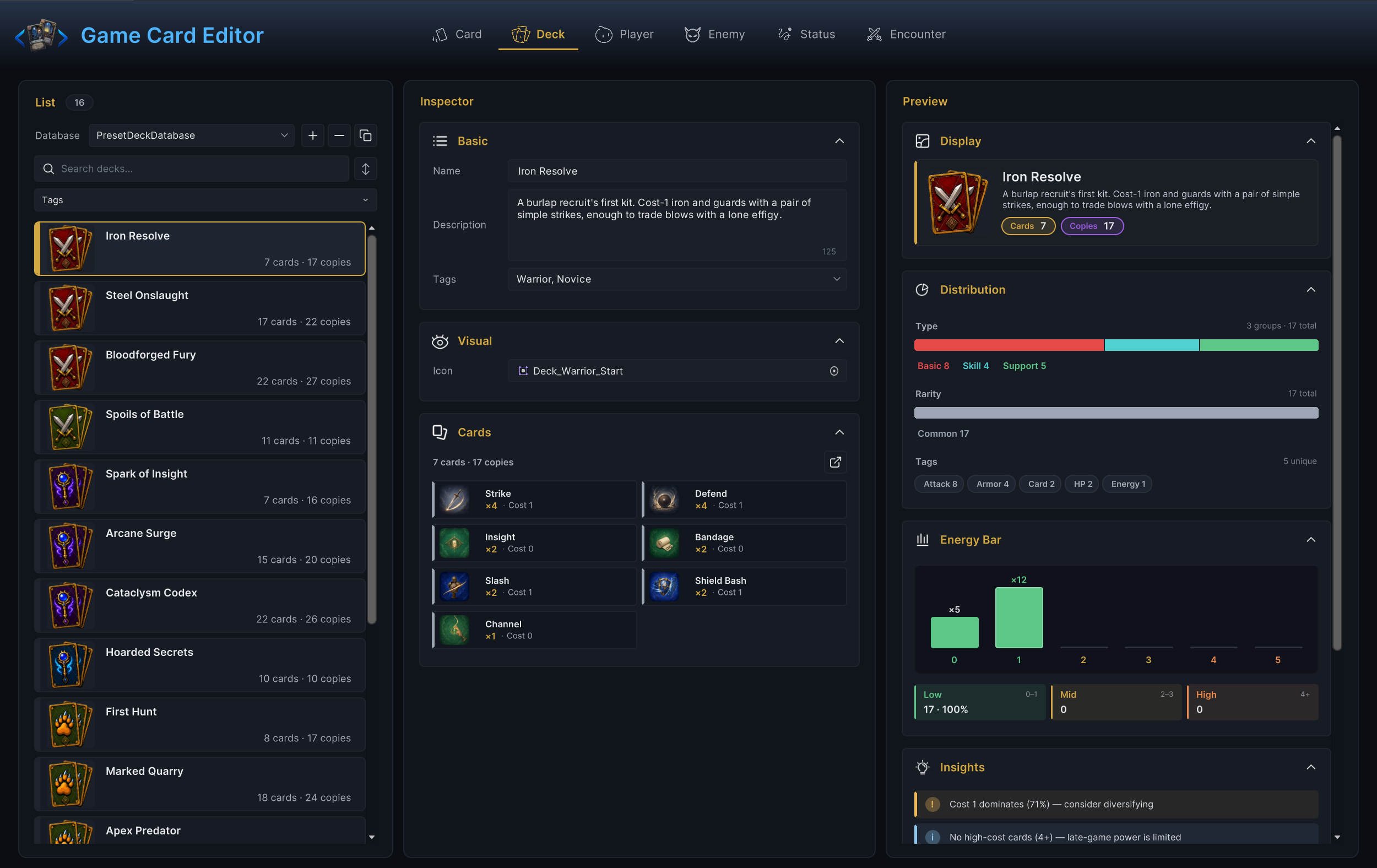
Authoring order
- In List, select a deck database, then create a blank deck or duplicate the closest existing deck
- In Inspector, complete Basic and Visual, then build the card list in Cards
- In Preview, read Display, Distribution, Energy Bar, and Insights in that order
- Finish with Used By to confirm which player units or encounters depend on the deck
List area
List
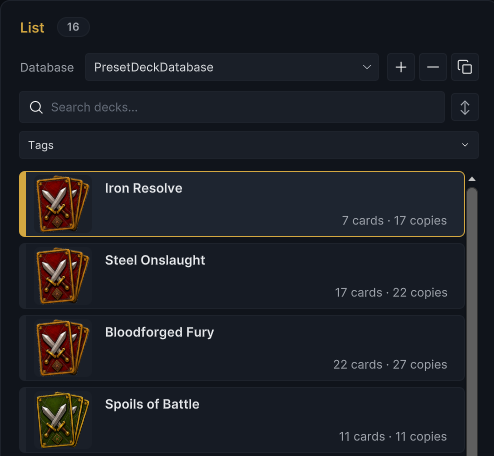
Use the database row to switch between active deck databases. +, −, and the copy button create, delete, and duplicate decks. Search filters by name, Tags narrows the current list, and the sort button changes list order. Each row shows the number of unique card entries and the total number of copies.
Inspector area
Basic
| Field | What to configure |
|---|---|
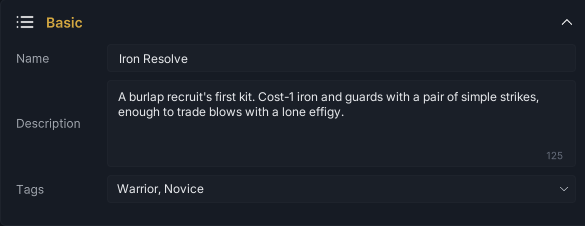
| Name | The deck name shown in the Workbench and your own UI. A non-empty value also renames the deck sub-asset |
| Description | A short explanation of the deck's role, intended play style, or reward purpose |
| Tags | Project labels such as class, chapter, reward pool, or difficulty band. Tags do not change draw behavior by themselves |
Visual
Assign Icon for the deck list, Display preview, player-unit deck card, and other UI that presents this deck. This is presentation data; it does not affect card backs or individual card art.

Cards
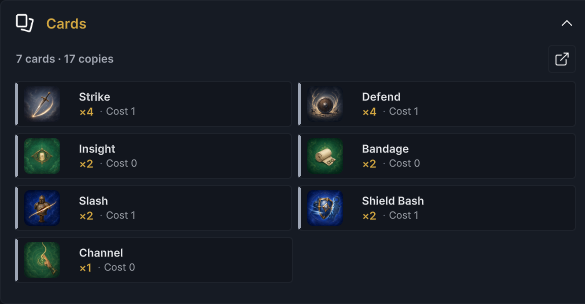
Click the edit button in the section header to open the deck picker. + increases a card's copy count; − decreases it and removes the entry when it reaches zero. The section shows every selected card as a compact tile with its copy count and cost. Click a tile to open that card in Card mode.
Copy count has two different runtime meanings:
- On a player unit's Starting Deck, it is the number of copies placed into the initial battle deck
- On an encounter's Reward Deck, it acts as selection weight in the reward pool
Row order is for authoring only. The battle draw pile is shuffled, so moving a card higher in this section does not make it draw earlier.
Preview area
Display
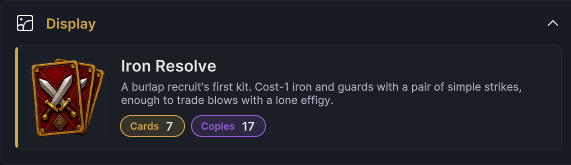
Display combines the icon, name, description, unique-card count, and total copies. It is the compact deck identity your own UI can recreate from GameDeck.Name, Description, Icon, and Entries.
Distribution
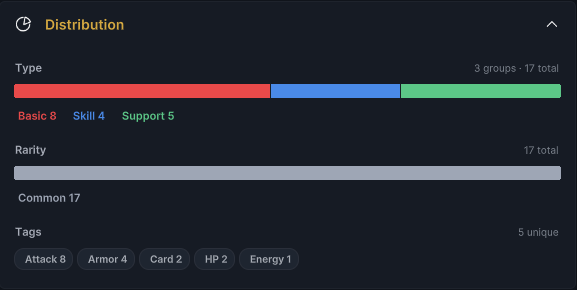
Distribution counts copies, not just unique entries. A card with four copies contributes four to its Type, Rarity, and Tag totals. The stacked bars show share by Type and Rarity; the tag chips show the most common authored themes. Use this section to catch a deck that drifted away from its intended class or archetype.
Energy Bar
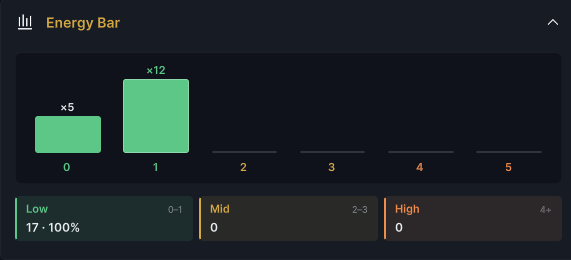
Energy Bar groups costs into buckets 0 through 5; cards above 5 join the 5 bucket. The lower summary groups them again as Low (0-1), Mid (2-3), and High (4+). Hover a bar to see the copy count and percentage.
Read the chart against the unit's per-turn energy and the encounter rules. A low curve is not automatically good, and a high curve is not automatically bad; the question is whether the deck can make useful plays with the energy it receives.
Insights
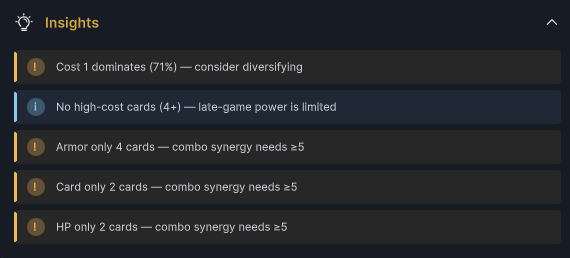
Insights reports concrete signals derived from the current composition, such as one cost dominating the deck, no high-cost cards, or a repeated tag appearing too rarely to support its synergy. Treat these as review prompts, not validation errors. The entire section is hidden when the deck produces no insight cards.
Used By
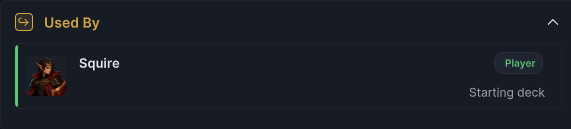
Used By shows where the selected deck is assigned. A Player row means it is a Starting Deck; an Encounter row means it is a Reward Deck. Click a result to open the owner before replacing or deleting the deck.
Validation and final check
An empty deck name is an error. An empty description or deck is a warning. A missing card reference or a copy count below 1 is an error.
Before moving on, confirm that the list row identifies the correct deck, every card and copy count is intentional, Distribution matches the intended archetype, the Energy Bar works with the unit's energy budget, Insights contain no surprise, and Used By points at the expected owners.