Enemy Authoring
Define an enemy's identity, HP range, and the behavior graph that picks intents and acts on them.
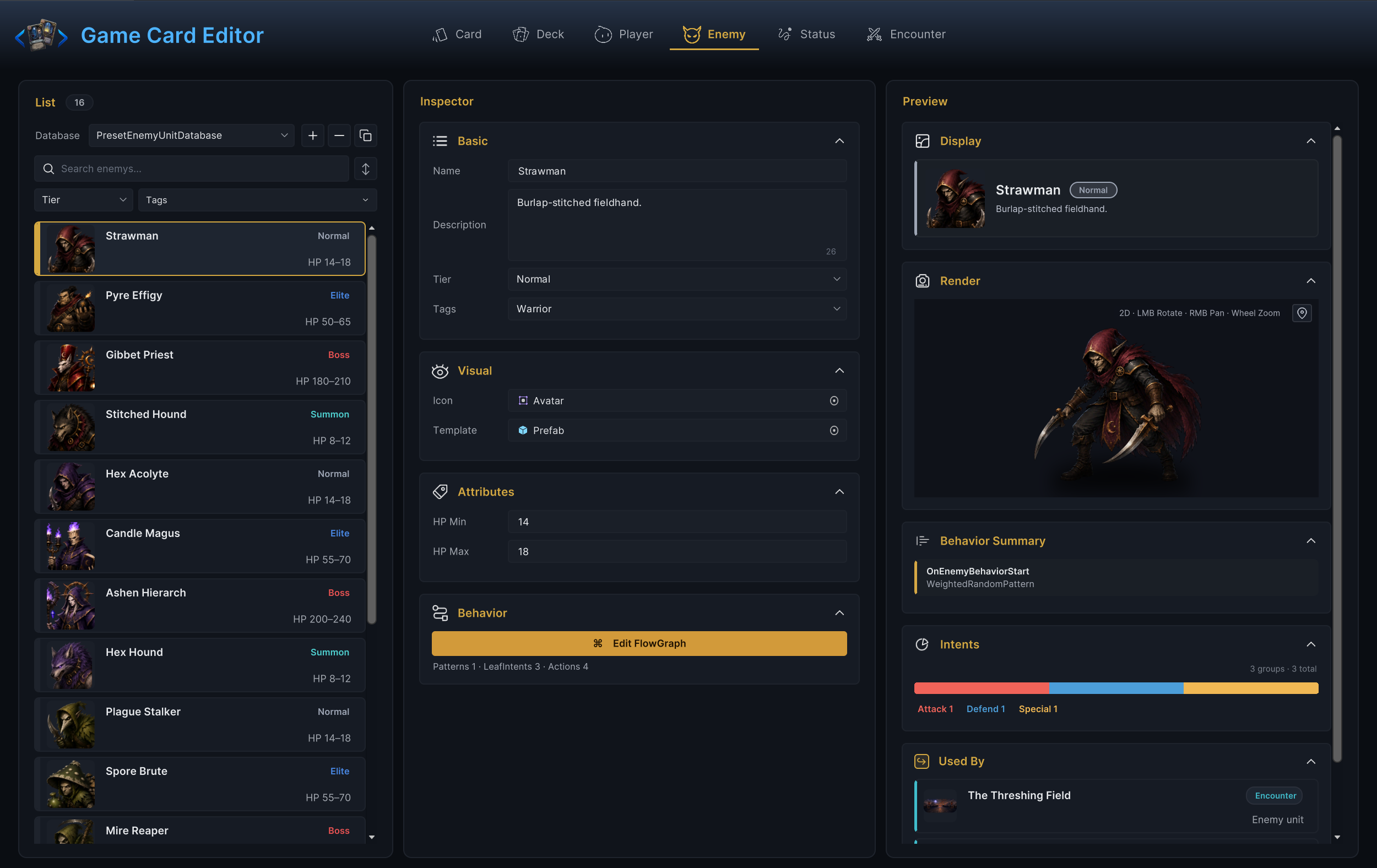
For developers building opponents in Workbench Enemy mode.Enemies are reusable battle units. An enemy definition controls identity, HP range, tier, presentation, and the FlowGraph that chooses what the enemy plans to do and then does it. Author them in Workbench > Enemy; the demo's 16 enemies, from the lowly Strawman to the Mire Reaper, all come from this mode.
Authoring order
- Fill Name, Description, Tier, and Tags.
- Assign Icon and Template if presentation assets exist.
- Set HP Min and HP Max.
- Open Edit FlowGraph and build a predictable first behavior.
- Add the enemy to an encounter and test a full turn cycle.
Begin with predictable behavior. A deterministic enemy that always attacks for 6 is a better testing tool than a complex one whose behavior you cannot reproduce.
Basic fields
| Field | What it does |
|---|---|
| Name | In-game display name. When not empty, the Workbench also renames the asset to match; when empty, validation reports an error. |
| Description | Flavor or role text shown on the enemy display. |
| Tier | Difficulty grouping. Defaults to Normal; the dropdown offers Normal, Elite, and Boss plus any label already in use, and typing a new one creates it. |
| Tags | Free-form labels for filtering and targeting. |
Tier is a label, not behavior. A Boss enemy still needs the HP, intents, and graph that make it play like a boss. Custom tiers are cheap to invent when a grouping is real: the demo adds a Summon tier for units such as the Stitched Hound that only enter mid-battle.
Visual fields
Icon is the portrait sprite used in UI and in the Workbench list rows. Template is the prefab spawned to represent the unit in battle. The preview column renders the assigned Template live, with rotate, pan, and zoom, so a missing or badly scaled prefab is visible long before Play Mode. If final art is not ready, borrow a demo prefab while you test mechanics; presentation should never block behavior work.
Attributes
| Field | What it does |
|---|---|
| HP Min | Lower bound of the starting-HP roll. The editor keeps it at 1 or above. |
| HP Max | Upper bound of the roll, inclusive. The editor keeps it at or above HP Min. |
Starting HP is rolled once, when the unit spawns, inside this inclusive range; the demo Strawman, for example, enters battle with 14 to 18 HP. Keep the range narrow while testing. A wide roll makes it harder to tell whether card damage, status ticks, and death behavior are actually correct.
Behavior graph
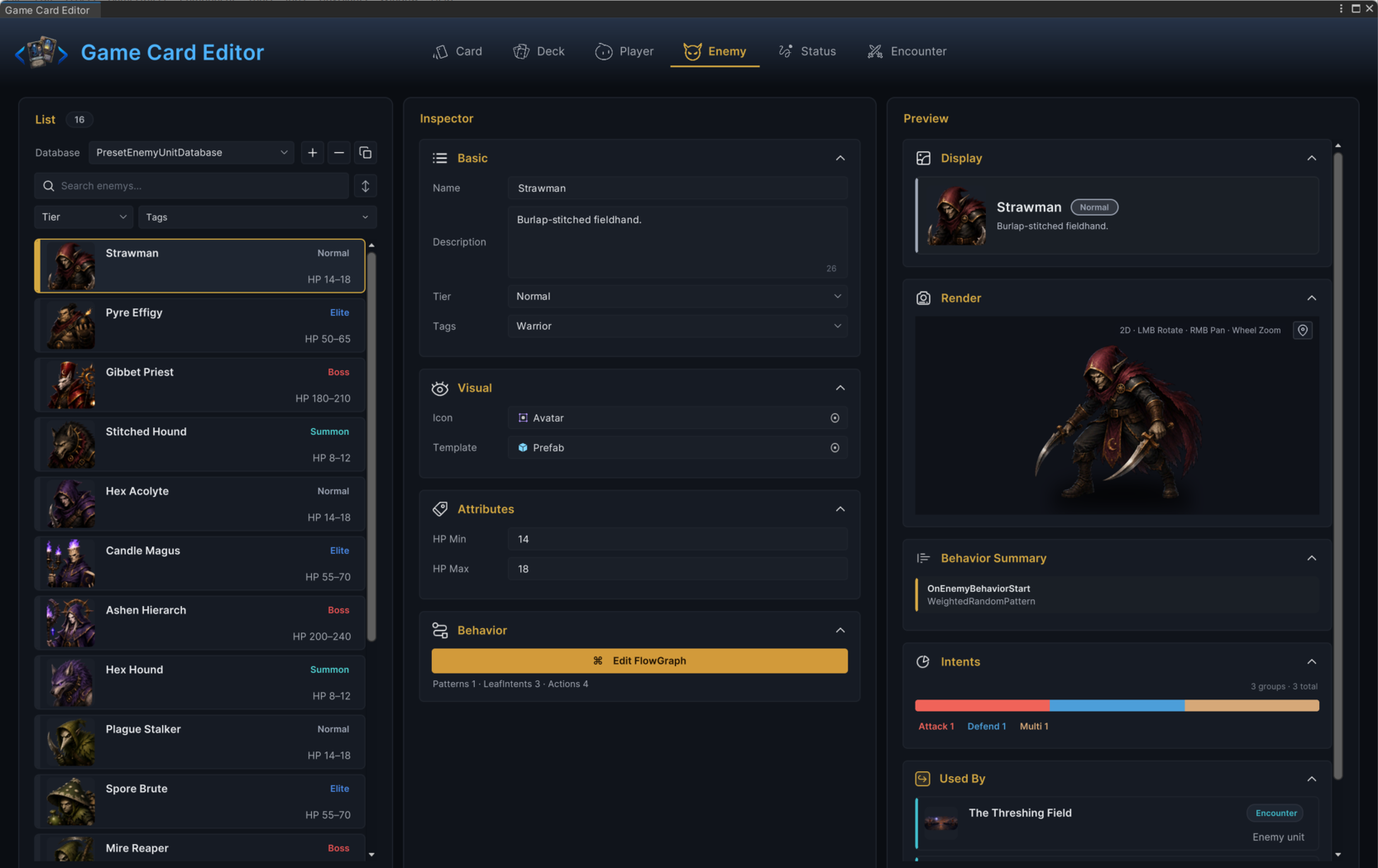
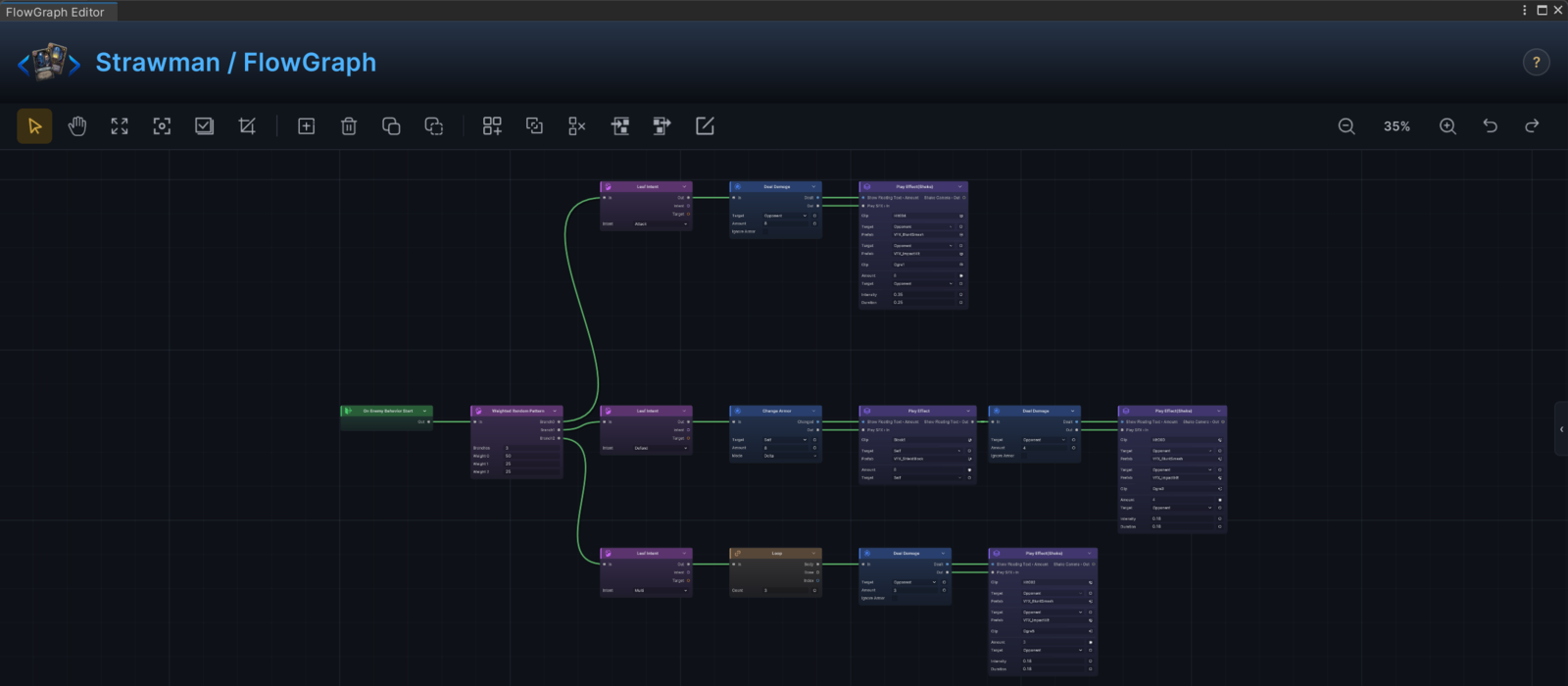
Click Edit FlowGraph in the Behavior section. An enemy graph has two jobs:
| Job | Player-facing result |
|---|---|
| Choose intent | The battle UI shows what the enemy plans to do next turn. |
| Resolve action | The enemy acts during the enemy phase. |
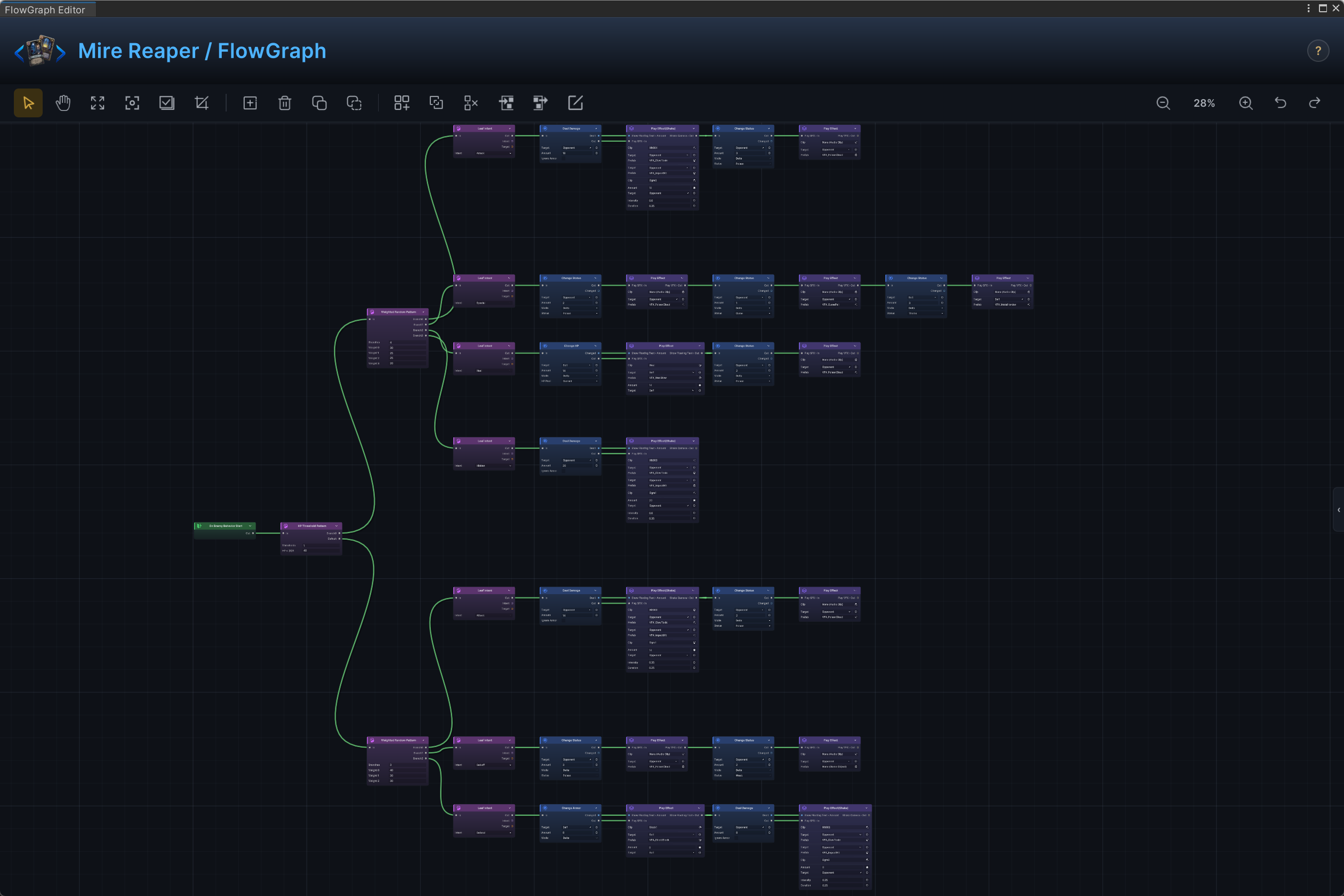
Once the graph has content, the Behavior foldout shows a summary line such as the Strawman's Patterns 1 · LeafIntents 3 · Actions 4. Treat it as a quick sanity check, not a substitute for Play Mode: it tells you the graph has structure, not that the structure is right.
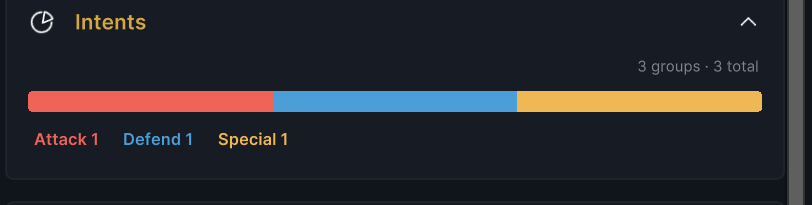
The preview column goes one step further. Its Intents foldout reads the graph and charts the intent mix, Attack 1 · Defend 1 · Special 1 for the Strawman, so you can see how the enemy's plans are distributed without entering Play Mode.
How much of the intent the player sees is not decided here. The encounter's battle rules set the intent display mode (Hidden, IconOnly, or Full), so the same enemy can telegraph everything in one encounter and nothing in another.
Encounter placement
An enemy appears in battle only when an encounter references it. Open Workbench > Encounter, select an encounter, and add the enemy under Enemy Units. An encounter with no enemy units fails validation, so this link is hard to miss. Going the other way, the Used By panel in the enemy's preview column lists the encounters that field it, which is the quickest route to a scene where you can test it.
For first tests, field a single enemy. Add multi-enemy lineups only after one enemy can spawn, show its intent, act, and die cleanly.
Validation
Enemy mode reports:
- An empty Name as an error.
- HP Min greater than HP Max as an error.
- FlowGraph validator findings as warnings.
Validation proves the definition is structurally safe to test. Whether the enemy is fun is still your call to make in Play Mode.
Common mistakes
| Symptom | Likely cause |
|---|---|
| Enemy never appears | No active encounter references it, or the enemy database is inactive. |
| Enemy shows no intent | The graph never sets an intent, or the encounter's intent display mode is Hidden. |
| Enemy turn does nothing | The graph chooses an intent but has no action path that resolves it. |
| HP differs every run | HP Min and HP Max define an inclusive random range. Narrow it for controlled tests. |
| Missing model or portrait | Template or Icon is not assigned. |