Player Unit Authoring
Define who the player controls: starting HP, per-turn energy, the starting deck, and the energy label the UI shows.
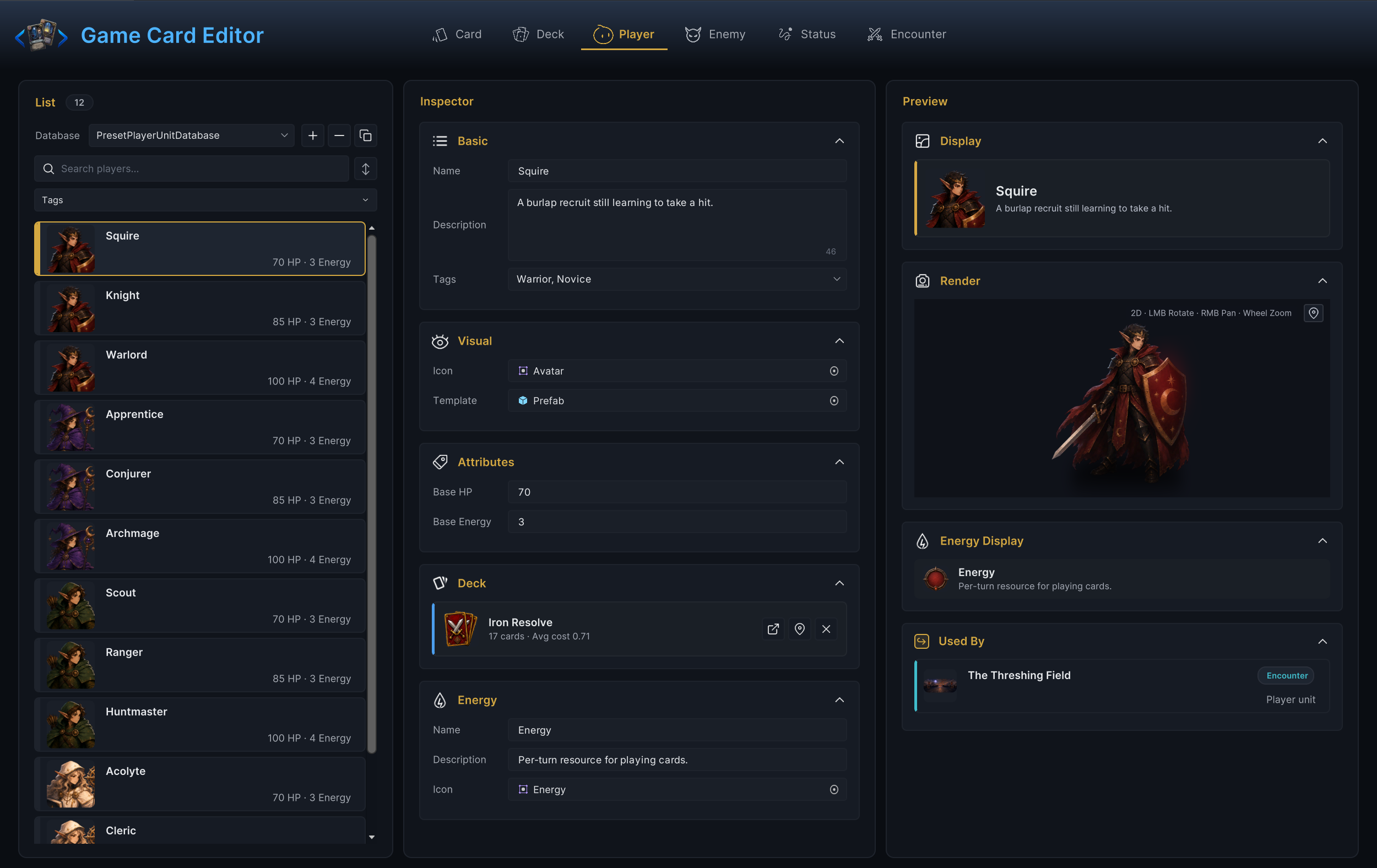
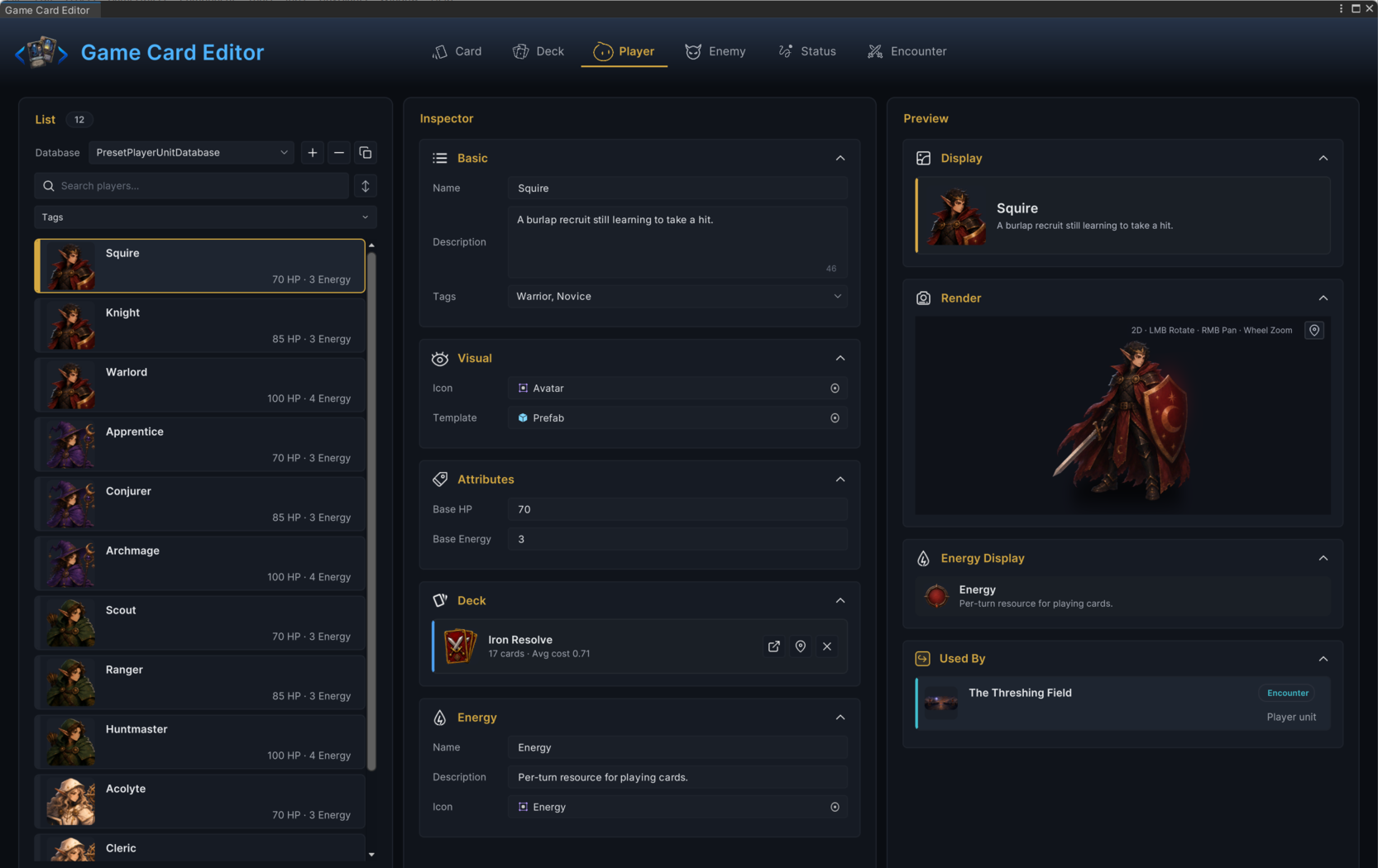
For developers setting up playable characters in Workbench Player mode.A player unit defines who the player controls in an encounter: starting HP, the energy refilled each turn, the starting deck, the presentation prefab, and the label the battle UI uses for the energy resource. Author them in Workbench > Player; the demo's 12 player units cover the four classes, such as the Warrior's Squire with 70 HP and 3 energy.
Authoring order
- Fill Name, Description, and Tags.
- Assign Icon and Template.
- Set Base HP and Base Energy.
- Choose a Starting Deck.
- Configure the Energy display name, description, and icon.
- Start an encounter that uses this unit and test it in battle.
The starting deck is the most common missing link. When a player unit points at the wrong deck, new cards will not appear no matter how correct the card definitions are.
Basic fields
| Field | What it does |
|---|---|
| Name | In-game display name. When not empty, the Workbench also renames the asset to match; when empty, validation reports an error. |
| Description | Flavor or role text shown on the hero display. |
| Tags | Free-form labels for filtering and targeting. |
Tags work for class identity, progression markers, or project filters. They change nothing in battle until a graph, rule, or your own code reads them. The Squire ships with Warrior and Novice, which is exactly the kind of labeling they are for.
Visual fields
Icon is the portrait sprite for UI and list rows. Template is the prefab spawned to represent the unit in battle; the preview column renders it live with rotate, pan, and zoom. A demo template is fine during mechanics work; do not block card, deck, and encounter testing on final art.
Attributes
| Field | What it does |
|---|---|
| Base HP | Starting and maximum HP; healing cannot push current HP above it. The editor keeps it at 1 or above. |
| Base Energy | The value the player's energy refills to at the start of each of their turns. The editor keeps it at 0 or above. |
The encounter's battle rules carry a Starting Energy override. At its default of 0, the unit's Base Energy applies; a positive value replaces it for that whole battle. Statuses can adjust the refill further through an Energy Per Turn Hook, on top of whichever base wins. If energy looks wrong in Play Mode, check the unit and the encounter before editing either.
Starting deck
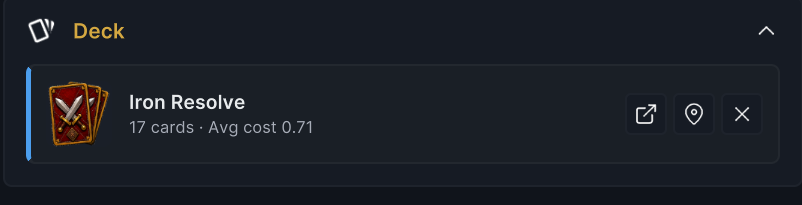
The Deck section assigns the deck the player starts with in encounters that use this unit. Under the deck name, the preview shows a live summary; for the Squire's Iron Resolve it reads 17 cards · Avg cost 0.71, which is enough to catch a wrong or empty deck before entering Play Mode.
| Action | What it does |
|---|---|
| Choose Deck / Change Deck | The same picker button; its label depends on whether a deck is already assigned. Double-clicking the deck row opens the same picker. |
| Open in Deck Mode | Jumps to the selected deck in Deck mode for editing. |
| Clear deck | Removes the deck reference. Mostly useful while rebuilding content. |
Energy display
The Energy section controls how the resource appears in UI:
| Field | What it does |
|---|---|
| Name | Label for this unit's energy resource. Defaults to Energy; a Mage might use Mana. |
| Description | Tooltip text explaining the resource. |
| Icon | Sprite shown beside the energy counter. |
A themed label is worth it only when it helps the player understand the class. All twelve demo units keep the default Energy, and that restraint is deliberate. When in doubt, keep Energy.
Encounter reachability
A player unit enters battle only when an encounter references it. The chain runs: an active player unit database holds the unit, the unit holds the starting deck, an encounter picks the unit, and the scene bootstrap or GCSApi.StartBattle(encounter) starts the fight. The Used By panel in the preview column lists the encounters that field this unit. When a battle opens with the wrong deck or the wrong class, check which player unit the encounter selects before editing any card or deck data.
Validation
Player mode reports:
- An empty Name as an error.
- A missing Starting Deck as a warning.
- A missing Template as a warning.
The two warnings differ in urgency. A missing template still lets you test mechanics with placeholder presentation; a missing starting deck means the player draws none of the cards you meant to test.
Common mistakes
| Symptom | Likely cause |
|---|---|
| New card does not appear | The player unit uses a different starting deck. |
| Energy is not the expected value | The encounter's Starting Energy override is set, or Base Energy was edited on a different copy of the unit. |
| Player has no portrait or model | Icon or Template is missing. |
| Battle starts with another class | The encounter points at a different player unit. |
| Tags do nothing | Tags are labels until a graph, rule, or custom system reads them. |