Game Card System
The Game Card System window is the setup and navigation dashboard: initialize the active scene, open Workbench and Monitor, check the environment, read release notes, and jump to common folders
Open it from:
Tools > TinyGiants > GCS > Game Card System
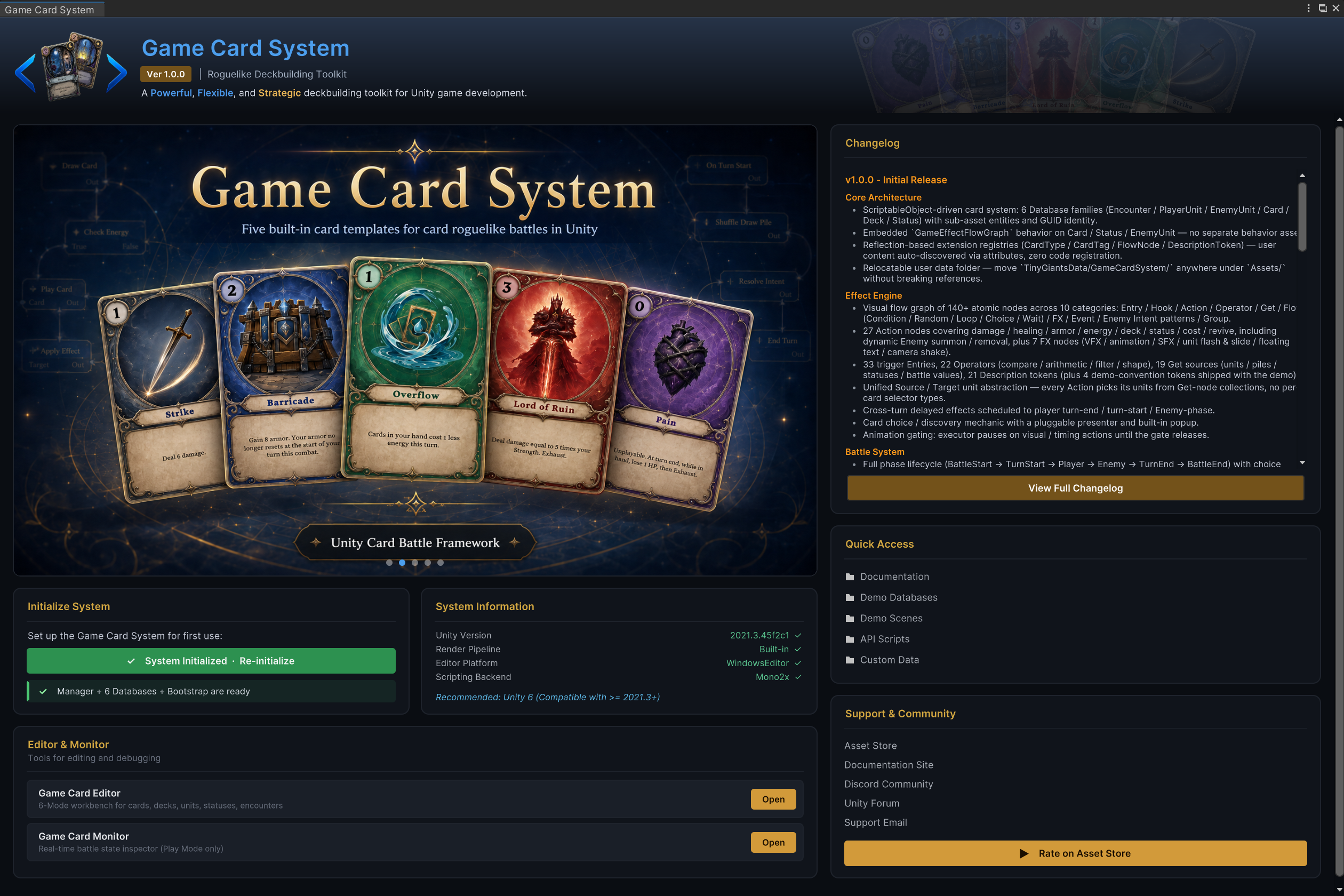
The dashboard is split into two columns; the left column focuses on setup and tools; the right column focuses on release notes, folders, and support links
Initialize System
This card prepares the active scene; it creates or repairs the GameCardManager, GameCardEncounterBootstrap, preset database registrations, and the minimal battle presentation roots needed for a playable first scene
Before initialization, the button displays Initialize System; after initialization, it displays System Initialized · Re-initialize; selecting it again repairs missing scene objects, skips preset databases that are already registered, and preserves custom databases; the full step-by-step flow is in Installation and Initialization
System Information
This card reports Unity version, render pipeline, editor platform, and scripting backend; green checks mean the current environment is supported; use it as the first support snapshot when a setup issue depends on Unity version or render pipeline
Editor & Monitor
The Editor & Monitor card opens the two daily tools:
| Row | Opens | Use it for |
|---|---|---|
| Game Card Editor | Workbench | Creating and editing cards, decks, units, statuses, and encounters |
| Game Card Monitor | Live battle inspector | Inspecting Play Mode battle state, piles, units, phases, animation gates, flow runs, and events |
The rows stay disabled until the scene is initialized, because both tools depend on the manager's active databases

Changelog
The changelog card shows the current package release notes; please use View Full Changelog when you want to open the package Changelog.md file

Quick Access
Quick Access opens the folders you need most often during setup and authoring:
| Link | Opens |
|---|---|
| Documentation | The package Docs/ folder |
| Demo Databases | Demo/Databases/, where the six preset database assets live |
| Demo Scenes | Demo/Scenes/, the 12 playable battle scenes |
| API Scripts | Runtime/, including GCS.API.cs |
| Custom Data | Assets/TinyGiantsData/GameCardSystem/, the recommended root for your own content |

Support & Community
This card groups the external support routes: Asset Store, online documentation, Discord, Unity forum thread, support email, and rating link; local setup does not depend on these links; use them when the console, Monitor, and docs are not enough
