Battle Scenes
A battle scene is the setup pair plus everything the player sees: unit areas, hand UI, HUD widgets, and presentation helpers. The fastest working scene starts from a demo scene.
For anyone building their first battle scene, or debugging why units and UI refuse to appear on screen.A battle scene is a normal Unity scene that carries the manager and bootstrap plus everything the player sees. The demo ships twelve of them, three per class across the Normal, Elite, and Boss tiers, under:
Assets/TinyGiants/GameCardSystem/Demo/Scenes/<Class>/
They are complete, tuned, and the fastest path to a working scene of your own.
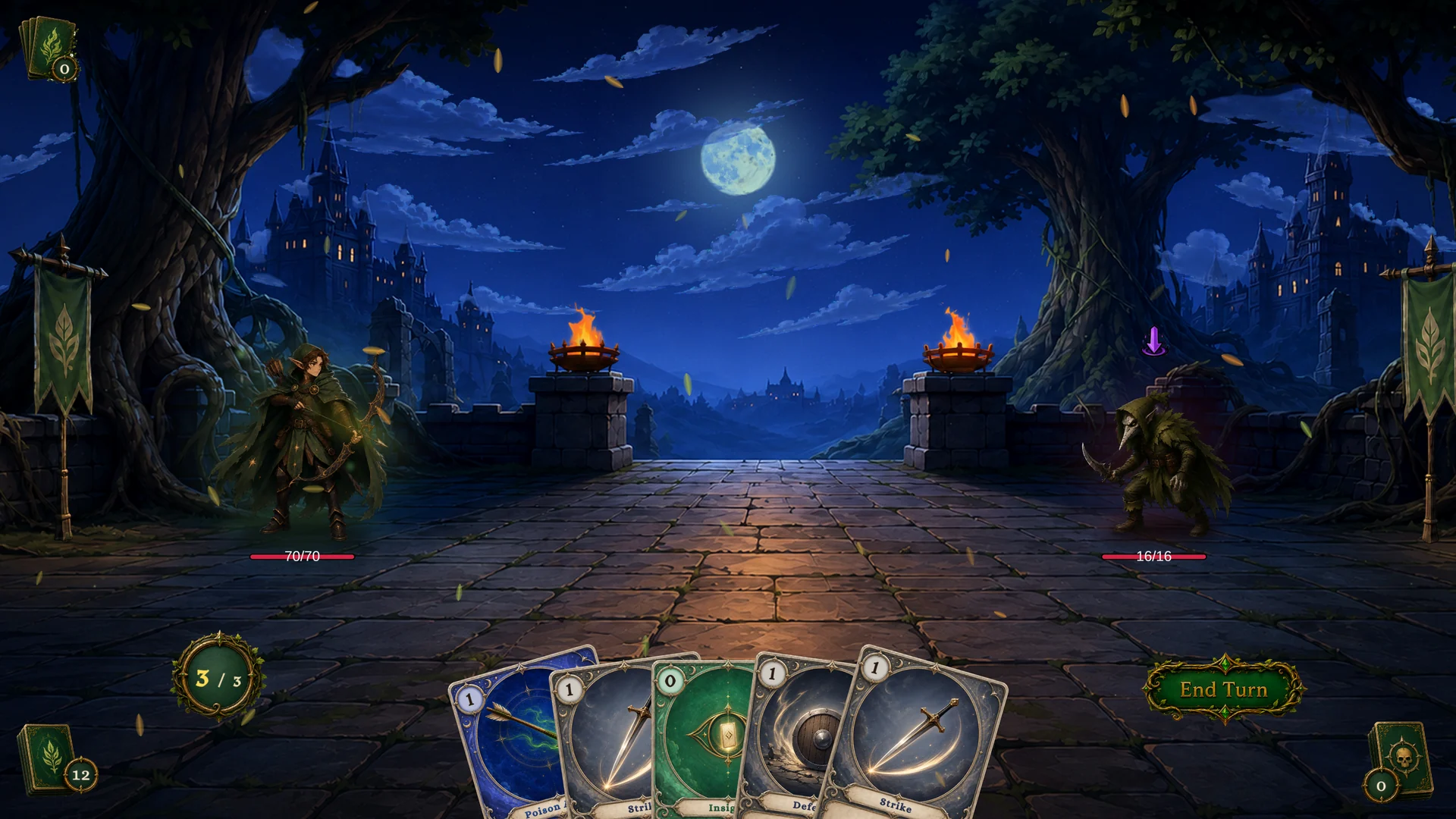
What a battle scene contains
| Piece | Purpose |
|---|---|
| Camera and lighting | Render the battle board and UI. |
GameCardManager + GameCardEncounterBootstrap | Provide active databases, choose the encounter, start the battle. |
| Player and enemy unit areas | Give runtime units a place to appear on screen. |
| Hand and card UI | Show cards, piles, targeting, and play interactions. |
| Turn and result UI | End Turn button, phase feedback, victory and defeat popups. |
| Status and intent UI | Unit status icons and enemy intent indicators. |
| Presentation helpers | VFX, floating text, camera impact, background fit. |
The first two rows decide whether a battle runs. Everything below them decides whether you can see it.
The setup pair lives on one GameObject; GameCardEncounterBootstrap requires GameCardManager beside it. The bootstrap has three inspector fields: Default Encounter picks the fight, Auto Start On Play starts it the moment the scene loads (on by default; turn it off when your own code decides when the battle begins), and On Bootstrap is a UnityEvent that fires right after the battle has started. Field details live on Manager and Bootstrap.
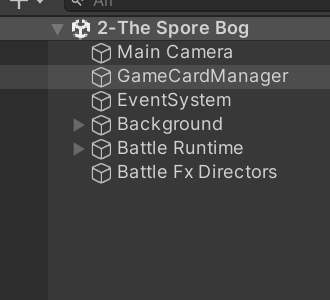
A demo scene's Hierarchy shows the shape at a glance: one GameCardManager object carries the setup pair, and the presentation roots sit beside it, never touching battle logic.
Build from a demo scene
- Duplicate the demo scene closest to your desired layout.
- Move and rename the copy into your project's scene folder.
- Replace the bootstrap's
Default Encounterwith your own. - Swap player and enemy presentation assets only where needed.
- Leave the UI references untouched for the first test.
- Enter Play Mode and confirm the battle starts.
- Only then restyle the layout, background, audio, or VFX.
The order matters. Changing one thing at a time keeps scene setup errors separate from presentation redesign, so when something breaks you know which change did it.
Unit areas
Units are data first and visuals second. The demo's BattleBoard component places the player unit at its PlayerArea transform and assigns each enemy to the next free entry in its EnemyAreas list. If units exist in the Monitor but not on screen, inspect these areas and the unit prefabs before touching any data.
Typical symptoms of a broken area or prefab reference:
- the player unit's data exists but no avatar appears;
- enemies exist at runtime but render stacked or off screen;
- the targeting arrow points at the wrong position;
- floating text pops up in unexpected places.
All of these are scene and presentation issues. No amount of card database editing fixes them.
UI references
The demo HUD is built from small widgets, each bound to runtime state: EndTurnButton, UnitHpBar, UnitStatusIconList, EnemyUnitIntentIndicator, the DeckCounter, DiscardCounter, and ExhaustCounter pile counters, BattleResultPopup, and CardRewardView. When runtime state changes but the screen does not, one of these widgets has lost its reference.
Open the Game Card Monitor during Play Mode and compare its values with what the screen shows. State correct but screen wrong means a UI reference problem. State already wrong means the problem sits upstream in data or behavior, and the UI is innocent.
One scene, one encounter
Each demo scene starts exactly one encounter, and the scene file is named after it:
Demo/Scenes/Warrior/1-The Threshing Field.unity
Encounter: The Threshing Field
Keep that pattern in your own project. When a bug report says "the fight in scene X is wrong", a one-to-one naming scheme tells you which encounter to open without archaeology.