Game Card Monitor
Seven live tabs over a running battle: state, piles, units, phases, the animation gate, flow executions, and events.
For anyone debugging content in Play Mode. The Monitor shows the runtime evidence behind each result.The Game Card Monitor is the Play Mode debugging window for GCS. Keep it open while building cards, statuses, enemies, and encounters: it shows whether a change reached the runtime, rather than only whether the Inspector accepted the field. Open it from the Unity menu:
Tools/TinyGiants/GCS/Game Card Monitor
The Monitor reads runtime state, so it earns its keep while a battle scene is running. The header badge reads INACTIVE in Edit Mode, LIVE while sampling, and PAUSED when you freeze it. Captured data clears when you leave Play Mode.
Seven tabs
The tabs run in a fixed order:
| Tab | Questions it answers |
|---|---|
Battle | Is a battle active? Which encounter, phase, and turn, plus a player snapshot and the enemy list. |
Pile | Which pile holds each card right now: draw, hand, discard, exhaust, or the master deck. |
Unit | Each unit's HP, armor, statuses with stack counts, current intent, team, and alive state. |
Phase | The current battle phase and a newest-first history of every transition. |
Gate | The animation gate: which presentation holds are pausing phase progression, with an acquire/release log. |
Flow | Every FlowGraph run the executor reports, newest first, with a summary. |
Event | GCS events received in order, plus dispatcher probe traffic on the event channel. |
Use the tabs together. A card play problem usually starts in Battle or Pile and ends in Flow or Unit.
Battle
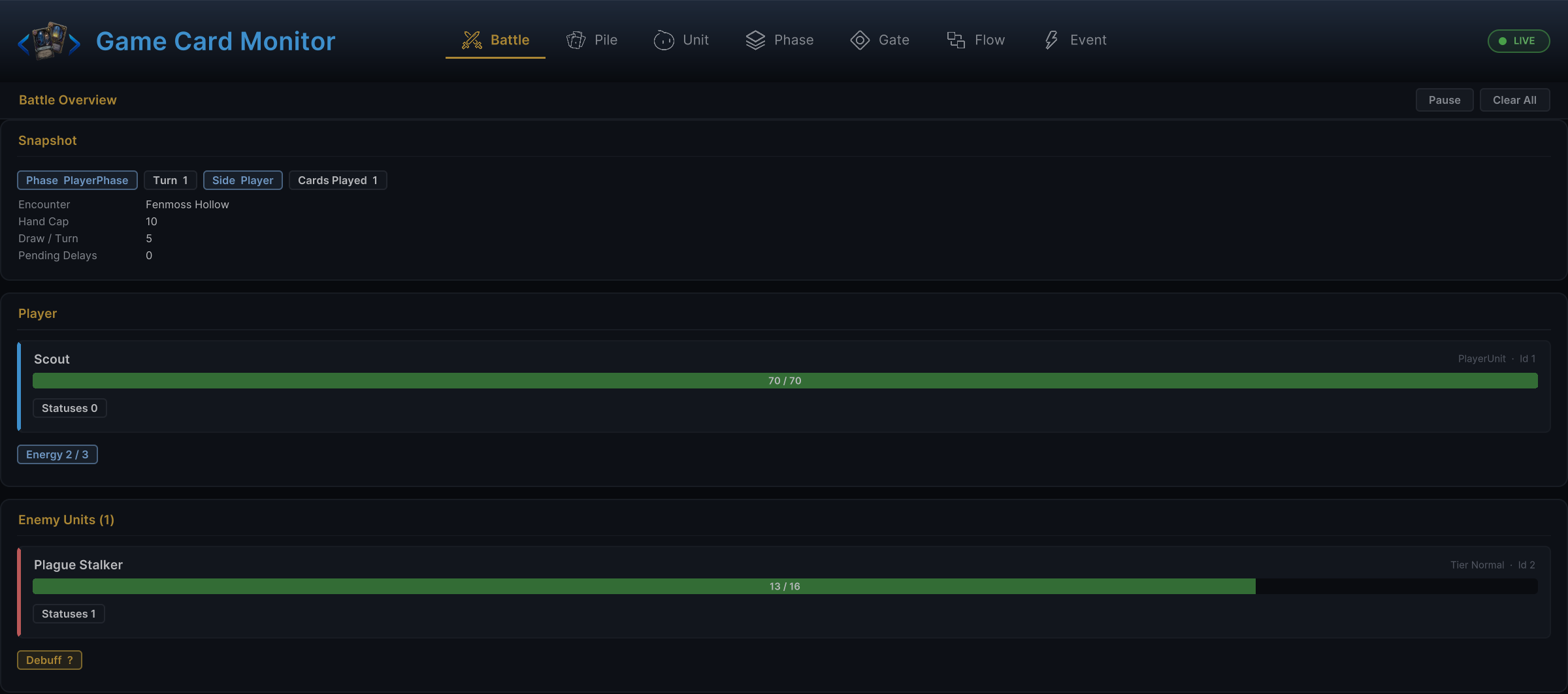
The battle overview opens with snapshot chips: phase, turn number, whose side is acting, cards played this turn, plus extra chips whenever a choice is pending or the animation gate is holding. Below sit the encounter name, the hand cap, the draw-per-turn rule, and pending delayed triggers, then a player card with HP, armor, and energy, and one card per enemy with its tier and its telegraphed intents.
Pile
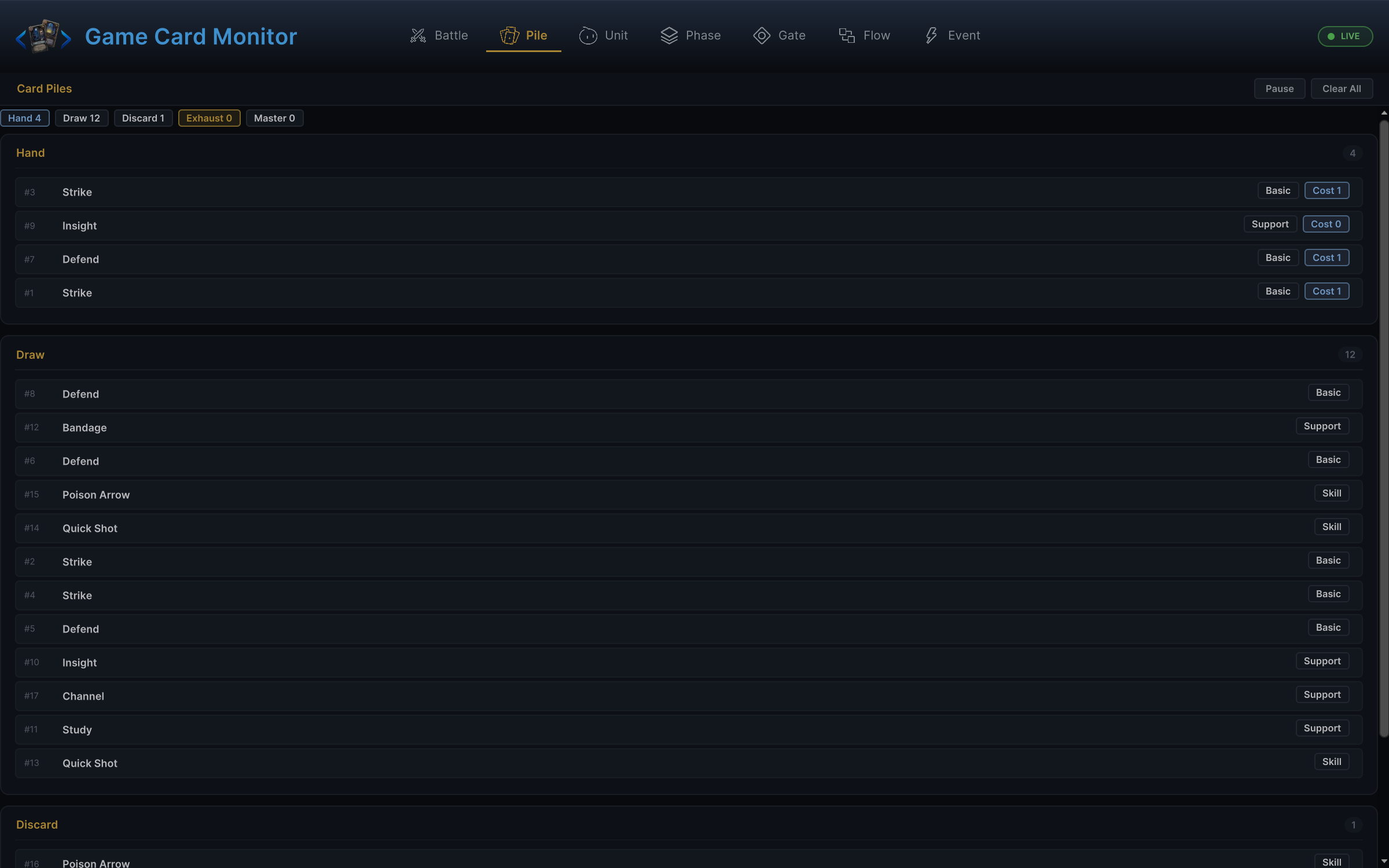
The fastest way to confirm card movement. Summary chips count Hand, Draw, Discard, Exhaust, and the master deck; each pile section lists its cards with instance id, name, and type, and hand rows add the current effective cost after hooks and modifiers. A played card should leave the hand and appear in discard (or exhaust) the moment its graph resolves:
Unit
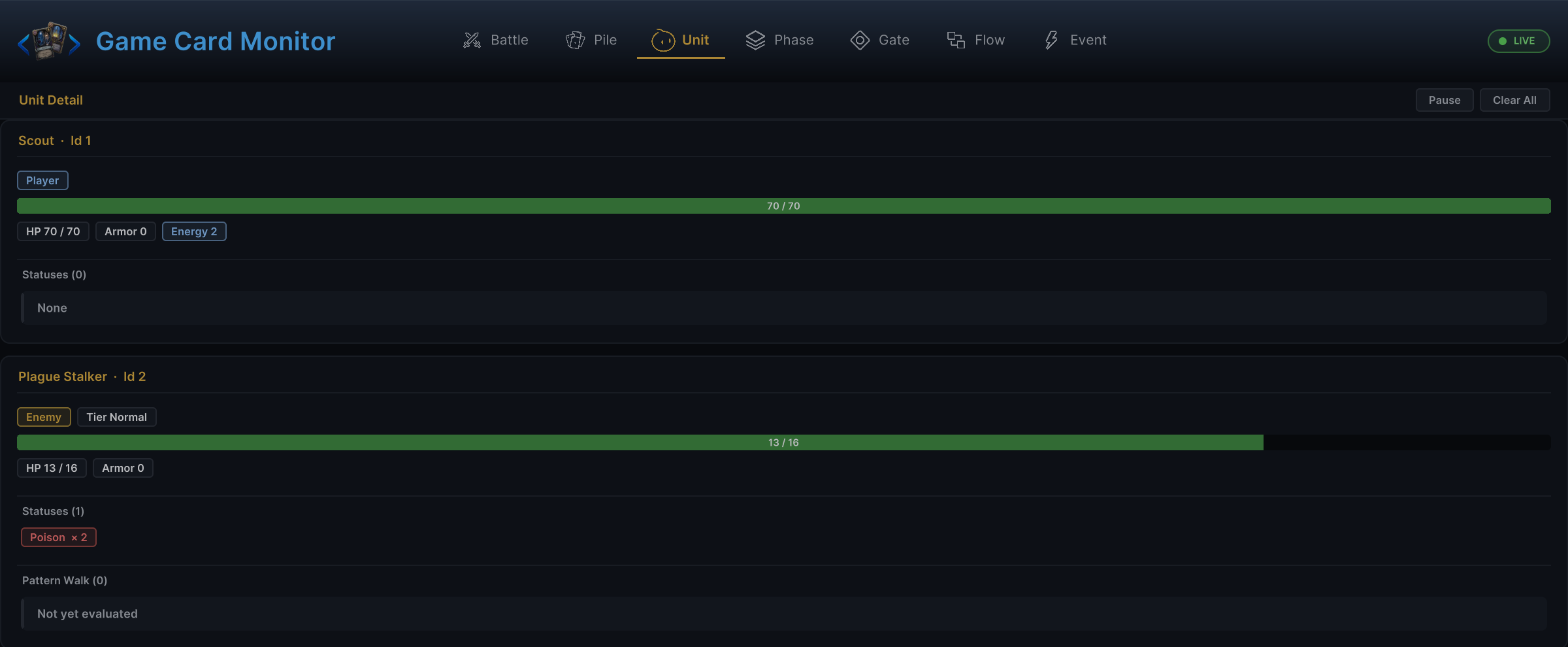
One section per living participant: team chip, tier, a DEAD marker when relevant, an HP bar with the armor overlay, and every status with its stack count, colored by buff or debuff. Here the Hunter's Scout sits at full health while the Plague Stalker carries Poison × 2. Enemy sections add a Pattern Walk block showing where each intent pattern node stands, which is how you check that a Sequence Pattern really advanced this turn:
Phase
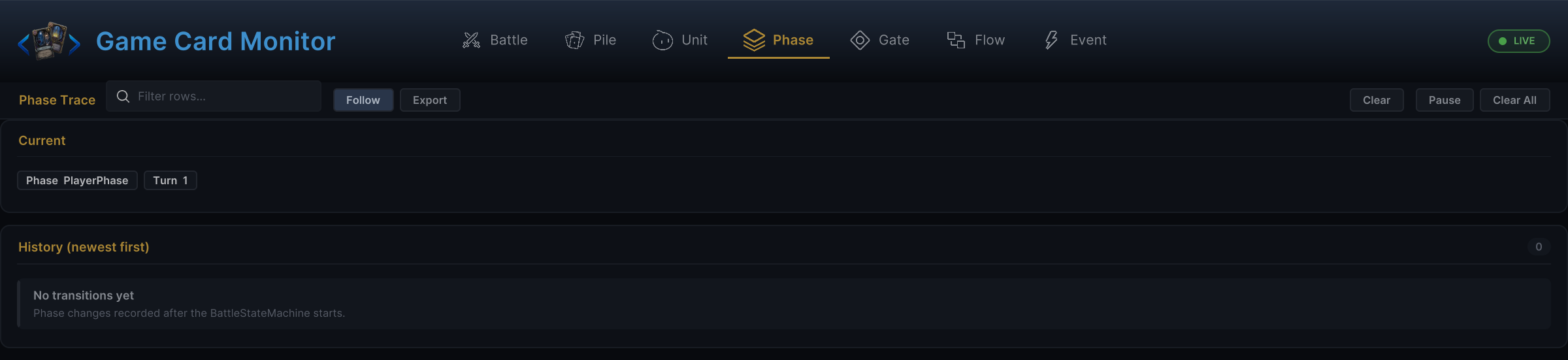
The current phase and turn up top, then a newest-first history of every transition with its turn stamp. When a status "should have triggered at turn end" but did not, this tab proves whether the turn actually ended:
Gate
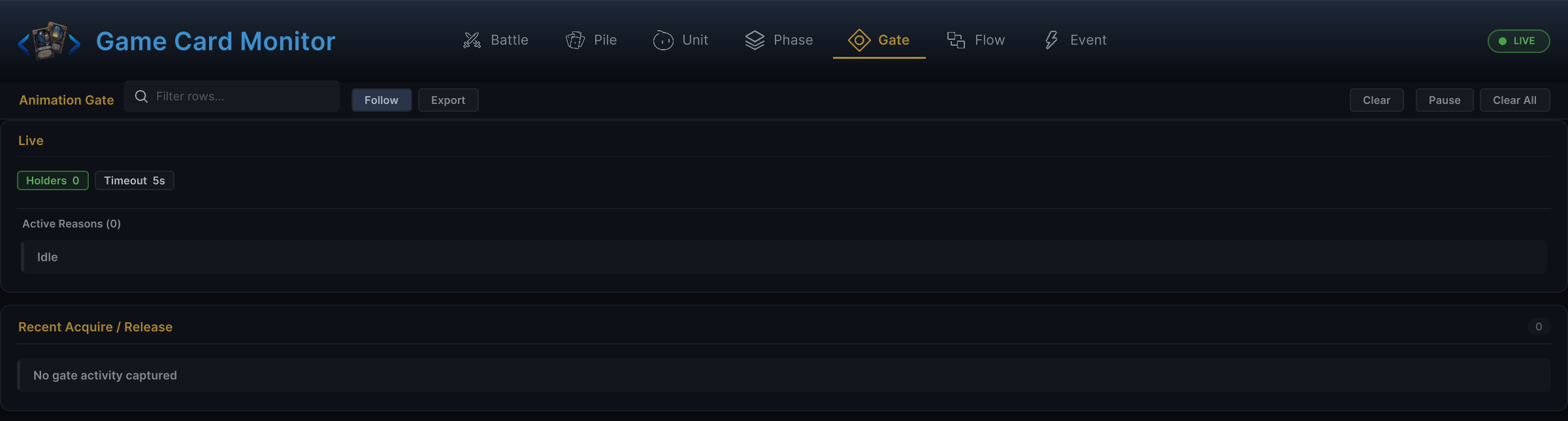
The animation gate pauses phase progression while presentation plays out. The Live section counts current holders and shows the timeout budget; Active Reasons names each hold. The Recent Acquire / Release log records every ACQUIRE and RELEASE with its reason and the holder count after it, which is exactly the evidence you need when a battle hangs:
Flow
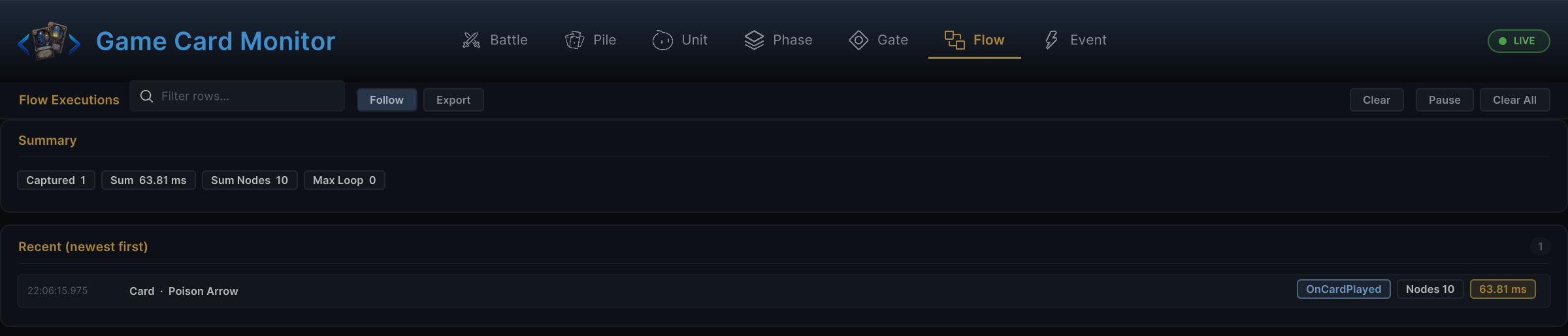
Every graph execution, newest first. The summary chips total captured runs, combined duration, node count, and the deepest loop seen. Each row names the owner and its trigger: here Poison Arrow's on-play graph ran 10 nodes. Rows that take longer than 8 ms get flagged, which is your early warning for a runaway loop:
Event
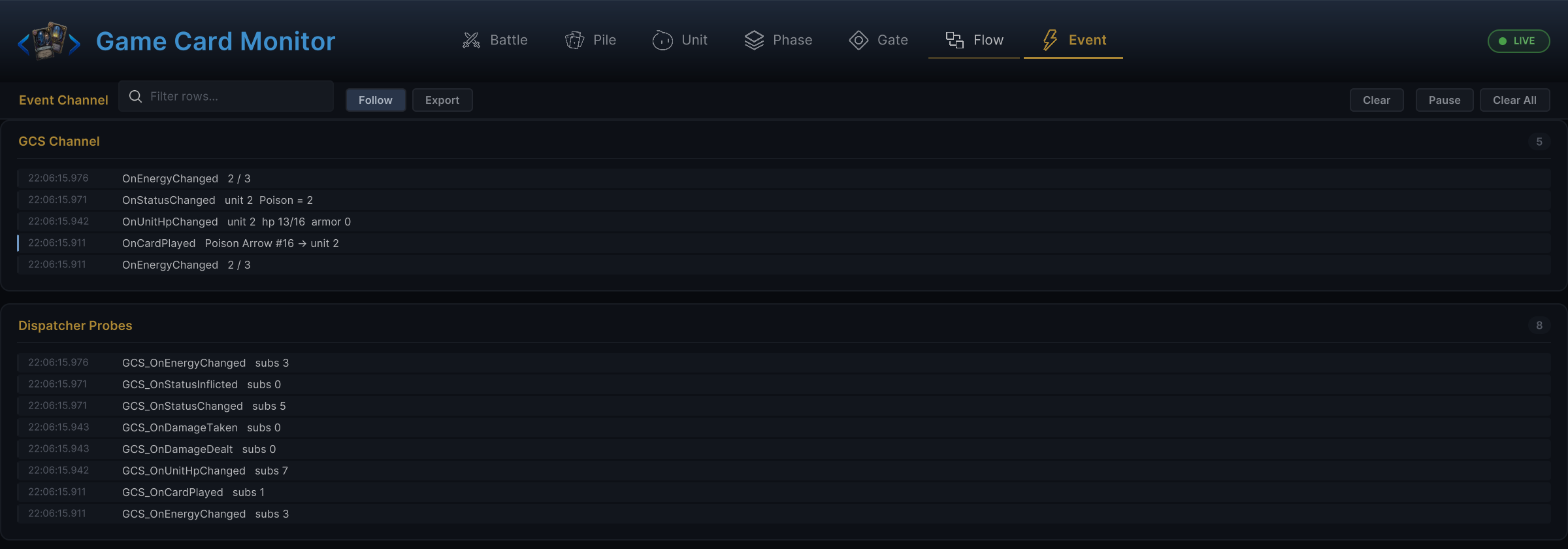
Two sections settle arguments about whether something fired at all. GCS Channel lists the broadcasts the Monitor subscribes to, in order, with readable detail: which card was played against which unit, whose HP changed to what. Dispatcher Probes records raw channel traffic with the subscriber count per raise, so "my listener never ran" splits cleanly into "the event never fired" versus "the subscription is wrong":
Toolbar
Pause and Clear All are always available. The filter field, Follow, Export, and a per-tab Clear appear on the four stream tabs: Phase, Gate, Flow, and Event.
| Control | Use |
|---|---|
| Pause | Freeze sampling so you can read a moment without it scrolling away. The badge switches to PAUSED and the button becomes Resume. |
| Clear All | Drop every captured sample and event before reproducing the next action. |
| Filter field | Narrow the stream while the battle keeps running. Export respects it. |
| Follow | Keep the newest entry pinned at the top. Scrolling down disengages it; click Follow to re-engage. |
| Export | Copy the current view to the clipboard for a bug report or a before/after comparison. |
| Clear | Clears only the current tab's stream, keeping the others intact. |
The left and right arrow keys switch tabs unless a text field has focus, in which case keyboard input stays in the field. Click the Monitor body first if arrow navigation seems dead.
Debugging workflows
The battle does not start
Battle: no active battle means the bootstrap or manager never started one.Event: no startup events means the scene never reached the GCS runtime.- Game Card Editor validation: an incomplete encounter, player, enemy, or database reference.
- The Console's first error. Later errors are usually fallout.
A card cannot be played
Battle: is it the player phase, and is there enough energy?Pile: is the card actually in the hand pile?Unit: does the selected target exist, live, and belong to the expected team?Flow: does the card's behavior graph exist and resolve?
A card plays but nothing happens
Flow: did the entry match and did the nodes run?Event: were the expected runtime events raised?Unit: did HP, armor, or statuses move?Pile: did the card reach discard or exhaust as expected?
If runtime state changed but the screen did not, the bug lives in presentation references. Do not rewrite working card logic.
The battle looks stuck
Gate: the animation gate lists its active holders by reason. A holder that acquires and never releases keeps the phase machine waiting.- The gate's acquire/release log shows exactly which effect took the hold and when.
- A gate timeout in the log means an animation or FX callback never reported completion.
An enemy does nothing
Phase: did the battle actually enter the enemy phase?Unit: is the enemy alive, and does it show a current intent?Flow: did the enemy's behavior graph run?- Game Card Editor
Enemymode: a missing behavior graph or prefab makes an enemy look idle.
A status does not update
Unit: does the status exist on the unit, and with how many stacks?Flow: did the status entry, hook, or trigger run?Phase: did the timing you expected actually occur?- Game Card Editor
Statusmode: stack rule, decay rule, and graph references.
Mechanics or presentation?
The Monitor draws the line between the two halves of every bug:
| Evidence | Meaning |
|---|---|
| Runtime state changed | The graph or controller worked. Look at UI, prefab, animation, audio, VFX. |
| Runtime state did not change | Look at targets, content references, graph execution, hooks. |
| Event fired, listener silent | Look at subscription timing, event name, argument type, disposal. |
| Flow ran, values look wrong | Look at input ports, fixed fields, result outputs, hook writes. |
For complex cards, open the Monitor before the symptom appears. Watching each small edit land beats reconstructing a long chain after the battle is already broken.