Ports and Data Flow
Ports carry two things: execution order and values. This page covers the value side, from target sources and collections to action results, variables, and when a value is actually read.
Read this once your graphs stop being straight lines. You do not need C# types; gameplay terms are enough.Every wire in a graph is either a control wire or a data wire. Control was covered in the editor workflow; this page is about the data side. Think in gameplay terms: unit, card, status, number, yes/no, text, collection.
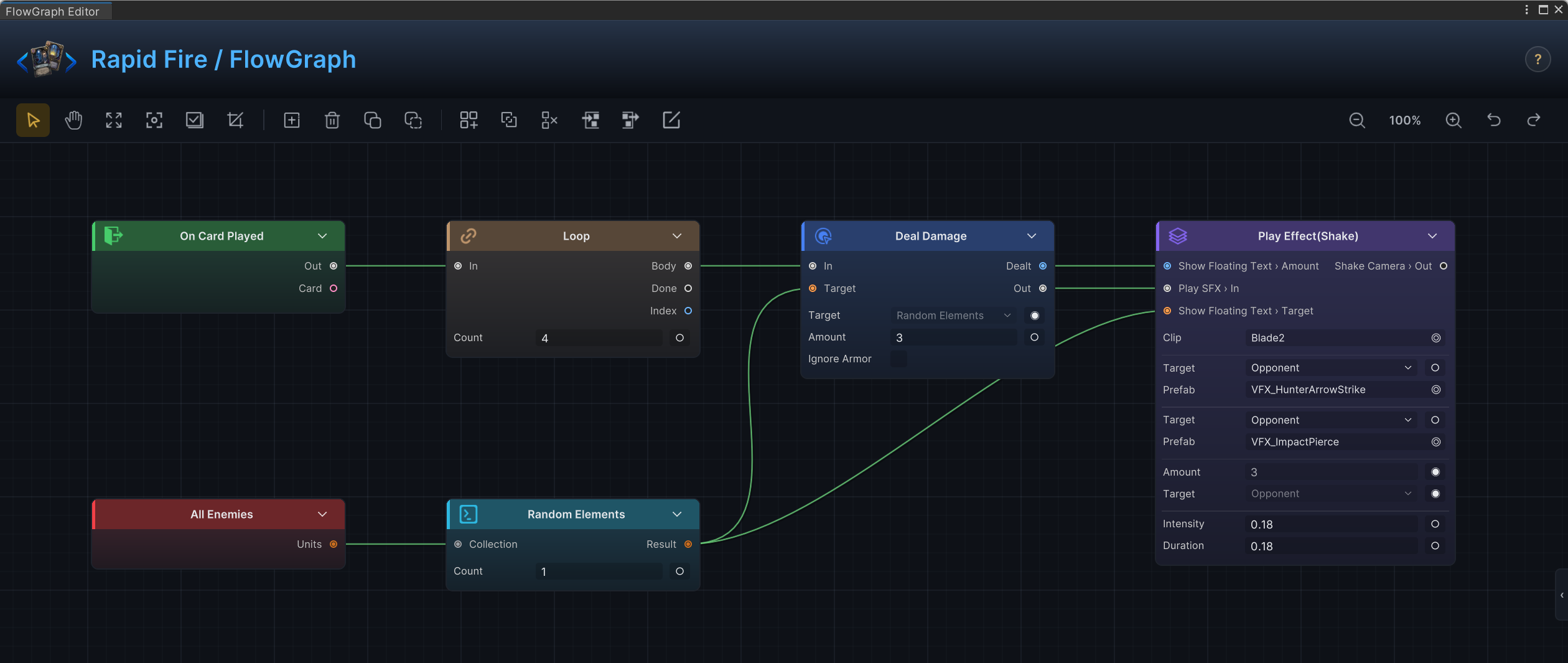
Rapid Fire is a compact data-flow example: All Enemies produces a unit collection, Random Elements narrows it to one unit, and that unit flows into Deal Damage.Target on every loop iteration. Each hit can land on a different enemy because the target is re-pulled per iteration.
Control ports
Control ports decide what runs next.
| Port shape | Meaning |
|---|---|
| Single output | Continue to the next node. |
True / False | Branch on a yes/no condition. |
Body / Done | Run the body per iteration, then continue when the loop finishes. Loop and Foreach also expose an Index data output. |
OnChosen / Skipped | Continue after a player choice, or after the player declines. |
| Numbered or named outputs | One path per case in a Switch, Sequence, or Intent pattern. |
Every graph needs at least one starting point: an entry, a hook, or an Intent pattern. A cluster of data nodes with no control path never runs.
Data ports
| Value kind | Typical sources | Typical consumers |
|---|---|---|
| Unit | Self Unit, Opponent Unit, entry Source / Target, Pick Element | Deal Damage, Change HP, Unit Info, Flash Unit |
| Unit collection | All Enemies, All Units, Filter, Random Elements | Deal Damage, Foreach, Count |
| Card | This Card, card entries, Pick Element | Card Info, Play Card, Transform Card |
| Card collection | Card Piles, Deck Cards, Filter, Take | Move Cards, Upgrade Cards, Remove Cards |
| Status | Status entries, Unit Info.Statuses plus Pick Element | Reapply Status, Remove Statuses |
| Number | Entry Amount, Player Energy, Unit Info, math nodes | Action amounts, Loop.Count, conditions, Write Hook |
| Yes/no | Condition, Logic, Is Empty, hook Playable | Branch, While, Gate.Allow, Write Hook |
| Text | Card Info.Type, Unit Info.Team, Constant, Event Arg | Condition comparisons, Switch cases, filters |
Wires are type-checked: a number output fits a number input, a whole number fits a decimal slot, and a single unit fits a port that accepts "unit or units". Wiring a collection into a single-target port also works but quietly uses the first entry; when that is what you mean, say it with Pick Element so the graph reads honestly.
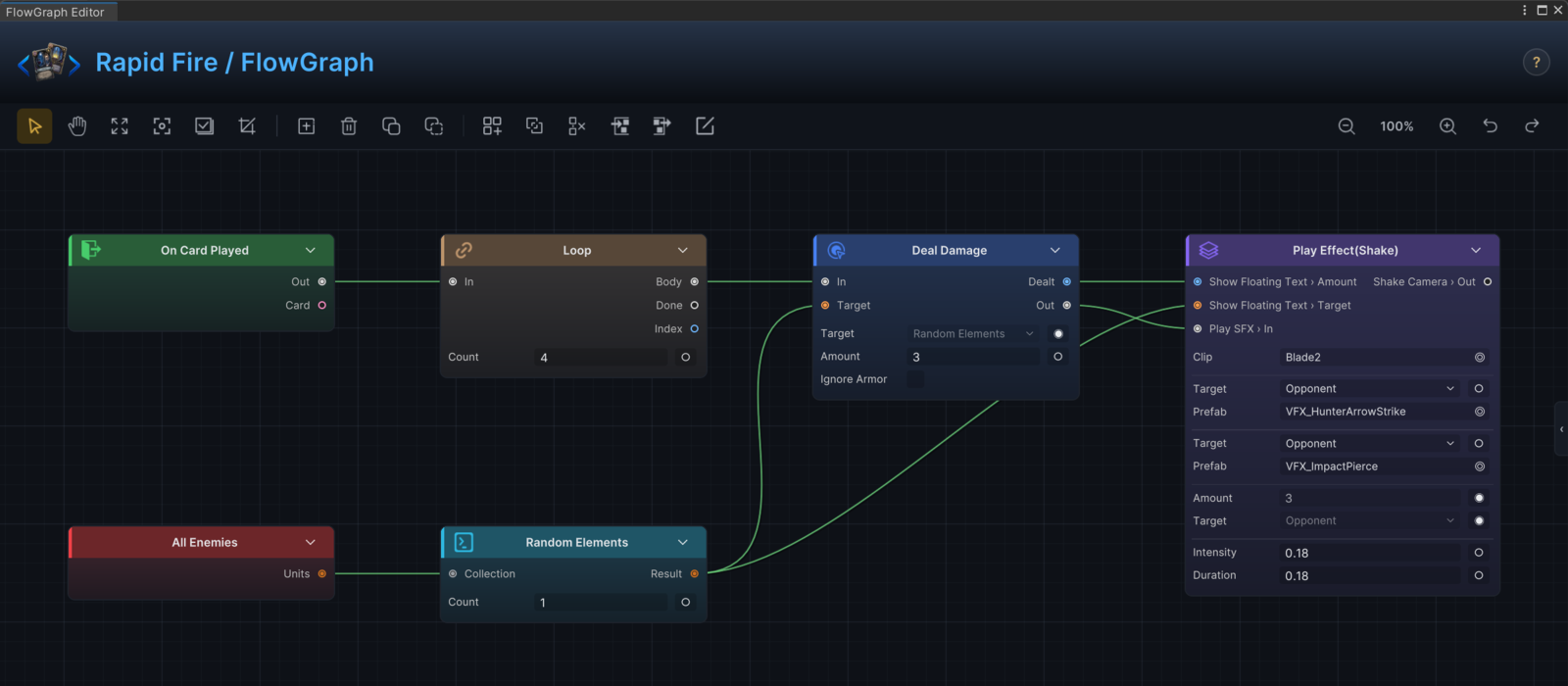
Rapid Fire's wiring exercises several of these rows at once: All Enemies feeds Random Elements, the picked unit drives Deal Damage.Target, and the Dealt result carries on into the presentation group.
Field value versus connected value
Many nodes carry an editable field that can also become an input port. The port is hidden until you ask for it: click the ○ socket button at the end of the field's row to expose it, and ◉ to fold it back into an inline value (the editor workflow shows the gesture). The rule at runtime is simple: a connected port wins, and the field is the fallback when nothing is connected.
| Situation | Better choice |
|---|---|
| The card always deals 8 damage. | Set Amount = 8 on Deal Damage. |
| Damage equals current armor. | Wire Unit Info.Armor into Deal Damage.Amount. |
| The status always applies 2 stacks. | Set Amount = 2 on Change Status. |
| Stacks scale with cards played this turn. | Wire Count into Change Status.Amount. |
Why the field still matters when a wire is connected
Node inputs resolve through a "pull input, or fall back to the field" rule. When you later delete the wire, or fold the port back to an inline value, the node silently reverts to its field value instead of breaking. Keep the field set to something sensible even on wired nodes; it documents the intended baseline and keeps the graph functional through rewiring.
When values are read
Data wires do not push values around. A value is computed at the moment the consuming node runs and asks for it:
Three consequences you will actually feel while authoring:
- Get nodes read the live battle state at the moment they are pulled. A
Unit Info.HPread after aDeal Damagesees the reduced HP, not the value from when the graph started. - Within a single node's run, repeated pulls from the same Get node agree with each other.
Randomfollows the same rule: one action pulling aRandomtwice sees one roll, but the next node in the control path pulls a fresh roll. Two actions wired to the sameRandomwill roll twice. - To lock one computed value and reuse it across several nodes, store it with
Set Variable, or wire the first action's result output onward instead of re-reading the source.
Operator nodes (Math Binary, Condition, Filter, ...) are pure calculations over their inputs; they recompute every time something pulls them.
Target sources
Action nodes that touch units or cards carry a source field that answers: which things should this node use when no data wire overrides it?
| Source field | Options | Meaning |
|---|---|---|
TargetSource (units) | Self, Opponent, AllEnemies, AllUnits | Find units by their relationship to the graph's owner. |
CardsSource (cards) | ThisCard, HandPile, DrawPile, DiscardPile, ExhaustPile, AllPiles | Read the current card or a known pile. |
Pile (pile scope) | Hand, Draw, Discard, Exhaust, Master, All | Where a card action places, moves, or inspects cards. |
These enum fields cover the common cases without any wiring: TargetSource = AllEnemies is a complete AoE target. Reach for selector nodes when the source needs filtering, sorting, or randomness. All Enemies -> Filter -> Random Elements reads as "a random matching enemy", which no single field could express.
Collections
A collection is a list of units, cards, or statuses, and collection nodes build the target set before an action runs.
| Need | Node |
|---|---|
| Every enemy | All Enemies |
| Every unit | All Units |
| Cards from a pile | Card Piles |
| Cards from the run deck | Deck Cards |
| Keep only matching entries | Filter |
| Count entries | Count |
| Check for emptiness or membership | Is Empty, Contains |
| Pick one entry | Pick Element |
| Pick several at random | Random Elements |
| Combine or subtract lists | Merge Collections, Exclude |
| Reorder or trim | Sort, Shuffle, Take |
An action that accepts a unit collection applies to every unit in it. When each target needs its own follow-up logic or its own presentation beat, run the collection through Foreach instead of passing it whole.
Action results
Several actions output what they actually did, which can differ from what you asked for once armor, hooks, and caps have their say.
| Node | Output | Why it matters |
|---|---|---|
| Deal Damage | Dealt | Damage after armor, hooks, and prevention. |
| Change HP | Changed | HP actually changed, after clamping at max or zero. |
| Change Armor | Changed | Armor actually changed. |
| Change Energy | Changed | Energy actually changed. |
| Change Status | Changed | The real stack delta. |
| Draw Cards | Drawn | The cards that arrived in hand. |
| Add Cards | Added | The card instances that were created. |
| Spawn Unit | Spawned | The new unit, if one was created. |
Player-facing feedback should almost always use these outputs. Floating text wired to Dealt shows the 4 that got through the armor, not the 7 the card intended.
Variables
Set Variable stores a named value; Variable reads it back. The node's BattleScope toggle decides the lifetime: off means the value lives for the current run of the graph, on means it persists for the whole battle and any graph can read it.
| Scope | Use for | Avoid for |
|---|---|---|
| Graph run (default) | Intermediate values reused within one execution. | Anything a direct wire can carry. |
| Battle scope | Counters and flags that persist across turns and entries. | Temporary calculations. |
Name variables by gameplay meaning: BonusDamage, CardsCreated, MarkedTarget. A battle-scope variable named Temp will hurt exactly when you least expect it.
Event arguments
Raise Internal Event sends named arguments; the receiving graph reads each one with an Event Arg node after On Internal Event.
| Sender binds | Receiver reads with |
|---|---|
| The attacking unit | Event Arg with the matching argument name |
| A damage amount | Event Arg, then math or branch nodes |
| A created card | Event Arg, then card nodes |
Keep argument names stable and specific. Attacker and DamageAmount survive refactors; A and Payload do not.
Custom node ports
Custom nodes get ports without referencing any editor code. The short version:
| You write | Users see |
|---|---|
A public int / float / bool / string field | A field with the ○ socket toggle, ready to expose as an input port of the same name. |
A UnitSource or CardSource field named <Name>Source | A target field whose port is called <Name>: TargetSource backs a Target port. |
INodePorts.DeclarePorts() | Explicit named inputs, outputs, control branches, and dropdown ports. On a name clash, the declared port wins over the auto-promoted one. |
[FlowNode(category, displayName)] | The menu group and node title in Add Node. |
Name ports after the gameplay choice (Target, Amount, Duration), not the implementation. The full authoring contract lives in custom nodes and custom ports.
Troubleshooting data flow
| Symptom | Likely cause | Check |
|---|---|---|
| The node runs but nothing changes. | Empty or wrong target. | The source field, the selector output, or the entry outputs. |
| A branch always takes one side. | The condition input is unwired. | Branch.Condition and the Condition node's inputs. |
| Floating text shows the wrong number. | It shows the intended amount, not the result. | Wire the action's Dealt or Changed output instead. |
Two actions fed by one Random show different numbers. | Each action re-rolls when it pulls. | Store the roll with Set Variable, or reuse the first action's result output. |
| A collection action hits too many targets. | The selector is too broad. | Add Filter, Take, or Pick Element. |
| A hook never changes the value. | Write Hook missing or wrong kind. | Kind = Int for numeric hooks, Kind = Bool for playability. |