Execution Order Bugs: The Hidden Danger of 'Who Responds First' in Event-Driven Systems

The player takes 25 damage. The health system subtracts it from the current HP. The UI updates the health bar. Except the health bar shows 100 instead of 75. You stare at your code for 20 minutes before you realize: the UI listener executed BEFORE the health system listener. The UI read the old HP value, rendered it, and then the health system updated. By the time the data was correct, the frame was already drawn.
You've just discovered execution order bugs, and if you've shipped anything with event-driven architecture, you've probably shipped a few of these without knowing it. They're the kind of bug that works fine in testing because your scripts happened to initialize in the right order, then breaks in production because Unity decided to load things differently.
This isn't a rare edge case. It's a structural flaw in how most event systems work — including Unity's UnityEvent and standard C# event delegates. And once you understand why, you can't unsee it.
Why Registration Order Is a Terrible Execution Strategy
In a vanilla C# event system, listeners execute in the order they were registered. Subscribe first, run first. Sounds reasonable until you think about what "registration order" actually depends on.
In Unity, most subscriptions happen in Awake() or OnEnable(). The order these run depends on:
- Script Execution Order — which you can configure in Project Settings, but who actually does this for 30+ scripts?
- GameObject creation order — which depends on hierarchy position in the scene, which changes whenever someone rearranges the scene view.
- Prefab instantiation timing — runtime-spawned objects subscribe later than scene objects.
- AddComponent order — for dynamically constructed objects, component order determines lifecycle timing.
So the execution order of your listeners depends on scene hierarchy, instantiation timing, script execution settings, and component ordering. Move a GameObject in the hierarchy? Behavior might change. Instantiate a prefab one frame later? Different execution order. Refactor a system to use AddComponent instead of a prefab? Everything shifts.
This is why the "UI shows stale data" bug is so common. It's not that your code is wrong — it's that the implicit ordering is fragile and changes for reasons that have nothing to do with your logic.
The "Data Before View" Problem Everyone Knows But Nobody Enforces
Every game developer knows the principle: update data first, then render. Model before view. State mutation before presentation. It's Computer Science 101.
But how do you enforce this with C# events?
// In HealthSystem.cs
private void OnEnable()
{
    onPlayerDamaged += ApplyDamage; // mutates HP
}

// In HealthBarUI.cs
private void OnEnable()
{
    onPlayerDamaged += RefreshHealthBar; // reads HP
}
Which runs first? Whichever OnEnable() fires first. Which OnEnable() fires first? Depends on script execution order. Can you guarantee it? Sort of — you can set script execution order in Project Settings. For two scripts. What about when you have 15 systems listening to the same event?
Script Execution Order doesn't scale. You end up with a nightmare matrix of relative orderings that breaks every time you add a new system. And it only affects Awake/OnEnable/Start ordering, not the actual delegate invocation order (which depends on += call sequence).
The real answer with vanilla C# events is: you can't enforce it. You just hope.
Conditional Execution: The Performance Problem Nobody Talks About
Here's a subtler issue. You have a physics-related event that fires every FixedUpdate. Maybe it's onCollisionDetected or onPositionUpdated. It fires 50 times per second.
You have 8 systems listening to this event. But most of them only care about specific conditions:
- The damage system only cares if the collision involves an enemy.
- The sound system only cares if the impact force exceeds a threshold.
- The particle system only cares if it's a specific material type.
- The AI system only cares if the player is involved.
With standard C# events, all 8 listeners execute every single time. Each one checks its condition internally and bails out if it doesn't apply. That's 8 method calls, 8 condition checks, 8 potential cache misses, 50 times per second. For a single event.
private void HandleCollision(CollisionData data)
{
    if (!data.InvolvesEnemy()) return; // most calls bail here

    // Actual work that rarely runs
    ApplyDamage(data);
}
The check is cheap, sure. But "cheap times 400 per second times 8 listeners" adds up, especially on mobile. And the pattern — enter function, check condition, immediately return — is wasteful by design. You're paying the function call overhead for the privilege of doing nothing.
What you actually want is a way to say "don't even call me unless this condition is true." Pre-filter, not post-filter.
Cross-Scene Persistence: The AudioManager Problem
Every Unity project has an AudioManager. It lives on a DontDestroyOnLoad object. It needs to play sounds in response to events from every scene. Hit sounds, death sounds, pickup sounds — all triggered by gameplay events.
With standard C# events, this creates a problem. When you load a new scene:
- All scene objects are destroyed, taking their event subscriptions with them.
- New scene objects are created with new event instances.
- The AudioManager's subscriptions were on the OLD event instances. They're gone.
So the AudioManager has to re-subscribe to events after every scene load. It needs to know about every event in every scene. It becomes a god object with references to everything.
Or you use static events, and now you have a different problem: when does the AudioManager subscribe? If it subscribes in Awake(), do all events exist yet? What if an event is defined on a ScriptableObject that hasn't been loaded? What about event instances that are scene-specific — do they get recreated with the same identity?
The common workarounds — static event buses, service locators, singleton managers with registration APIs — all work but add architectural weight. The AudioManager shouldn't need to know about scene management. It should just say "I want to hear this event, forever, regardless of what scene we're in."
The Lambda Trap: C#'s Silent Memory Leak
This one bites even experienced C# developers.
private void OnEnable()
{
    onDamage += (int amount) => currentHealth -= amount;
}

private void OnDisable()
{
    // How do you unsubscribe? You CAN'T.
    onDamage -= (int amount) => currentHealth -= amount;
    // This creates a NEW delegate. It doesn't match the original.
}
Every lambda expression creates a new delegate instance. Even if the code is character-for-character identical, RemoveListener can't match it because it's a different object in memory. The original delegate is still subscribed, still holding a reference to your MonoBehaviour, and the GC can't collect either of them.
Do this in 10 systems across 5 scenes, and you have a slow memory leak that only manifests after 20-30 minutes of play. The kind of leak that QA can't reproduce consistently because it depends on how many scenes were loaded and in what order.
The fix is obvious once you know it — cache the delegate or use method references — but the language makes the dangerous version look natural and the safe version look verbose. It's a pit of failure, not a pit of success.
What You Actually Want From a Listener System
Let's step back and list the requirements:
- Deterministic order: Data logic runs before view logic. Always. Regardless of registration timing.
- Conditional filtering: Don't call listeners that don't care. Pre-filter, not post-filter.
- Cross-scene survival: Some listeners need to persist across scene loads without re-subscribing.
- Clean lifecycle: Subscribe, unsubscribe, no dangling references, no silent leaks.
- Composability: Mix different listener strategies on the same event without conflicts.
Standard C# events give you #4 if you're careful, and none of the rest. UnityEvent gives you #4 with inspector support, but still none of the others. This is the gap that GES's listener system fills.
GES's Four Listener Types
GES provides four distinct listener strategies, each designed for a specific architectural need. They execute in a deterministic 6-layer pipeline, so you always know the order.
Layer 1: Basic Listeners (FIFO)
The default. Subscribe, get callbacks, done.
[GameEventDropdown, SerializeField] private Int32GameEvent onPlayerDamaged;

private void OnEnable()
{
    onPlayerDamaged.AddListener(HandleDamage);
}

private void OnDisable()
{
    onPlayerDamaged.RemoveListener(HandleDamage);
}

private void HandleDamage(int amount)
{
    currentHealth -= amount;
}
Basic listeners execute in FIFO order — first subscribed, first called. Use these when you genuinely don't care about ordering. Independent reactions to the same event: hit flash, pain sound, camera shake. Their relative order doesn't matter because they don't read each other's state.
Layer 2: Priority Listeners (Explicit Order)
This is where the execution order problem gets solved. Priority listeners let you declare exactly which listeners run first.
// Higher number = runs first
onPlayerDamaged.AddPriorityListener(ApplyDamageReduction, priority: 100);
onPlayerDamaged.AddPriorityListener(UpdateHealthData, priority: 50);
onPlayerDamaged.AddPriorityListener(RefreshHealthUI, priority: 25);
onPlayerDamaged.AddPriorityListener(PlayHitSound, priority: 10);
onPlayerDamaged.AddPriorityListener(LogDamageAnalytics, priority: 0);
ApplyDamageReduction always runs first (priority 100). Always. Regardless of which script loaded first, which GameObject was created first, or what order the scene hierarchy is in. Then UpdateHealthData (50). Then RefreshHealthUI (25). The UI always sees the post-reduction, post-mutation HP value.
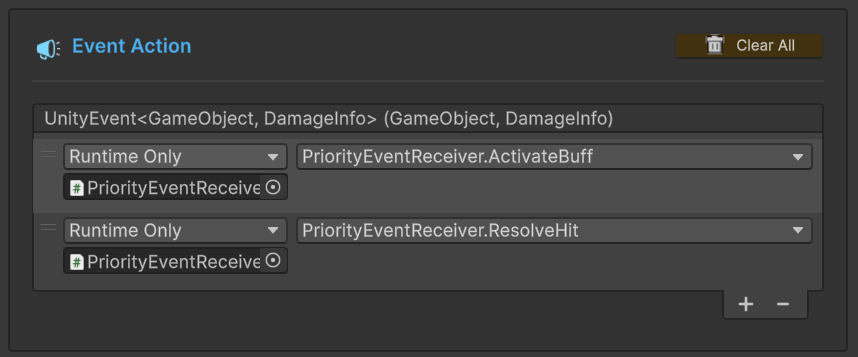
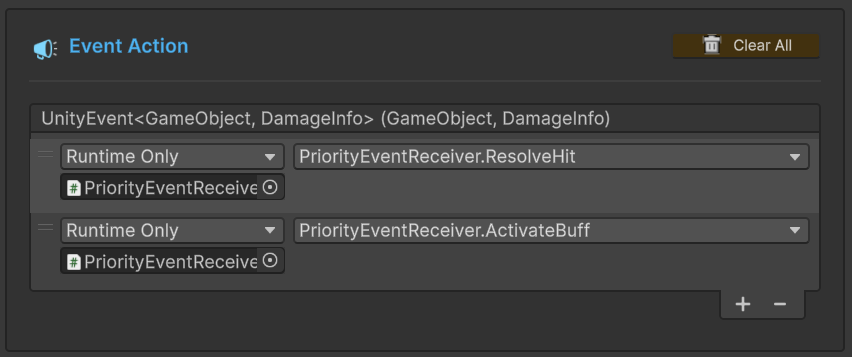
Compare this to what happens without explicit ordering — chaotic execution that varies based on initialization timing:
The Priority Convention That Scales
I've found it invaluable to define team-wide priority constants:
public static class EventPriority
{
    public const int CRITICAL    = 200;  // Validation, security, sanity checks
    public const int HIGH        = 100;  // State mutations, data changes
    public const int NORMAL      = 50;   // Game logic, behavior reactions
    public const int LOW         = 25;   // UI updates, visual effects
    public const int BACKGROUND  = 10;   // Audio, particles, non-critical feedback
    public const int CLEANUP     = 0;    // Logging, analytics, telemetry
}
onPlayerDamaged.AddPriorityListener(ValidateInput, EventPriority.CRITICAL);
onPlayerDamaged.AddPriorityListener(ApplyDamage, EventPriority.HIGH);
onPlayerDamaged.AddPriorityListener(CheckDeathCondition, EventPriority.NORMAL);
onPlayerDamaged.AddPriorityListener(UpdateHealthBar, EventPriority.LOW);
onPlayerDamaged.AddPriorityListener(PlayHitSound, EventPriority.BACKGROUND);
onPlayerDamaged.AddPriorityListener(TrackDamageMetrics, EventPriority.CLEANUP);
When a new system needs to listen to the same event, you pick the appropriate tier and slot it in. No need to audit every other listener's registration order. No Script Execution Order dance. Just pick your tier.
Listeners with the same priority execute in FIFO order within that tier — which is the correct fallback, because within a tier, order shouldn't matter. If it does, give them different priorities.
Layer 3: Conditional Listeners (Pre-Filtered Execution)
Conditional listeners add a predicate gate. The listener only fires if the condition is true at the moment the event is raised.
// Only react to damage when the shield is down
onPlayerDamaged.AddConditionalListener(
    call: HandleDamage,
    condition: () => !isShielded,
    priority: 50
);
The condition is evaluated before any listener logic runs. If it returns false, the listener is skipped entirely — no method call, no overhead beyond the predicate evaluation.
For typed events, the condition can inspect the argument:
// Only react to critical hits (damage > 50)
onPlayerDamaged.AddConditionalListener(
    call: HandleCriticalHit,
    condition: (int damage) => damage > 50,
    priority: 75
);
For sender events, inspect both:
// Only react to damage from bosses
onDamageFromSource.AddConditionalListener(
    call: HandleBossDamage,
    condition: (GameObject sender, int damage) => sender.CompareTag("Boss"),
    priority: 75
);
This solves the high-frequency event problem. Instead of 8 listeners executing and bailing early 50 times per second, only the listeners whose conditions are met actually execute. The rest are skipped at the predicate level — much cheaper than a full method call.
Conditional listeners are also sorted by priority, so you get both filtering AND ordering in a single subscription. Shield check at priority 100, armor reduction at priority 50, both conditional on their respective criteria.
Layer 4: Persistent Listeners (Cross-Scene Survival)
Persistent listeners survive SceneManager.LoadScene() calls. They keep receiving events across scene transitions without re-subscribing.
public class AudioManager : MonoBehaviour
{
    [GameEventDropdown, SerializeField] private SingleGameEvent onPlayerDamaged;
    [GameEventDropdown, SerializeField] private SingleGameEvent onEnemyDied;
    [GameEventDropdown, SerializeField] private SingleGameEvent onItemPickedUp;

    private void OnEnable()
    {
        onPlayerDamaged.AddPersistentListener(PlayHitSound, priority: 10);
        onEnemyDied.AddPersistentListener(PlayDeathSound, priority: 10);
        onItemPickedUp.AddPersistentListener(PlayPickupSound, priority: 10);
    }

    private void OnDestroy()
    {
        onPlayerDamaged.RemovePersistentListener(PlayHitSound);
        onEnemyDied.RemovePersistentListener(PlayDeathSound);
        onItemPickedUp.RemovePersistentListener(PlayPickupSound);
    }

    private void PlayHitSound() { /* ... */ }
    private void PlayDeathSound() { /* ... */ }
    private void PlayPickupSound() { /* ... */ }
}
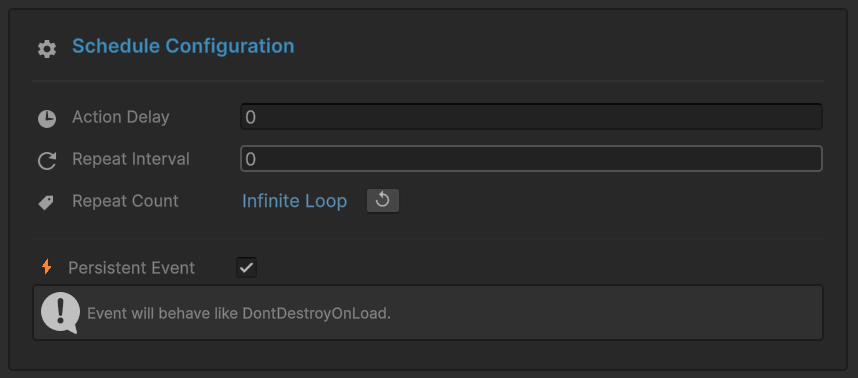
The AudioManager subscribes once and is done. No re-subscription after scene loads. No tracking which events exist in which scenes. No god-object pattern.
This works equally well for Analytics, SaveSystem, AchievementTracker — anything that lives for the entire session and needs to hear events from every scene.
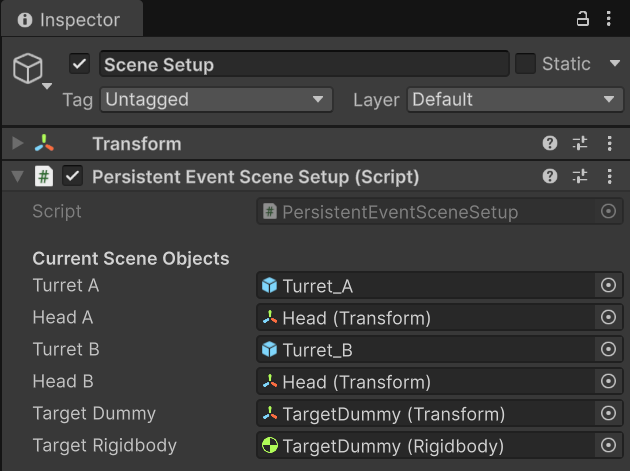
Critical: Manual Removal Required
Persistent listeners are NOT automatically removed when scenes unload. That's the whole point. But it means you MUST manually remove them when the owning object is destroyed, or you'll have dangling delegates.
Always remove persistent listeners in OnDestroy(), not OnDisable(). For DontDestroyOnLoad objects, OnDisable() fires during scene transitions, which is too early.
// WRONG: fires during scene transition for DontDestroyOnLoad objects
private void OnDisable()
{
    onEvent.RemovePersistentListener(MyHandler);
}

// RIGHT: fires when the object is actually destroyed
private void OnDestroy()
{
    onEvent.RemovePersistentListener(MyHandler);
}
RemoveAllListeners() Is Deliberately Limited
When you call RemoveAllListeners(), it clears Basic, Priority, and Conditional listeners. It does NOT touch Persistent listeners.
This is by design. RemoveAllListeners() is a cleanup operation — scene transitions, system resets, test teardowns. Persistent listeners explicitly opt out of scene-scoped cleanup. If you want to remove them, you call RemovePersistentListener() individually for each one. Intentional friction for intentional decisions.
The 6-Layer Execution Pipeline
When Raise() is called on a GES event, all listeners execute in a strict, deterministic order across six layers:
- Basic Listeners — FIFO order
- Priority Listeners — Higher priority number first
- Conditional Listeners — Predicate-filtered, then priority-sorted
- Persistent Listeners — Cross-scene, with priority
- Trigger Events — Parallel fan-out to other events
- Chain Events — Sequential blocking execution
Layer 1 always runs before Layer 2. Layer 2 before Layer 3. Always. Within each layer, the internal ordering rules apply. This determinism is what eliminates the "why did the UI update before the data" class of bugs.
In practice, a single event often uses multiple listener types simultaneously:
// Data layer: priority listener, runs first
onPlayerDamaged.AddPriorityListener(ApplyDamage, EventPriority.HIGH);

// UI layer: basic listeners, order among them doesn't matter
onPlayerDamaged.AddListener(UpdateHealthBar);
onPlayerDamaged.AddListener(FlashDamageIndicator);

// Analytics: persistent, survives scene transitions
onPlayerDamaged.AddPersistentListener(TrackDamage, EventPriority.CLEANUP);

// Special case: conditional, only during boss fights
onPlayerDamaged.AddConditionalListener(
    ApplyBossModifier,
    () => isBossFight,
    EventPriority.CRITICAL
);
The pipeline ensures these all execute in the correct order regardless of when they were registered: Conditional (CRITICAL) -> Priority (HIGH) -> Basic (FIFO) -> Persistent (CLEANUP) -> Triggers -> Chains.
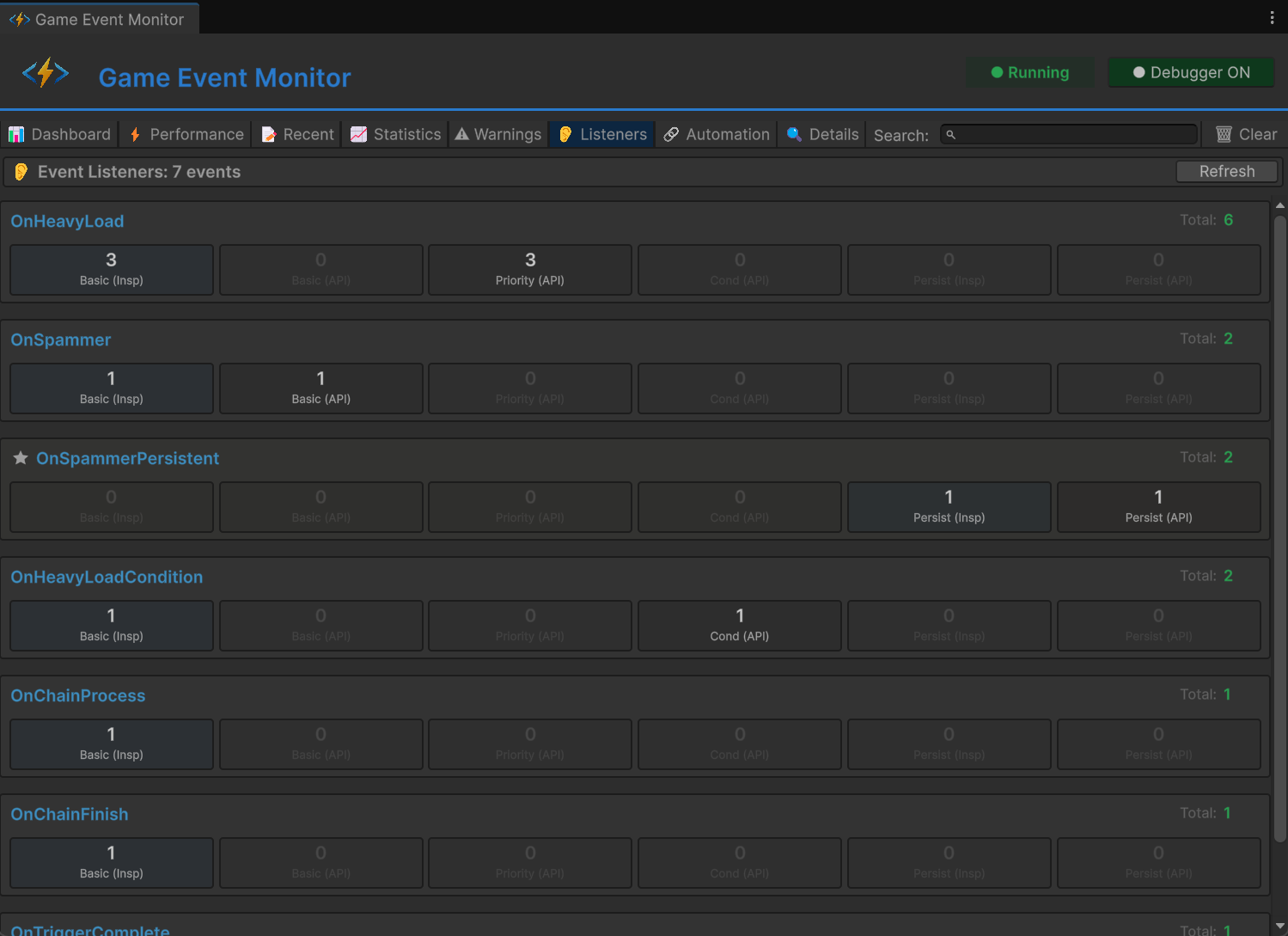
The Runtime Monitor's Listeners tab shows all active subscriptions for each event, broken down by type. Invaluable for debugging when you need to verify that your listener configuration is correct.
The Lambda Trap: Solved
Remember the lambda problem with C# events? GES has the same constraint — delegates must be referenceable for removal. But the pattern is straightforward:
// BROKEN: can't remove this
onDamage.AddListener((int amount) => health -= amount);

// CORRECT: method reference, always stable
onDamage.AddListener(HandleDamage);
private void HandleDamage(int amount) => health -= amount;

// ALSO CORRECT: cached delegate
private System.Action<int> _handler;
private void OnEnable()
{
    _handler = (amount) => health -= amount;
    onDamage.AddListener(_handler);
}
private void OnDisable()
{
    onDamage.RemoveListener(_handler);
}
Method references are the safest pattern. HandleDamage always refers to the same delegate for the same instance. Use this for all listener subscriptions unless you have a specific reason for lambdas.
Real-World Pattern: MVC with Priority Tiers
Here's a pattern that maps cleanly to MVC and enforces it through the event system itself:
public static class EventPriority
{
    public const int VALIDATION  = 200;  // Reject bad data
    public const int MODEL       = 100;  // Mutate state
    public const int CONTROLLER  = 50;   // React to state changes
    public const int VIEW        = 25;   // Update visuals
    public const int SIDE_EFFECT = 10;   // Audio, analytics
}
// Model
onItemPurchased.AddPriorityListener(DeductCurrency, EventPriority.MODEL);
onItemPurchased.AddPriorityListener(AddToInventory, EventPriority.MODEL);

// Controller
onItemPurchased.AddPriorityListener(CheckForAchievements, EventPriority.CONTROLLER);
onItemPurchased.AddPriorityListener(TriggerTutorialHint, EventPriority.CONTROLLER);

// View
onItemPurchased.AddPriorityListener(RefreshShopUI, EventPriority.VIEW);
onItemPurchased.AddPriorityListener(PlayPurchaseAnimation, EventPriority.VIEW);

// Side effects
onItemPurchased.AddPriorityListener(PlayCashRegisterSound, EventPriority.SIDE_EFFECT);
onItemPurchased.AddPersistentListener(LogPurchaseAnalytics, EventPriority.SIDE_EFFECT);
Data validation happens first. State mutations happen second. Game logic reacts third. UI always sees the final state. Side effects run last. This ordering is enforced by the pipeline, not by hoping that scripts initialize in the right order.
The model listeners share priority 100, so they run in FIFO order within that tier. That's fine — DeductCurrency and AddToInventory are independent operations that both need to complete before the controller layer reacts. No timing dependency between them.
Choosing the Right Strategy
| Question | Answer | Use |
|---|---|---|
| Do I care about execution order? | No | AddListener (Basic) |
| Do I care about execution order? | Yes | AddPriorityListener |
| Should this listener sometimes skip? | Yes | AddConditionalListener |
| Does this listener survive scene loads? | Yes | AddPersistentListener |
| Do I need filtering AND ordering? | Yes | AddConditionalListener with priority |
| Is this cross-scene AND ordered? | Yes | AddPersistentListener with priority |
The decision is usually obvious from context. Independent visual reactions? Basic. Data-before-view ordering? Priority. High-frequency filtering? Conditional. Session-lifetime services? Persistent.
Most events in most projects use a mix. The 6-layer pipeline keeps them all playing nicely together without you having to think about interaction effects. The execution order is structural, not incidental.
Next time you see stale data in your UI, check your listener priorities. The fix is usually one line.
🚀 Global Developer Service Matrix
🇨🇳 China Developer Community
- 🛒 Unity China Asset Store
- 🎥 Bilibili Video Tutorials
- 📘 Technical Documentation
- 💬 QQ Group (1071507578)
🌐 Global Developer Community
📧 Support & Collaboration