200 Events and Counting: Why Event Organization Breaks Down and How to Fix It

You start a new Unity project. You create ten events. OnPlayerDeath, OnScoreChanged, OnLevelComplete. You name them sensibly, drop them in a folder, and move on. Life is good. You can hold the entire event structure in your head.
Fast forward six months. You've got 200 events. The Project window is a wall of ScriptableObject files. You need OnPlayerHealthDepleted — or was it OnPlayerHPLow? Or OnPlayerHealthZero? You scroll through the list, squinting at names that all start with OnPlayer. After three minutes you give up and create a new one because you're not even sure if the event you want already exists.
This is where every event-driven Unity project lands eventually. And it's not because the event pattern is wrong — it's because nobody built the tooling for managing events at scale. Unity gives you the Animation window, Shader Graph, Timeline, the Input System debugger. Events get... the Project window.
The Three Stages of Event Organization Breakdown
I've watched this pattern play out across enough projects to know it's predictable. There are three stages, and each one feels fine until you cross the threshold into the next.
Stage 1: Small Project (10-20 Events)
Everything is memorizable. You created these events. You know their names. You know what types they carry. The Project window is a perfectly adequate browser because you can see everything at a glance.
Naming conventions? Unnecessary — you remember them all. Documentation? It's in your head. Search? You just scroll for half a second.
This stage lasts about 2-3 months on a solo project, or about 2-3 weeks on a team.
Stage 2: Medium Project (50-100 Events)
Names start blurring together. Was the inventory event OnItemPickedUp or OnItemCollected? You added both because you forgot about the first one. The Project window requires real scrolling now, and you instinctively start typing in the search bar.
You introduce naming conventions. On[Subject][Verb] — OnPlayerDamaged, OnEnemySpawned, OnUIMenuOpened. It helps. For a while.
The real pain at this stage is the lack of metadata. You see 80 event files in a folder. Which ones are SingleGameEvent? Which are Int32GameEvent? Which carry custom payload types? The file names don't tell you. You have to click each one and check the Inspector. Need to find all events related to combat? Hope you named them consistently, because there's no other way to filter.
Stage 3: Large Project (200+ Events)
The flat file list is now actively hostile to productivity. Naming conventions have drifted (three different developers, three subtly different naming styles). Folder organization helps somewhat, but folders don't give you type information, usage status, or cross-references.
Questions nobody can answer quickly:
- Which events have zero listeners? (Dead events wasting mental space)
- Which events are raised but never listened to? (Orphan broadcasts)
- How many events does the Combat module actually own?
- Which events changed in the last sprint?
You start maintaining a spreadsheet. Or a wiki page. Or a README. It goes stale within a week because nobody updates documentation when they're in crunch.
And if you're on a team? Git merge conflicts. Every developer who adds or modifies an event touches the same container asset. Resolving merge conflicts in Unity's serialized YAML is tedious, error-prone, and occasionally corrupting.
Traditional Solutions (And Why They Go Stale)
Teams aren't stupid. They try to solve this. Here's what I've seen:
Naming conventions. Useful but insufficient. Conventions tell you what an event is called. They don't tell you its type, its status, its listeners, or which module owns it. And conventions drift — the new hire doesn't read the style guide, and suddenly you have OnEnemyDied next to OnEnemyDeath next to OnEnemyKilled.
Folder structure. Better. Events/Combat/, Events/UI/, Events/Audio/. But folders are static. Moving an event between folders can break references (depending on your serialization approach). And you still can't filter by type, search across folders quickly, or see status at a glance.
README / spreadsheet documentation. Goes stale. Always. The gap between "create the event" and "update the spreadsheet" is exactly one human decision, and that decision is "I'll do it later." Later never comes.
Custom ScriptableObject containers. Some teams build a single MonoBehaviour or ScriptableObject that references all events. This centralizes access but creates a bottleneck — everyone edits the same file. It's also just a different kind of flat list.
The fundamental problem is that Unity treats events like any other asset. But events aren't like other assets. Events are the nervous system of your game. They need their own management tools, the same way animations have the Animation window and shaders have Shader Graph.
Multi-Database Architecture: Divide and Conquer
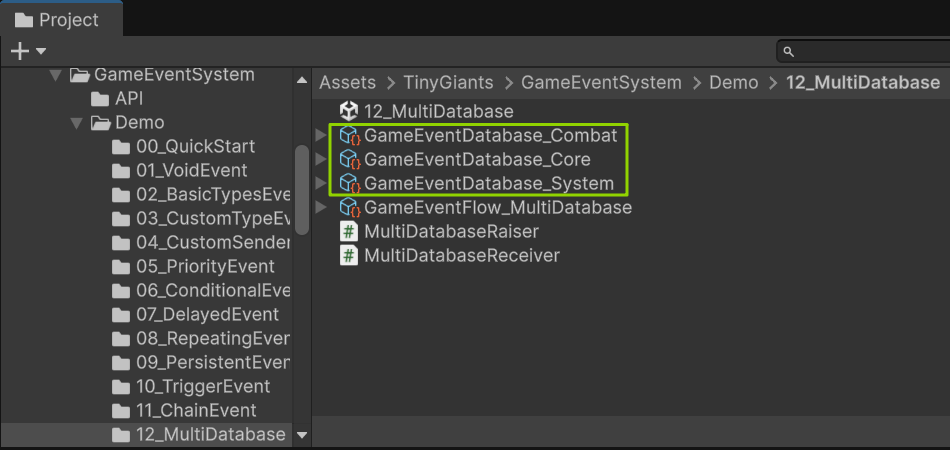
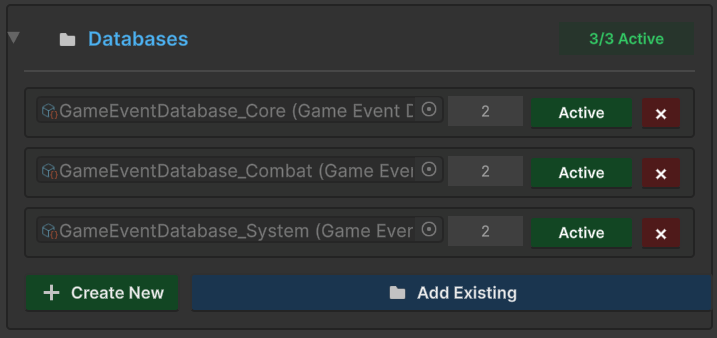
GES addresses the organizational problem at the structural level with Multi-Database architecture. Instead of one event container that grows until it's unmanageable, you split events into multiple independent databases — each a separate ScriptableObject asset managing its own collection.
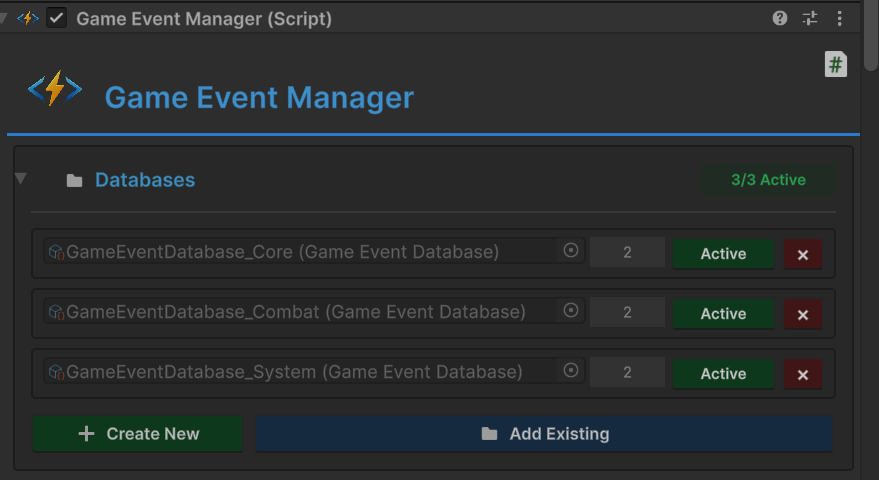
Think of it like namespaces in C#. Each database is a boundary:
- Core — game lifecycle (start, pause, save, load) — 15-20 events
- UI — menus, HUD, dialogs, tooltips — 30-40 events
- Audio — music, SFX, ambient, volume changes — 15-20 events
- Combat — damage, death, spawn, buffs, debuffs — 20-25 events
- Inventory — pickup, drop, equip, craft — 15-20 events
- Quest — accept, progress, complete, fail — 10-15 events
A UI developer opens the event dropdown and sees 30 UI events — not 200 events from every system in the game. Cognitive load drops by an order of magnitude.
GUID-Based References: Reorganization Is Always Safe
The entire multi-database architecture rests on one critical feature: every event has a globally unique identifier that never changes, regardless of which database it belongs to, what it's named, or where the file sits in your project.
This means reorganization is routine maintenance, not a terrifying operation:
- Split a bloated database: "Gameplay" grew to 80 events? Split into "Player," "Combat," and "World." Move events between them. Every listener reference survives.
- Merge granular databases: "Weather" and "TimeOfDay" have 5 events each? Merge into "World." Every reference survives.
- Rename for clarity:
OnEvt_PlrHP_ChgbecomesOnPlayerHealthChanged. Every reference survives. - Reorganize folders: Move
Assets/Events/toAssets/Data/GameEvents/. Every reference survives.
Without GUID protection, reorganizing 200 events would mean potentially breaking hundreds of listener bindings. With it, you restructure freely.
Dynamic Runtime Loading
Not every database needs to live in memory at all times. The lobby screen doesn't need combat events. The cutscene doesn't need inventory events. GES supports loading and unloading databases at runtime:
public class SceneEventLoader : MonoBehaviour
{
    [SerializeField] private GameEventManager eventManager;
    [SerializeField] private GameEventDatabase combatDatabase;

    public void OnEnterCombatScene()
    {
        eventManager.LoadDatabase(combatDatabase);
    }

    public void OnExitCombatScene()
    {
        eventManager.UnloadDatabase(combatDatabase);
    }
}
This also enables modular content. A DLC adds its own DragonEvents.asset database — it integrates seamlessly with the base game's event system, no code changes required.
Team Collaboration: Zero Merge Conflicts
With separate databases, four developers working simultaneously touch four different files:
Developer A: adds OnQuestAccepted to QuestEvents.asset
Developer B: adds OnItemCrafted to InventoryEvents.asset
Developer C: modifies OnPlayerDamaged in CombatEvents.asset
Developer D: adds OnNPCDialogueStarted to SocialEvents.asset
Zero conflicts. Compare that to a single container where all four modify the same file and three of them get merge conflicts involving serialized YAML.
The Event Editor: Purpose-Built Management Tooling
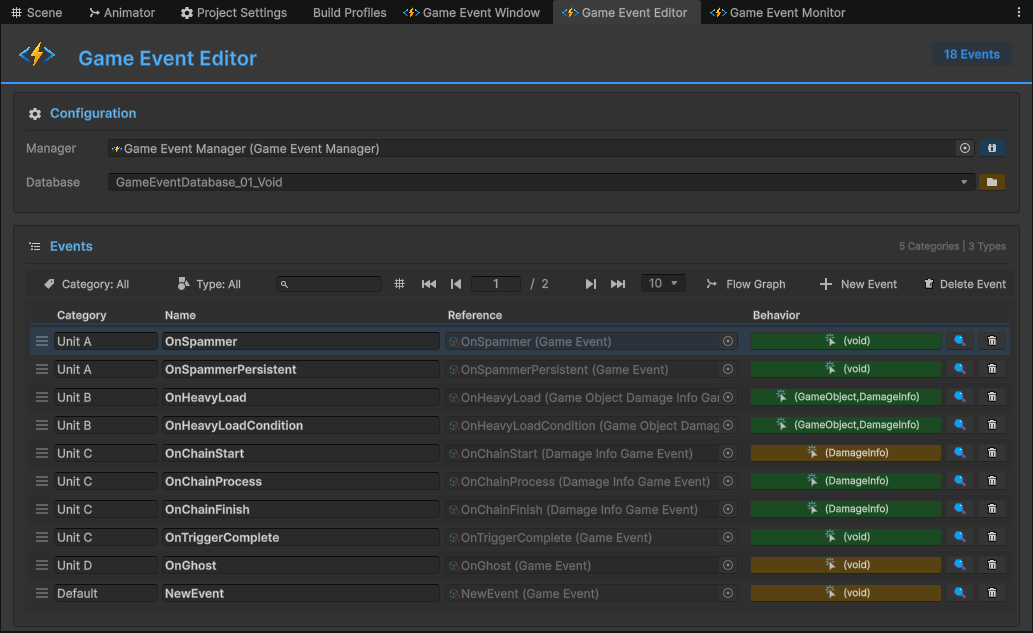
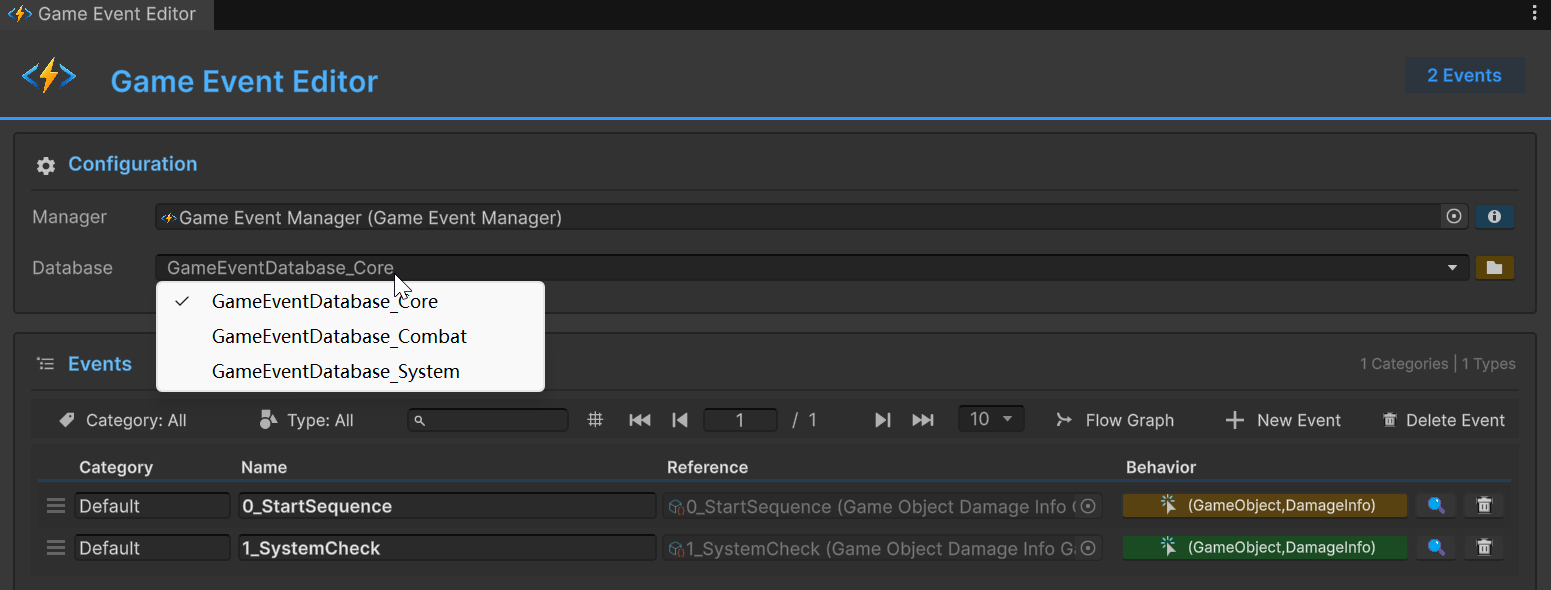
Splitting events into databases solves the structural problem. But you still need to find, inspect, and manage individual events efficiently. This is where the Event Editor comes in — a dedicated window purpose-built for event management at scale.
Three-Layer Filtering
The Event Editor's toolbar provides three independent filters that compose together, each narrowing the visible event list:

Layer 1: Category. Every event can be tagged with a category within its database. Combat events might have categories like "Damage," "Death," "Spawn," "Buffs." Click a category in the toolbar to show only events in that category. Categories turn a flat list into a navigable tree.
Layer 2: Type. Filter by event type — show only SingleGameEvent, only Int32GameEvent, only custom payload types. When you know you need a float event but can't remember its name, type filtering gets you there in one click.
Layer 3: Search. Fuzzy text search across all visible events. Type "plyr dmg" and it finds OnPlayerDamaged. Type "boss die" and it finds OnBossDeath. The search is sub-millisecond and forgiving — you don't need the exact name.
These three layers compose: Category "Combat" AND Type "SingleGameEvent" AND Search "crit" instantly narrows 200 events to the two or three you're looking for.
Color-Coded Behavior Status
Each event row in the editor shows a color-coded status indicator for its Behavior configuration:
- Green: Event has active Behaviors configured — listeners are set up and ready
- Blue: Event exists but has no Behaviors yet — it's defined but not wired up
- Orange: Event has Behaviors but some have warnings or incomplete configuration
At a glance, you can scan a database and spot events that might need attention. Blue events with no behaviors might be dead weight. Orange events need configuration fixes. Green events are healthy.
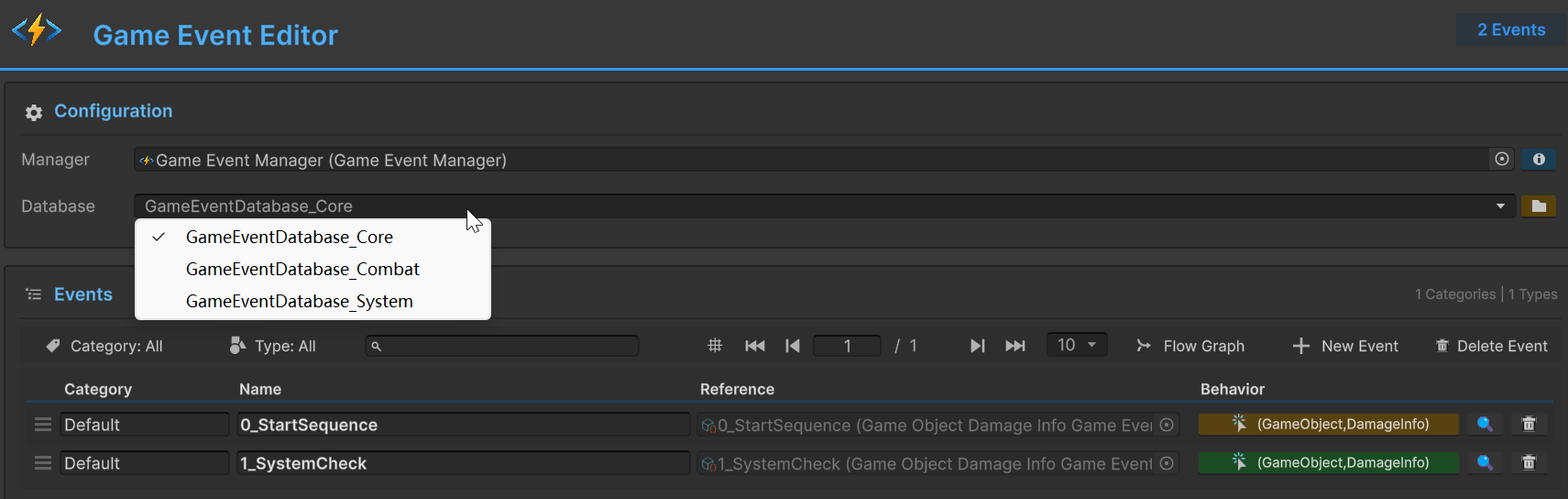
Database Switching
The database switcher in the toolbar lets you jump between databases instantly. Need to check something in the Audio database while working in Combat? One click. The filter state persists per-database, so switching back restores your previous view.
Batch Operations
When you're reorganizing at scale, individual operations are too slow. The Event Editor supports batch mode for operations across multiple events:
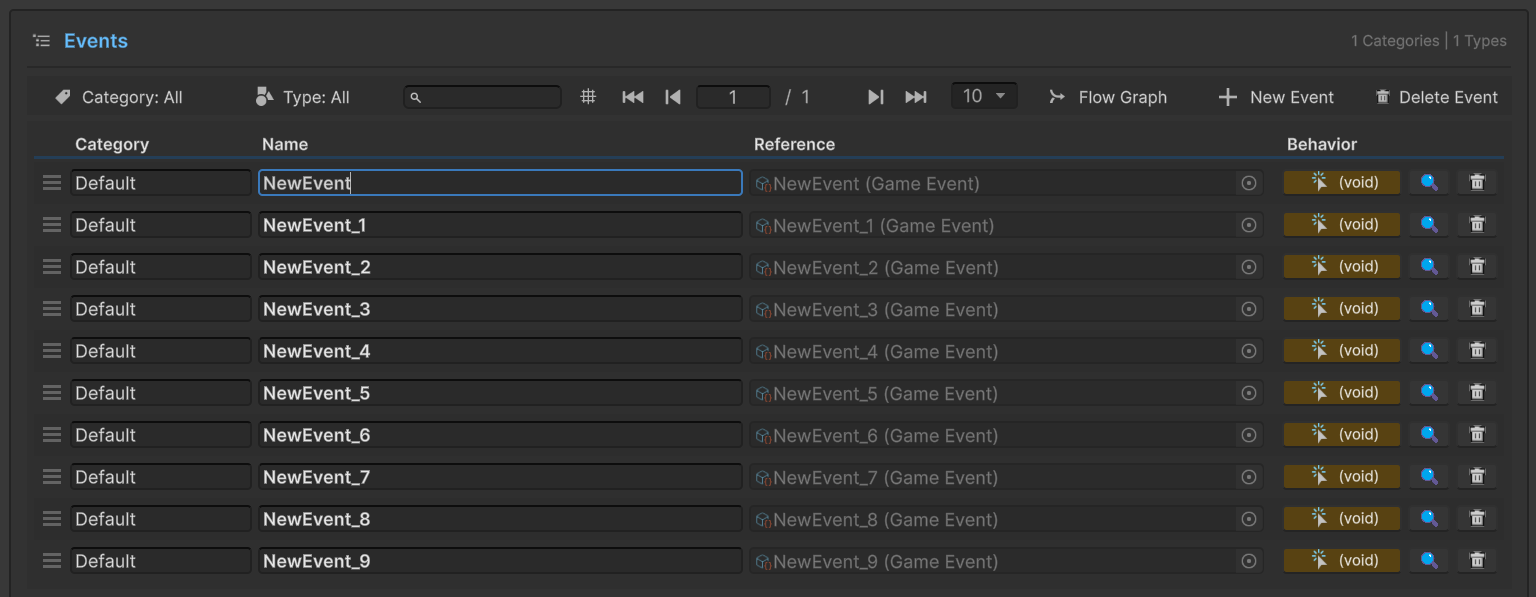
Select multiple events, then apply bulk operations: change category, move to a different database, delete unused events. What would take 30 minutes of clicking through individual Inspector panels takes 30 seconds in batch mode.
The Daily Workflow This Enables
Let me paint the practical picture of what event management looks like with this tooling in place.
Morning standup mentions a new "combo system" feature. You open the Event Editor, switch to the Combat database, check existing events. There's already OnPlayerAttack and OnDamageDealt. You need OnComboStarted, OnComboHit, and OnComboFinished. Create them in the editor, assign them to a "Combo" category. Done in 60 seconds.
Designer asks "which events fire when the player takes damage?" Open Event Editor. Search "damage." See every damage-related event across all databases. Click one to see its Behavior configuration — what listens to it, what conditions gate the responses. The answer takes 15 seconds instead of grepping through code files.
Quarterly cleanup. Filter by status: Blue (no behaviors). These are events that exist but nothing listens to them. Review each one — is it planned for a future feature, or is it dead weight from a removed system? Batch-delete the dead ones. Your event architecture stays lean.
New team member onboarding. "Open the Event Editor. Switch through each database. The category structure shows you what events exist in each module. Click any event to see its Behavior configuration. Green means active, Blue means unused, Orange means needs attention." Five minutes and they understand the event architecture. Compare that to "read through 200 ScriptableObject assets in the Project window and hope the naming conventions make sense."
Scaling Strategies
A few patterns that work well as projects grow:
Start with 2-3 databases, split when needed. Don't create 10 databases on day one. Start with Core, UI, and Gameplay. When Gameplay exceeds 40 events, split it into Combat, Inventory, and Quest. GUID refs make splitting painless.
Align database ownership with team structure. The combat programmer owns CombatEvents. The UI developer owns UIEvents. When you need a new event, you know which database it belongs to and who to coordinate with.
Use categories as sub-namespaces. A 40-event Combat database with categories (Damage, Death, Spawn, Buffs, Status) is as easy to navigate as a 10-event database without categories.
Review event usage regularly. The Event Editor's status indicators make this easy. Periodically scan for dead events (Blue status, never raised), orphan listeners (events raised but nothing responds), and duplicates (two events serving the same purpose). Keep the architecture lean.
Document cross-database dependencies. OnPlayerDeath in the Player database triggers responses in Combat, UI, Audio, and Quest. GES doesn't enforce module boundaries — any listener can reference any event from any loaded database — but knowing the cross-cutting concerns helps with maintenance.
The Difference Organization Makes
The gap between a 200-event project that's manageable and one that's a nightmare isn't the number of events. It's whether you have structure and tooling purpose-built for event management, or whether you're relying on the Project window, naming conventions, and hope.
Multi-Database architecture gives you the structure: modular boundaries, safe reorganization, zero merge conflicts, dynamic loading. The Event Editor gives you the tooling: three-layer filtering, fuzzy search, color-coded status, batch operations, instant database switching.
Small projects don't need any of this. But if you've ever scrolled through a flat list of event assets thinking "there has to be a better way" — there is. And the best part is you can adopt it incrementally. Start with one database. Split when it gets unwieldy. The GUID system means you're never locked into your initial organization.
Your future self maintaining a 200-event project will thank you. Your team members trying to understand the event architecture will thank you even more.
🚀 Global Developer Service Matrix
🇨🇳 China Developer Community
- 🛒 Unity China Asset Store
- 🎥 Bilibili Video Tutorials
- 📘 Technical Documentation
- 💬 QQ Group (1071507578)
🌐 Global Developer Community
📧 Support & Collaboration