Field Semantics
What Max Hand Size actually does to extra draws, when Starting Energy overrides Base Energy, which keywords the engine recognizes, and every other field worth pinning down.
For anyone checking field meaning before running a Play Mode test.Some fields are obvious. This page covers the rest: the ones where two readings are plausible and only one matches the runtime. Every claim here is checked against the battle code, so you can author against the documented behavior instead of relying on trial and error.
Stats belong to the unit that carries them: Base HP and Base Energy sit on the GamePlayerUnit, HP Min / HP Max and Tier on the GameEnemyUnit. Everything that shapes a whole battle (Starting Hand Size, Draw Per Turn, Max Hand Size, Starting Energy, Card Reward Count, Animation Gap, and the rule dropdowns) lives on the encounter, in the Battle Rules foldout of Workbench Encounter mode. If you are hunting for a hand or energy setting on the player unit, stop; it is on the encounter.
Names and descriptions
| Field | Meaning |
|---|---|
| Name | The display name shown in editor lists and battle UI. The Workbench also renames the underlying Unity asset when Name is not empty. |
| Display Name | Status-specific display name. This is the status name players see. |
| Description | Player-facing rules or flavor text. It should match actual behavior. |
Descriptions are not notes for future programmers. They are part of the player's understanding of the rules, and description tokens can keep them in sync with the graph automatically. The demo's Fire Bolt reads "Deal 7 damage. Apply 2 Burn." and its graph does exactly those two things, in that order.
Type, tier, rarity, tags, keywords
| Field | Meaning |
|---|---|
| Type | The card's category, used for color, filtering, and the player's mental model. You pick it from registered types, not by typing a raw string. |
| Tier | Enemy difficulty grouping such as Normal, Elite, or Boss. |
| Rarity | Card reward and grouping label such as Common or Rare. |
| Tags | Free-form project labels. They have no built-in behavior unless a node or your code reads them. |
| Keywords | Card rules the engine recognizes and enforces on its own. |
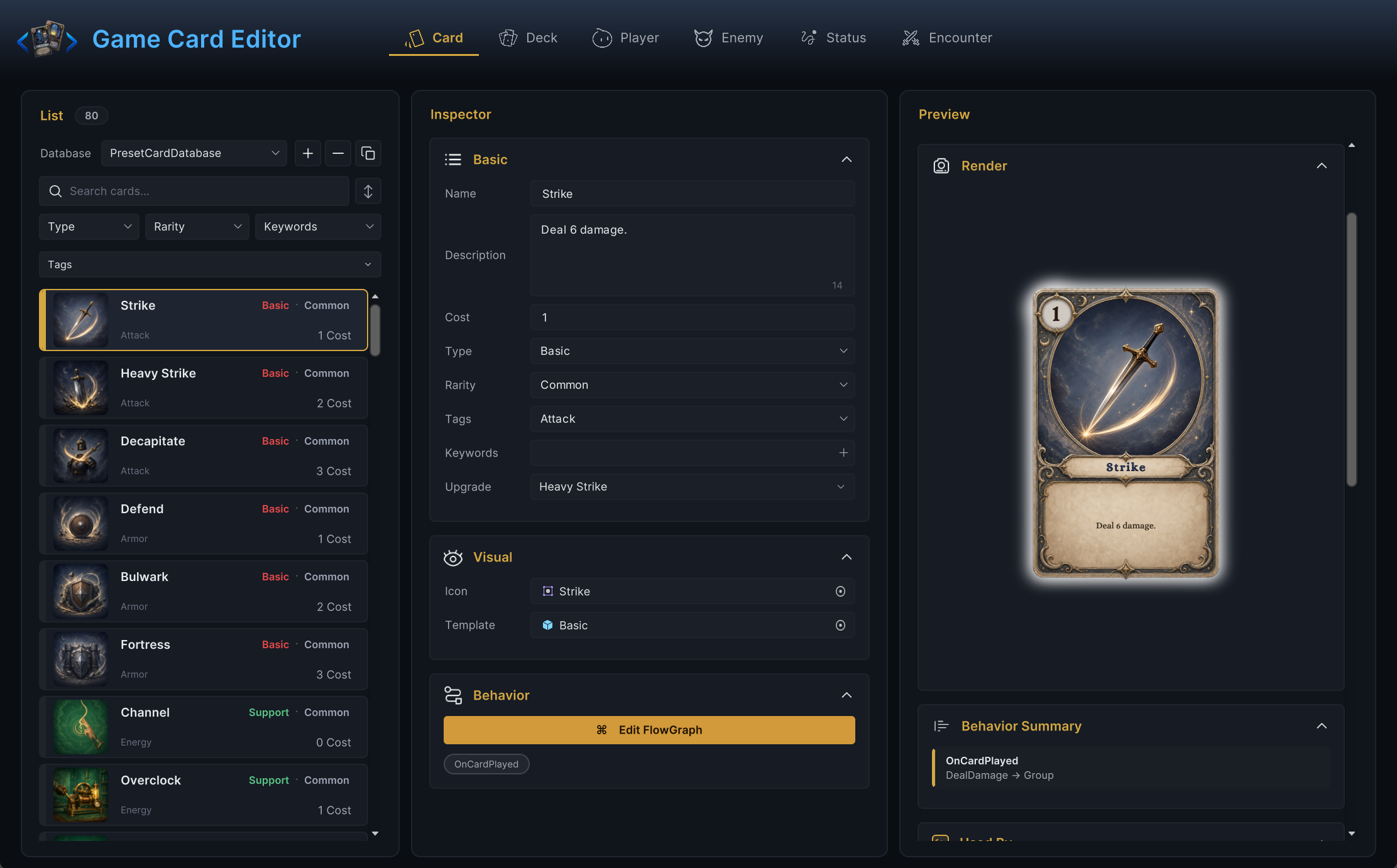
Tags and keywords look alike and behave nothing alike. A tag can say Fire and do nothing. A keyword changes how the battle treats the card:
| Keyword | Engine behavior |
|---|---|
Exhaust | The card goes to the exhaust pile instead of discard when played. |
Innate | The card is prioritized into the opening hand at battle start. |
Retain | The card stays in hand at turn end instead of being discarded. |
Ethereal | The card is exhausted at turn end if it is still in hand. This happens even when the encounter keeps hands with Persist. |
Unplayable | The card can never be played, only held, moved, or referenced. |
Anything outside this list is treated as a plain label with no built-in effect.
Stacks and duration
| Field | Meaning |
|---|---|
| Stack Rule | How a re-applied status combines with existing stacks: add, keep the max, or replace. |
| Max Stacks | Stack cap. The cap only applies when the value is positive. -1 (the default) means uncapped. 0 also reads as uncapped at runtime, but the Workbench flags it as a likely mistake, so use -1 to say "unlimited" on purpose. |
| Decay Rule | PerTurn removes one stack at the end of the holder's turn. A status on an enemy decays on the enemy's turn, not the player's. Never leaves stacks alone. |
| Show Stack Count | Whether the number badge appears on the status icon. |
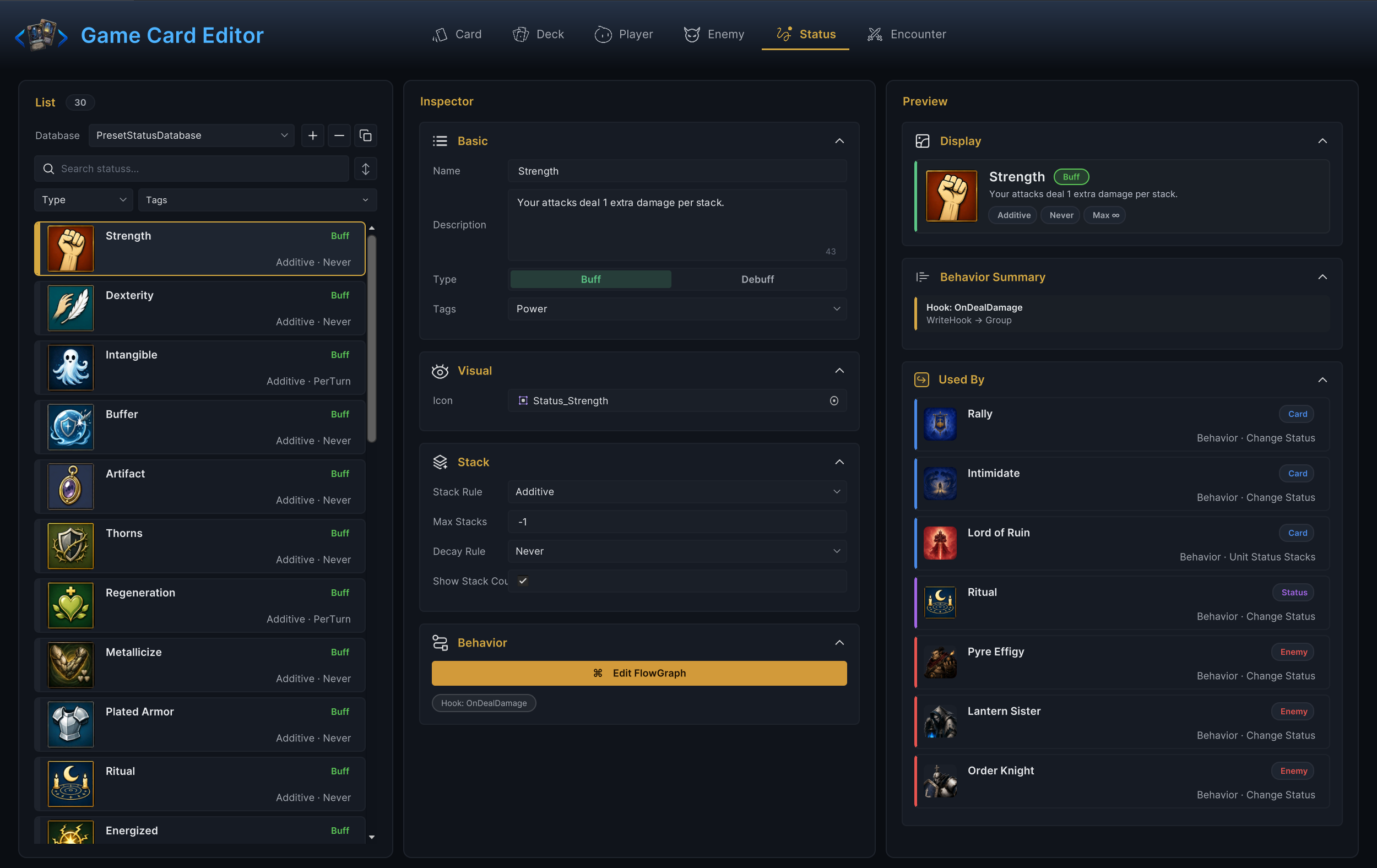
If the count matters to player decisions, show it. Hide it only for clear on/off statuses where a number would imply behavior that does not exist.
HP and energy
| Field | Lives on | Meaning |
|---|---|---|
| Base HP | Player unit | The player unit's starting and maximum HP. One value covers both. |
| HP Min / HP Max | Enemy unit | The enemy's start-HP range, rolled once at battle start. Both ends are inclusive; the demo's Strawman is set to 14 to 18 and can roll exactly 18. |
| Base Energy | Player unit | Energy the player unit refills to at each turn start. |
| Starting Energy | Encounter rules | Encounter-level override. Any positive value replaces Base Energy for this encounter; 0 means "use the player unit's Base Energy". |
When energy feels wrong, inspect both places. Encounters override class defaults on purpose, and the 0 fallback makes it easy to miss which value is live. Two more things can shift the refill amount: the run-level Energy reward adds a permanent +1, and a status hooked on OnEnergyPerTurn can rewrite the value each turn.
Hand and draw
All four of these are encounter-level Battle Rules.
| Field | Default | Meaning |
|---|---|---|
| Starting Hand Size | 5 | Cards drawn at battle start. Cards with the Innate keyword are pulled into this draw first. |
| Draw Per Turn | 5 | Cards drawn at the start of every turn after the first. Turn one uses only the starting hand. |
| Max Hand Size | 10 | The hand cap. Normal drawing stops at the cap; the undrawn cards stay in the draw pile. A card created or moved into a full hand goes to discard instead. |
| Hand Discard | DiscardOnTurnEnd | Whether the hand is discarded at turn end or persists. |
Three related behaviors worth knowing:
- When the draw pile runs empty mid-draw, the discard pile is reshuffled into it automatically. If both piles are empty, the draw stops short without error.
- "Current hand" always means the cards in hand at the moment an effect resolves, never cards that will be drawn later.
- The hand cap is not fixed for the whole battle. A status carrying a Hand Size Hook can raise or lower it live, and every draw checks the hooked value.
Targets
Use target words from the player's perspective:
| Term | Meaning |
|---|---|
| Self | The unit that owns or plays the effect. For player cards this is the player unit. |
| Selected target | The unit chosen by the player or by graph selection for this resolution. |
| All enemies | Every living enemy unit. |
| All allies | Every living unit on the same side as the source. |
| Random enemy | A living enemy chosen by the graph or a runtime rule. |
A card's Target Mode and its graph's target resolution should agree. If the card asks the player to select one enemy, the graph should not quietly hit all of them unless the description says so.
Filters
Write filter wording so it says what remains after filtering:
Cards with Tag = Fire
Enemies with Tier = Elite
Statuses where Is Debuff = true
A reader should never have to wonder whether a filter keeps the matches or removes them. GCS filters keep them.
Timing
| Timing phrase | Meaning |
|---|---|
| Battle start | Battle state exists and the opening hand is drawn. |
| Turn start | The beginning of a side's turn: armor decay and energy refill run here, before the player acts. |
| Card played | The play was accepted and its cost paid; the card's behavior graph is about to resolve. |
| Enemy phase | Enemy intents are executing. |
| Turn end | Cleanup after the active side finishes: hand discard, status decay, delayed triggers. |
| Battle end | Victory or defeat has been decided. |
When two effects share a boundary, the exact order inside that boundary decides who sees what. At the start of the player's turn:
- Armor decays (unless the encounter uses
Persist). - Energy refills to the resolved maximum.
- Delayed triggers set to
PlayerTurnStarttick. - Turn-start status and in-hand card triggers fire.
- Draw Per Turn cards are drawn (turn two onward).
And at the end of the player's turn:
- Discard-phase triggers fire.
- The hand is discarded, with
RetainandEtherealexceptions applied. - Turn-end status triggers fire.
PerTurnstatuses lose one stack each.- Temporary hooks and card cost changes count down.
- Delayed triggers set to
PlayerTurnEndtick.
If an effect depends on exact timing, put that timing into the card or status description. "At the start of your turn" and "when drawn" read the same to a rushed player until one of them costs a run.
Presentation fields
| Field | Meaning |
|---|---|
| Icon | The sprite used in editor lists and battle UI. |
| Template | The prefab the presentation layer spawns for this object. |
| Animation Gap | Seconds between resolution steps, so effects land readably instead of all at once. The default is 0.28. |
| Enemy Intent Display | How much intent information the player sees: full, icon only, or hidden. |
| Card Reward Count | How many card candidates the victory screen offers, sampled from the encounter's Reward Deck without duplicate entries. Entries with more Copies are picked more often. Values below 1 behave as 1. |
Presentation fields pace and decorate the battle. They must never hide gameplay: if a setting changes what the player would decide, document it as a rule.
Database reachability
"Active" means the scene GameCardManager has the database registered. An asset is reachable when all four hold:
- It exists in the right database type.
- That database is registered on the manager.
- Another reachable asset references it where a reference is required.
- The encounter or runtime flow starts from reachable content.
When content fails to appear in a battle, check reachability first. Editing the asset's fields cannot fix a reference chain that never reaches it.