Presentation Layer
How runtime state reaches UI, unit views, VFX, audio, and floating text, and why gameplay never waits on missing visuals
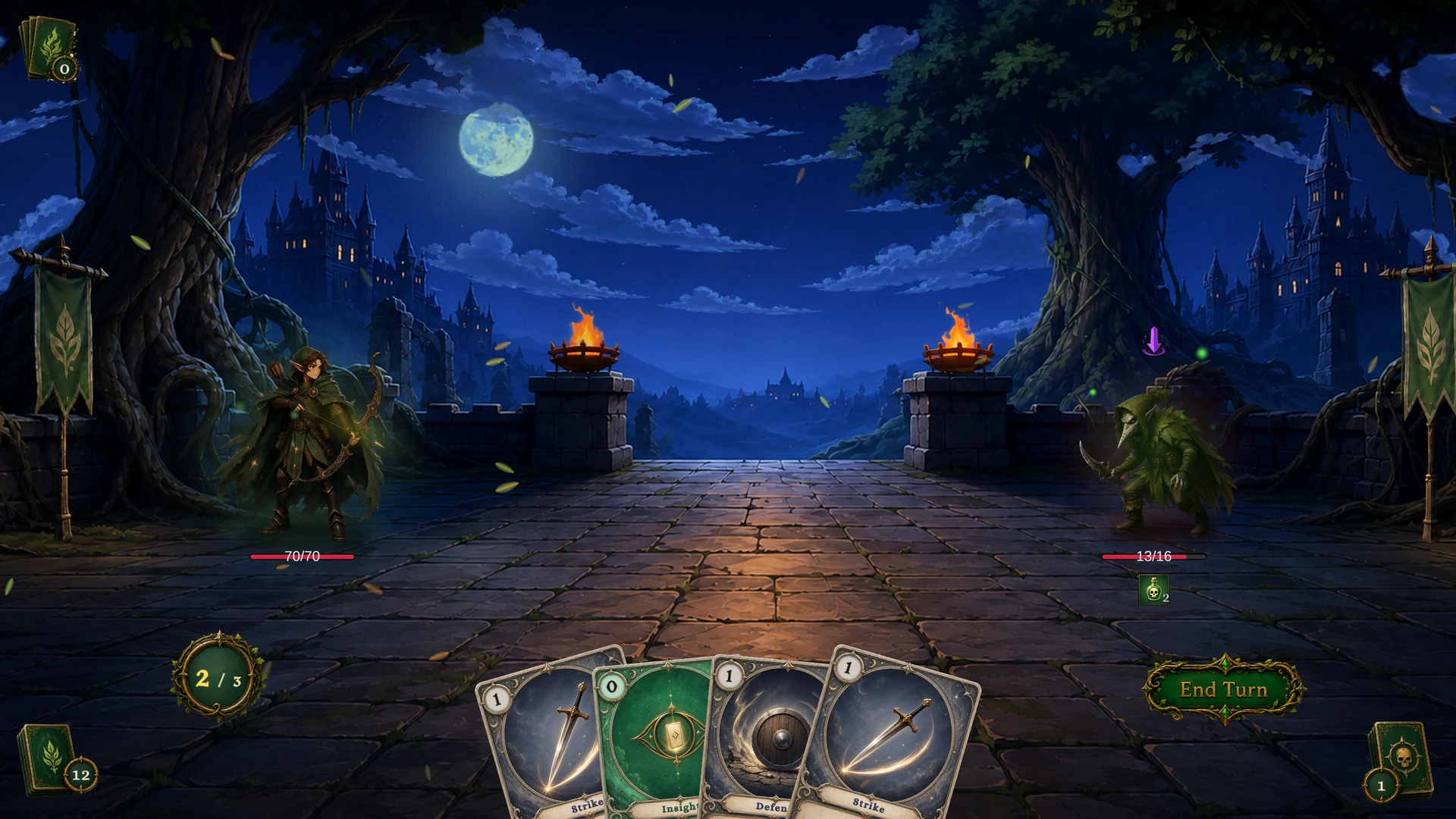
Presentation boundaries
| Area | Owns | Does not own |
|---|---|---|
| Runtime | HP, armor, energy, piles, statuses, phase, events | Pixel layout, sound routing, particle quality |
| UI | Hand widgets, unit bars, status icons, intent widgets, choice/reward panels | Battle rules or card legality |
| Unit view | Unit sprite, procedural motion, hit/heal/death reactions, status visuals | Damage calculation or status stacks |
| FX nodes | Requests for VFX, SFX, floating text, flash, slide, shake, animation | Final asset polish, render pipeline compatibility, mixer setup |
If a visual effect fails to play, gameplay still resolves
Event-driven UI
The reactive loop is always the same: a controller mutation raises an event, your handler wakes up, reads fresh state through GCSApi, and updates the widget
Custom UI should subscribe to runtime events, then read current state:
private IDisposable _energySub;

void OnEnable()
{
    _energySub = GCSApi.OnEnergyChanged(_ => RefreshEnergy());
    RefreshEnergy();
}

void OnDisable()
{
    _energySub?.Dispose();
}

void RefreshEnergy()
{
    energyLabel.text = $"{GCSApi.PlayerEnergy}/{GCSApi.MaxEnergy}";
}
Events tell you when to refresh. GCSApi tells you what the current value is
Core UI refresh events
| UI area | Events to watch | State to read |
|---|---|---|
| Turn and phase label | OnTurnStarted, OnTurnEnded, OnEnemyTurnStarted, OnBattleEnded | GCSApi.Phase, GCSApi.TurnNumber, GCSApi.IsPlayerTurn |
| Energy | OnEnergyChanged, OnEnergyGained, OnEnergySpent | GCSApi.PlayerEnergy, GCSApi.MaxEnergy |
| Hand | Card lifecycle events, OnCardModified, OnEnergyChanged | GCSApi.Hand(), GCSApi.CanPlayCard, GCSApi.GetEffectiveEnergyCost |
| Unit bars | OnUnitHpChanged, OnArmorGained, OnArmorLost, OnUnitDied | GCSApi.Hp, GCSApi.MaxHp, GCSApi.Armor, GCSApi.IsAlive |
| Status widgets | OnStatusChanged, OnStatusTicked, status transition events | GCSApi.StatusesOn(unit) |
| Enemy intents | OnEnemyUnitIntentChanged, OnEnemyPhaseChanged | GCSApi.PendingIntents, GCSApi.CurrentIntentTag, GCSApi.CurrentIntentValue |
| Choice UI | OnEffectChoiceOffered, OnEffectChoiceSelected, OnEffectChoiceSkipped | Choice payload plus GCSApi.IsWaitingForChoice |
| Reward UI | OnBattleRewardOffered, OnBattleRewardSelected, OnBattleRewardSkipped | Reward payload plus GCSApi.IsWaitingForReward |
UnitView behavior
The built-in UnitView binds to a UnitState and subscribes to:
OnUnitHpChangedOnUnitDiedOnStatusChangedOnStatusTicked
It uses those events to play hit, heal, death, and status animations; it also registers itself by UnitId, so presentation nodes can find the view for a target unit
Custom projects can reuse UnitView, subclass their own view behavior, or replace it entirely; the stable integration point is the runtime event payload plus UnitId
Floating text
FloatingTextSystem exposes a presentation request event:
| Request field | Meaning |
|---|---|
Target | Unit receiving the text |
Kind | Damage, Heal, Armor, Block, or Custom |
Content | Amount or Text |
Amount | Numeric value to display |
Text | Custom label |
Color, UseCustomColor | Optional color override |
IncludeSign | Whether to show a plus or minus sign |
ScaleMultiplier, DurationMultiplier | Per-request visual tuning |
Offset | Position offset near the target |
The FlowGraph Show Floating Text node raises these requests; A custom floating text presenter can subscribe to FloatingTextSystem.Requested
FlowGraph presentation nodes
| Node | Runtime effect |
|---|---|
| Play VFX | Instantiates or requests a VFX prefab at a unit or position |
| Play Animation | Sends an animation trigger to the target unit presentation |
| Play SFX | Plays a one-shot audio clip |
| Flash Unit | Calls UnitView.Flash when the target view exists |
| Slide Unit | Moves the target presentation briefly |
| Show Floating Text | Sends a FloatingTextRequest |
| Shake Camera | Requests a camera shake |
Use these nodes after gameplay state changes so the visual reflects the actual result
Animation gates and waits
The state machine can defer transitions while presentation waits complete
| Feature | Use |
|---|---|
| Animation gate | Holds phase transitions while a gated coroutine or animation is running |
| Flow wait | Lets a graph delay continuation by seconds or by animation id |
| Enemy gaps | Adds readable timing between enemy actions |
The Gate tab of the Game Card Monitor shows who currently holds the animation gate, the acquire/release log, and the timeout, which makes stuck transitions easy to diagnose:
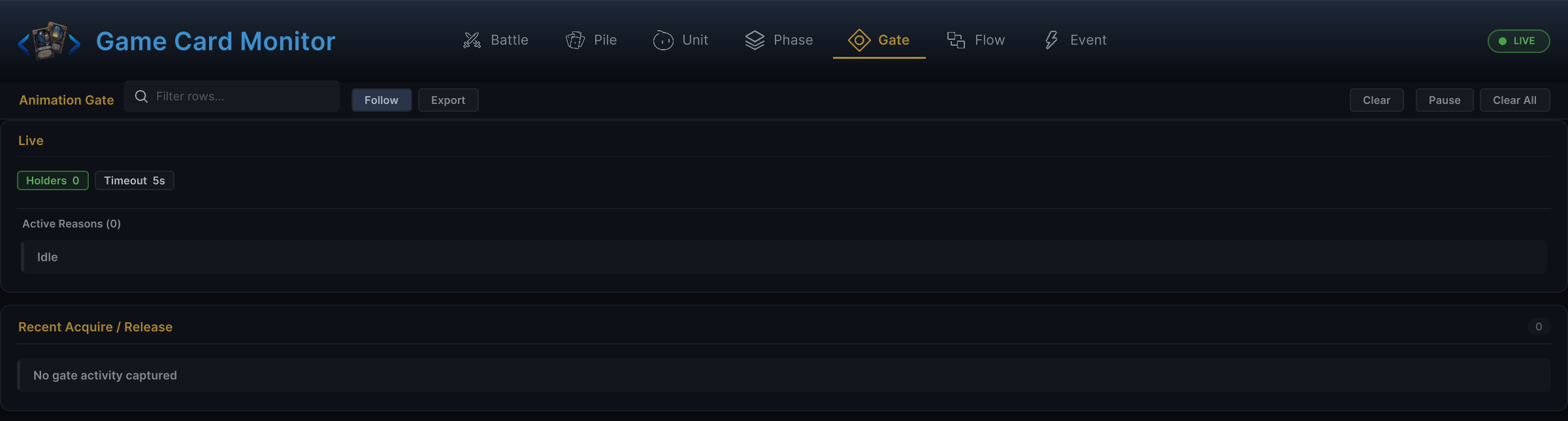
This is also why custom UI should handle state changes reactively; A card play can start state changes, animations, waits, choices, and later transitions
VFX, audio, and render pipeline scope
The graph contract for presentation is stable, but final assets are separate:
- VFX prefabs can be replaced or upgraded later
- SFX clips and mixer routing can be configured later
- Render pipeline specifics (materials, shaders, post-processing) belong to the asset layer, not to graphs
Keep pipeline-specific assumptions in assets and the presentation layer; gameplay graphs request feedback, while the active presentation setup decides how to render it
Failure behavior
| Missing item | Expected result |
|---|---|
| Missing unit view | Gameplay still resolves; the unit-specific visual request may be skipped |
| Missing VFX prefab | Gameplay still resolves; no particle appears |
| Missing SFX clip | Gameplay still resolves; no sound plays |
| Missing floating text presenter | Gameplay still resolves; the request has no visible subscriber |
| Animation wait not scheduled | Execution continues immediately |
Use runtime logs and the Monitor to diagnose missing feedback; optional presentation assets may be absent without blocking battle resolution