Demo 战斗场景
打开任意一场可玩战斗:四个职业各有 Normal、Elite、Boss 三场遭遇战,Party Showcase 则验证三角色队伍
Assets/TinyGiants/GameCardSystem/Demo/Scenes/Single-Character/<Class>/<n>-<Name>.unity
Assets/TinyGiants/GameCardSystem/Demo/Scenes/Multi-Character/Party Showcase.unity
场景名前缀 1、2、3 分别对应 Normal、Elite、Boss,12 个单角色场景默认显示一个玩家槽位,运行时加入其他成员后,BattleBoard 会在 Player Area 下展开第二、第三个槽位,Party Showcase 已保存三个槽位
以下实机画面分别对应场景文件、玩家单位和敌人阵容,可直接按职业与难度定位需要检查的战斗
Warrior
Normal · The Threshing Field
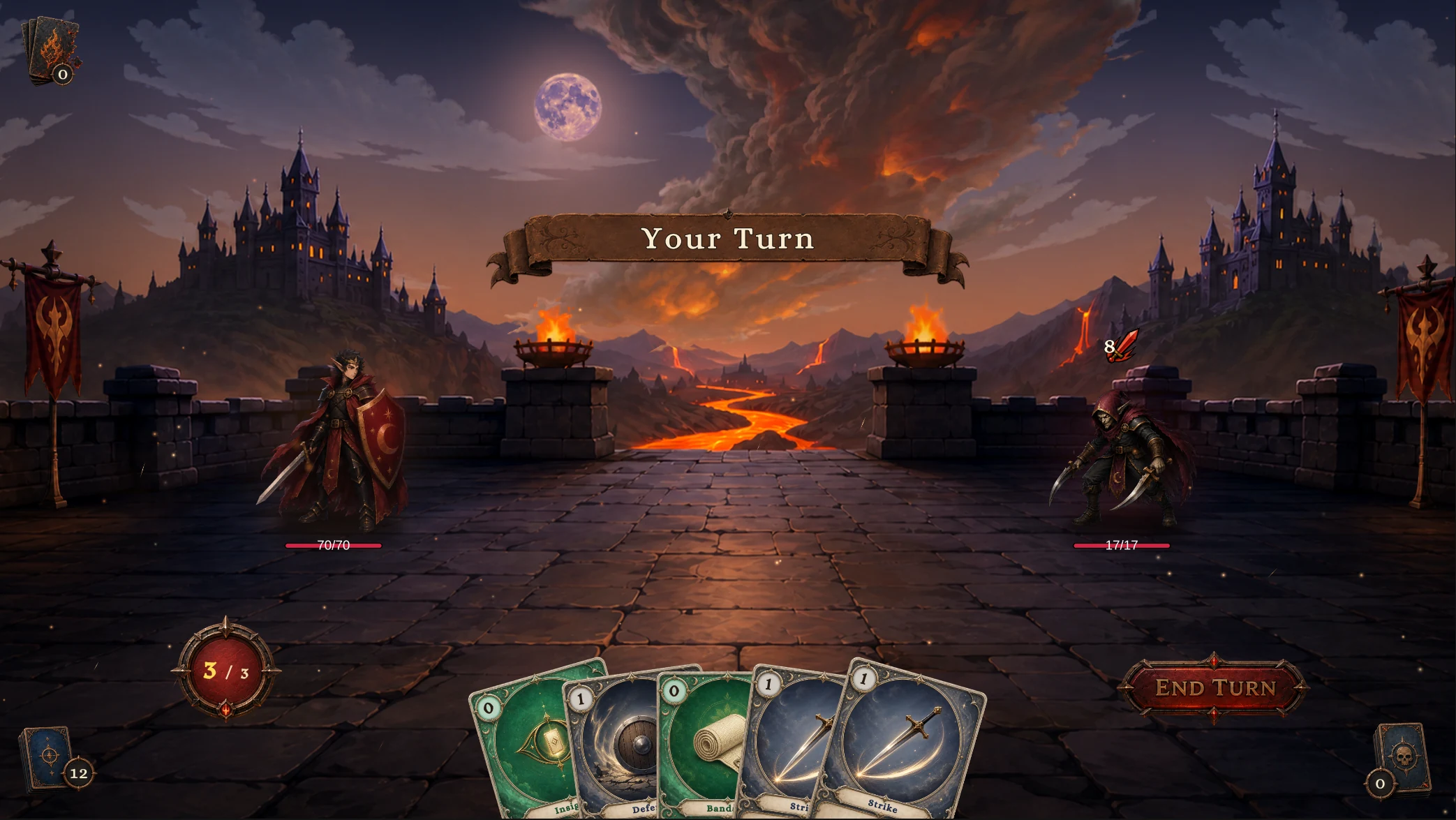
1-The Threshing Field
Squire 对 Strawman
Elite · Field of Burning Effigies
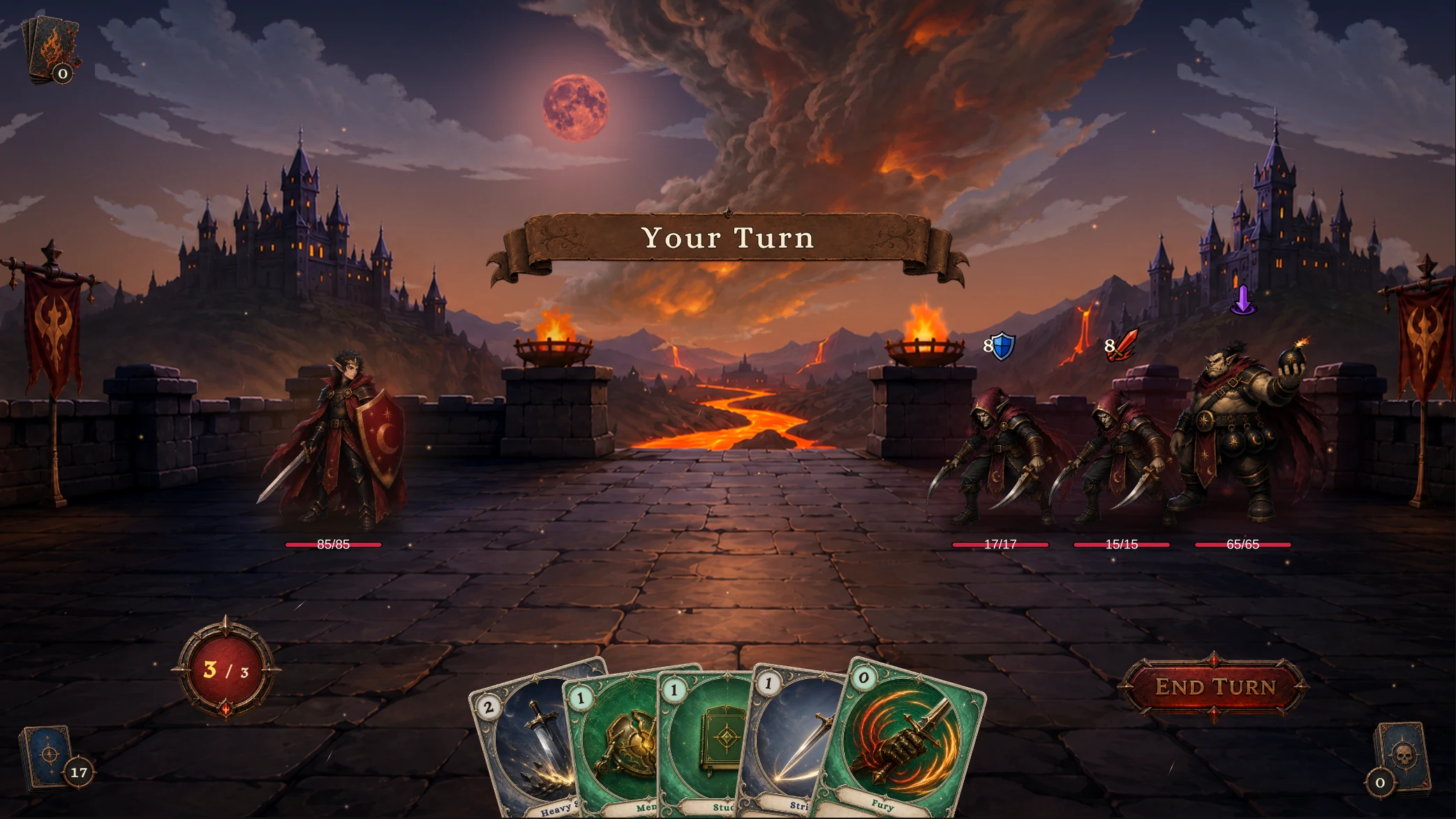
2-Field of Burning Effigies
Knight 对 Strawman ×2、Pyre Effigy
Boss · The Gibbet Altar
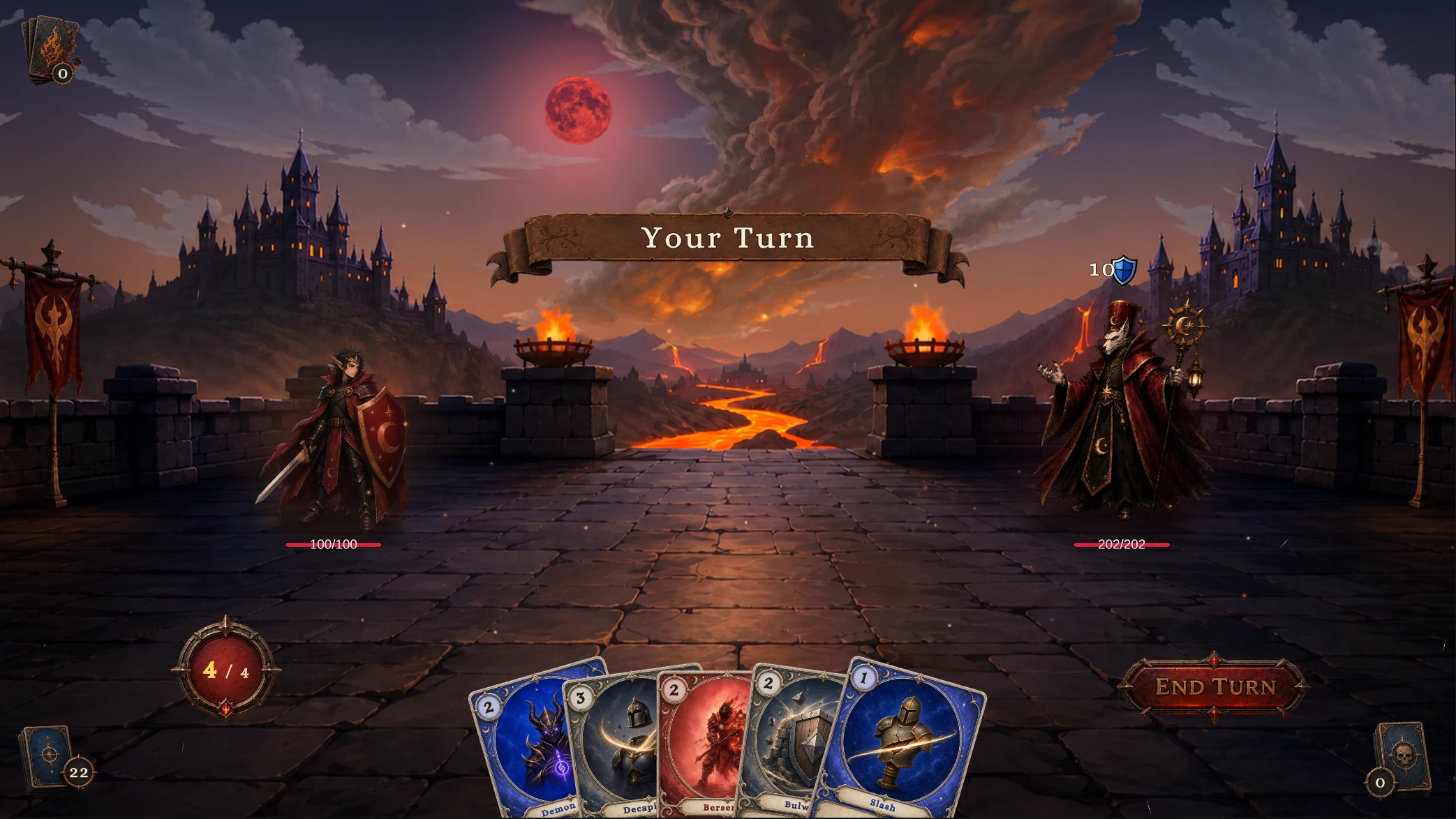
3-The Gibbet Altar
Warlord 对 Gibbet Priest
Mage
Normal · The Candlelit Cell
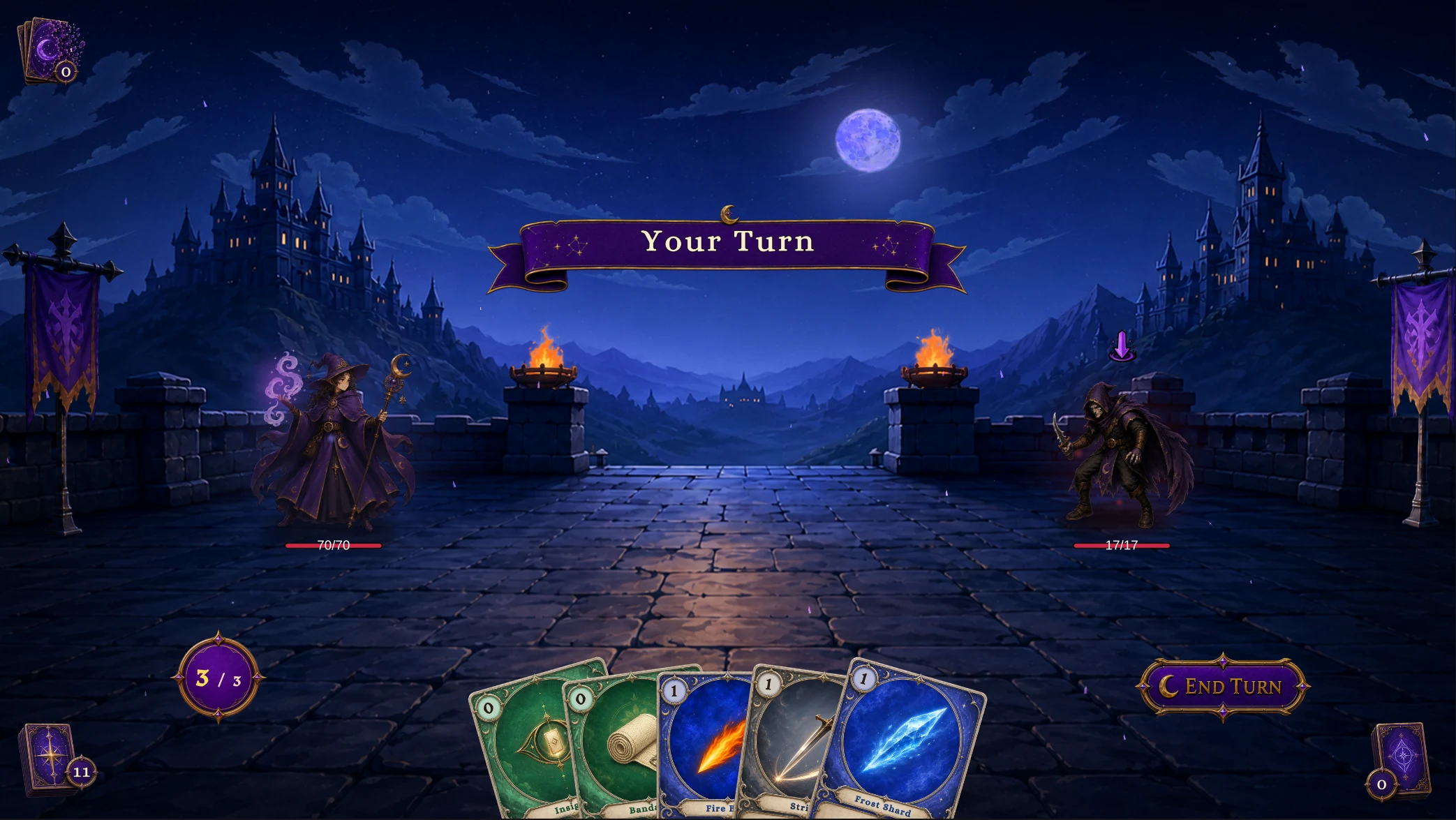
1-The Candlelit Cell
Apprentice 对 Hex Acolyte
Elite · Coven of Wax
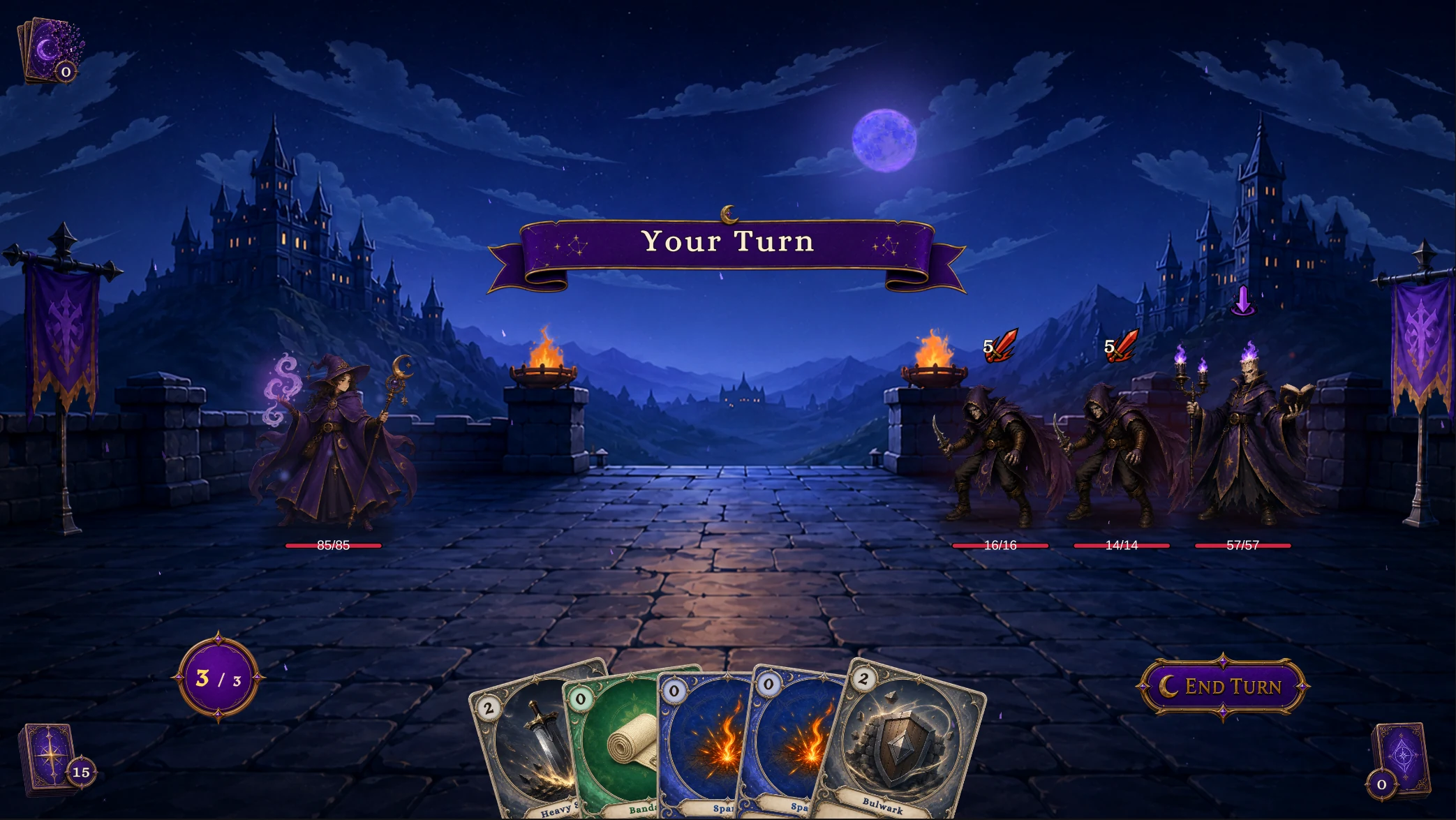
2-Coven of Wax
Conjurer 对 Hex Acolyte ×2、Candle Magus
Boss · Pyre of the Ash-King
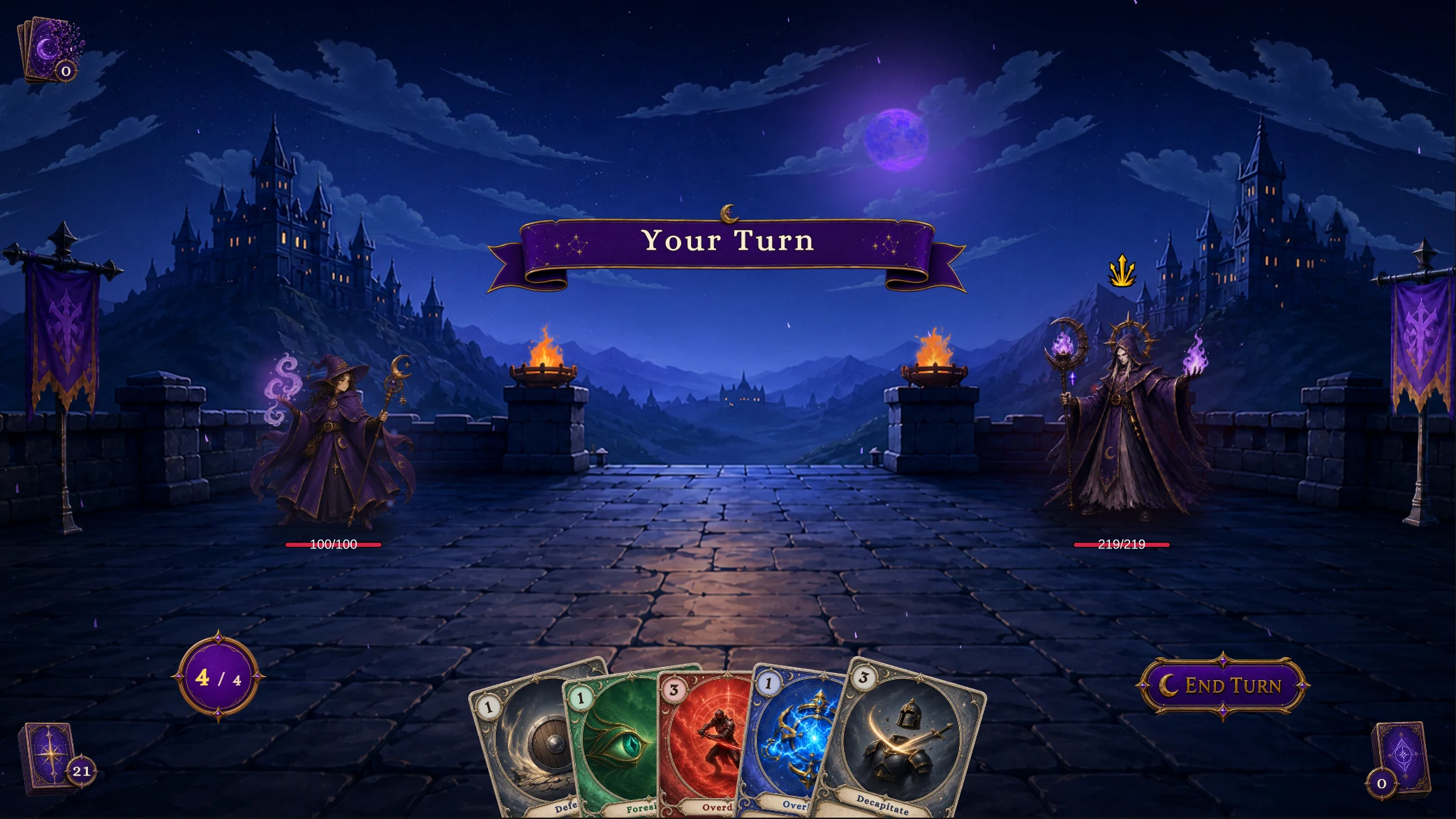
3-Pyre of the Ash-King
Archmage 对 Ashen Hierarch
Hunter
Normal · Fenmoss Hollow
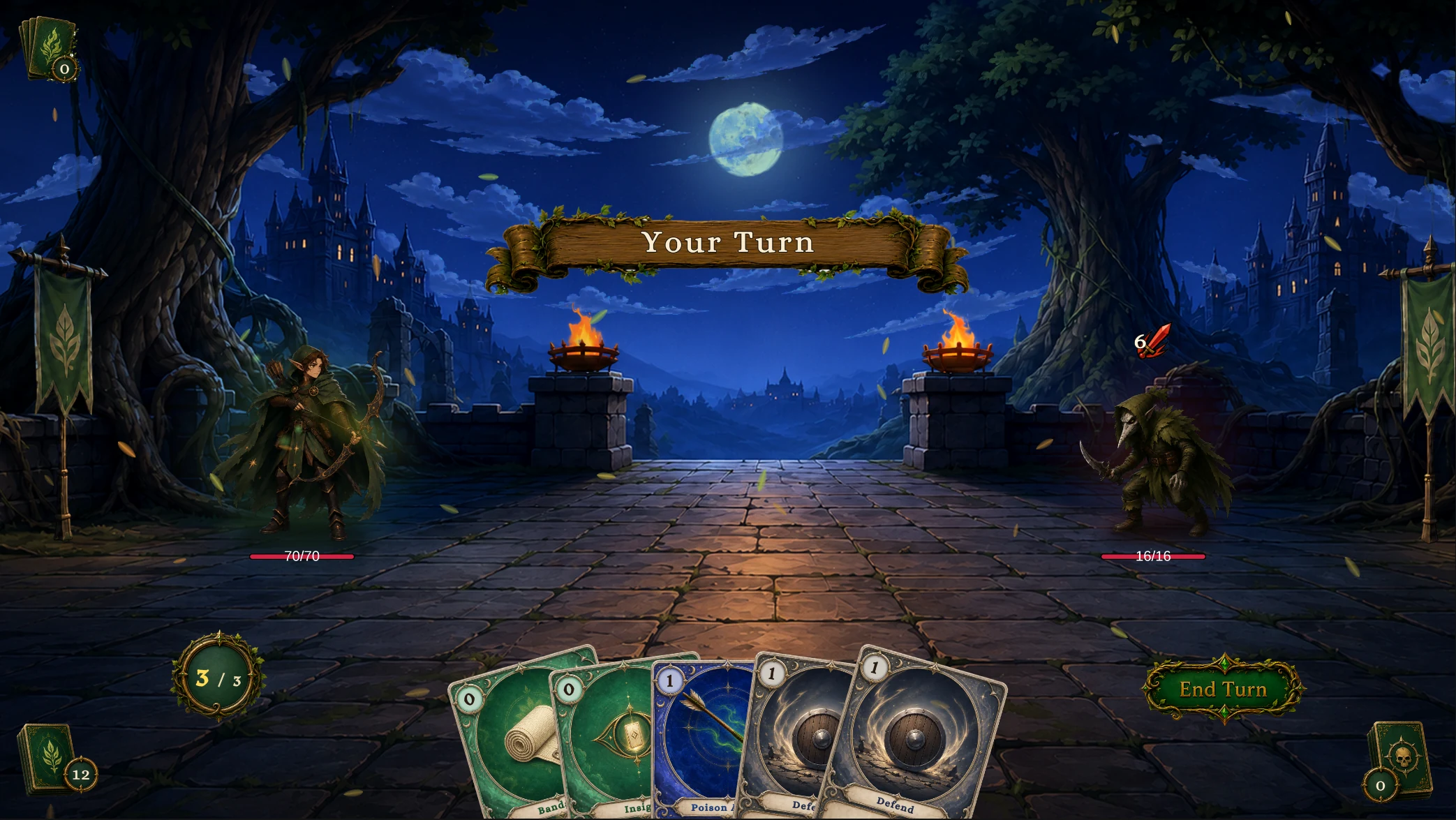
1-Fenmoss Hollow
Scout 对 Plague Stalker
Elite · The Spore Bog
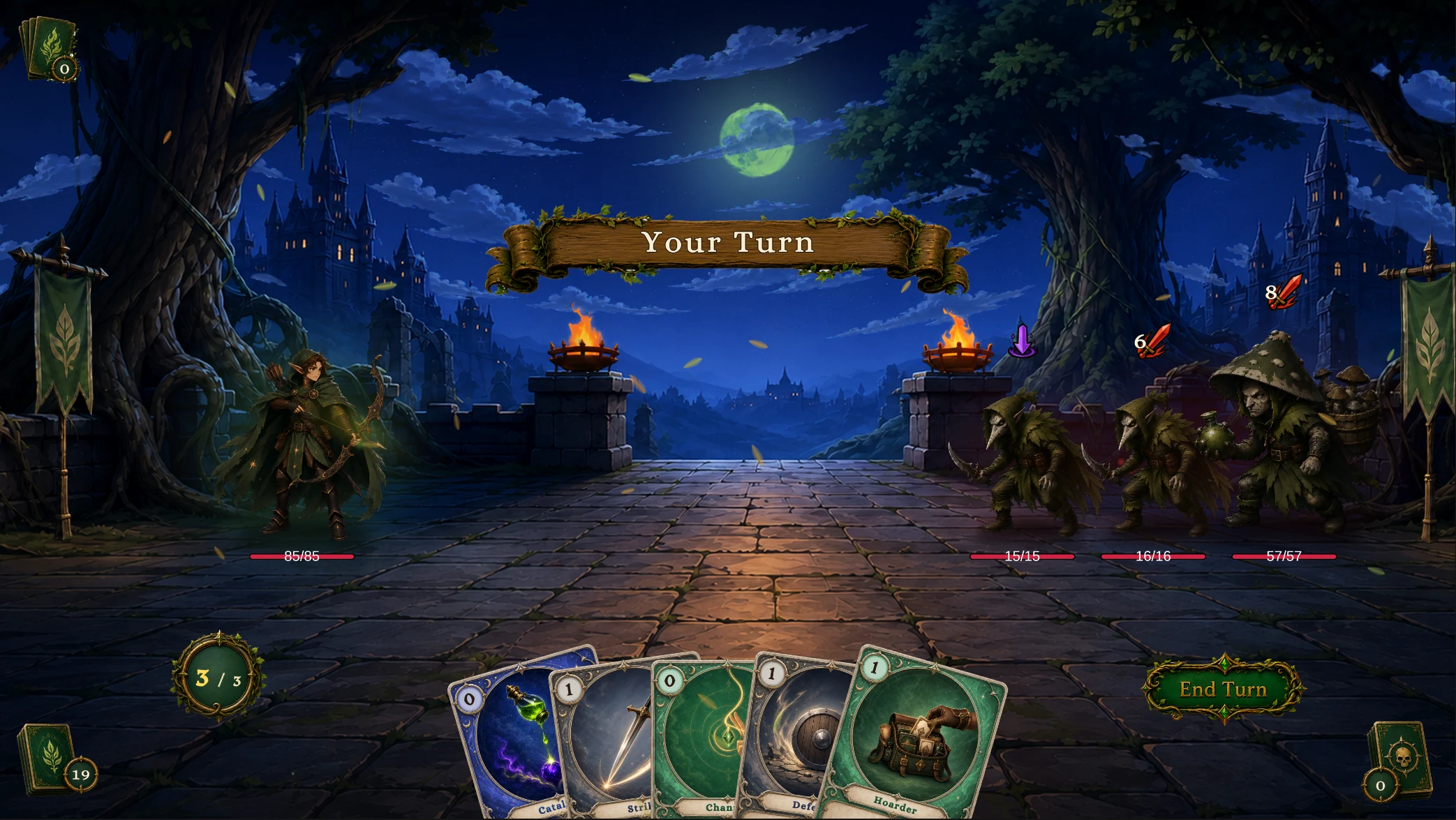
2-The Spore Bog
Ranger 对 Plague Stalker ×2、Spore Brute
Boss · Mire of the Reaper
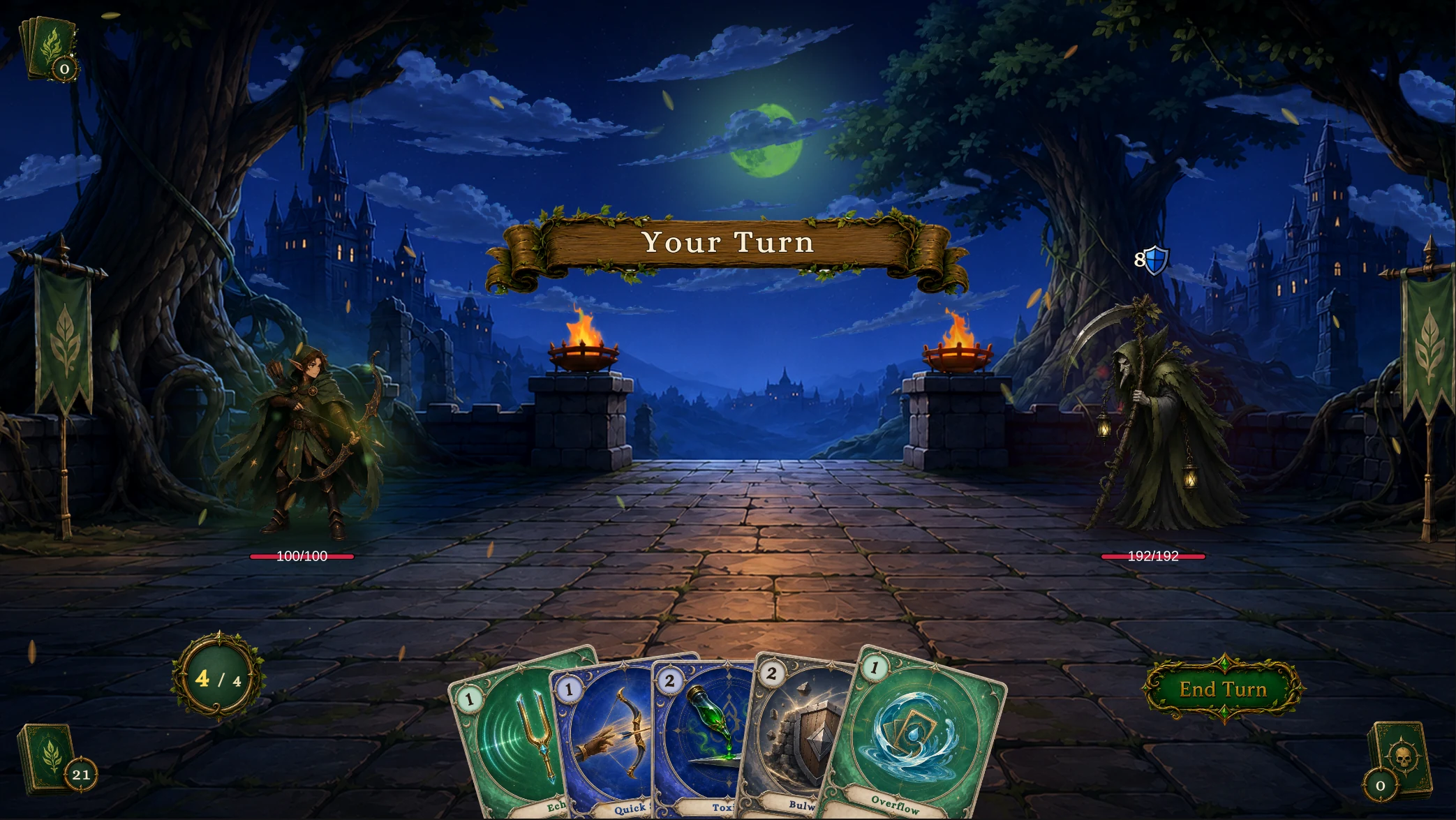
3-Mire of the Reaper
Huntmaster 对 Mire Reaper
Priest
Normal · The Dimming Chapel
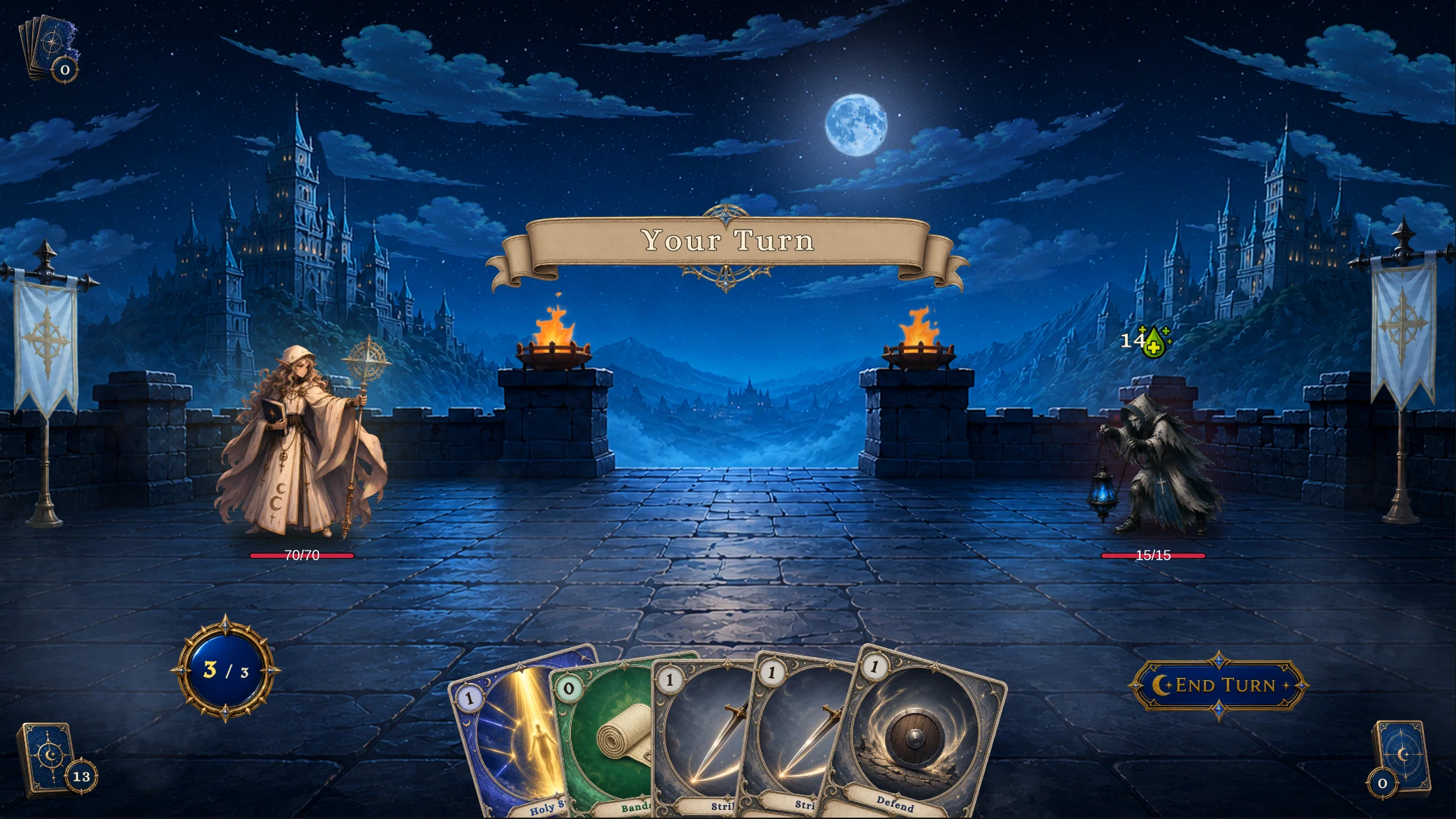
1-The Dimming Chapel
Acolyte 对 Lantern Sister
Elite · The Barred Nave
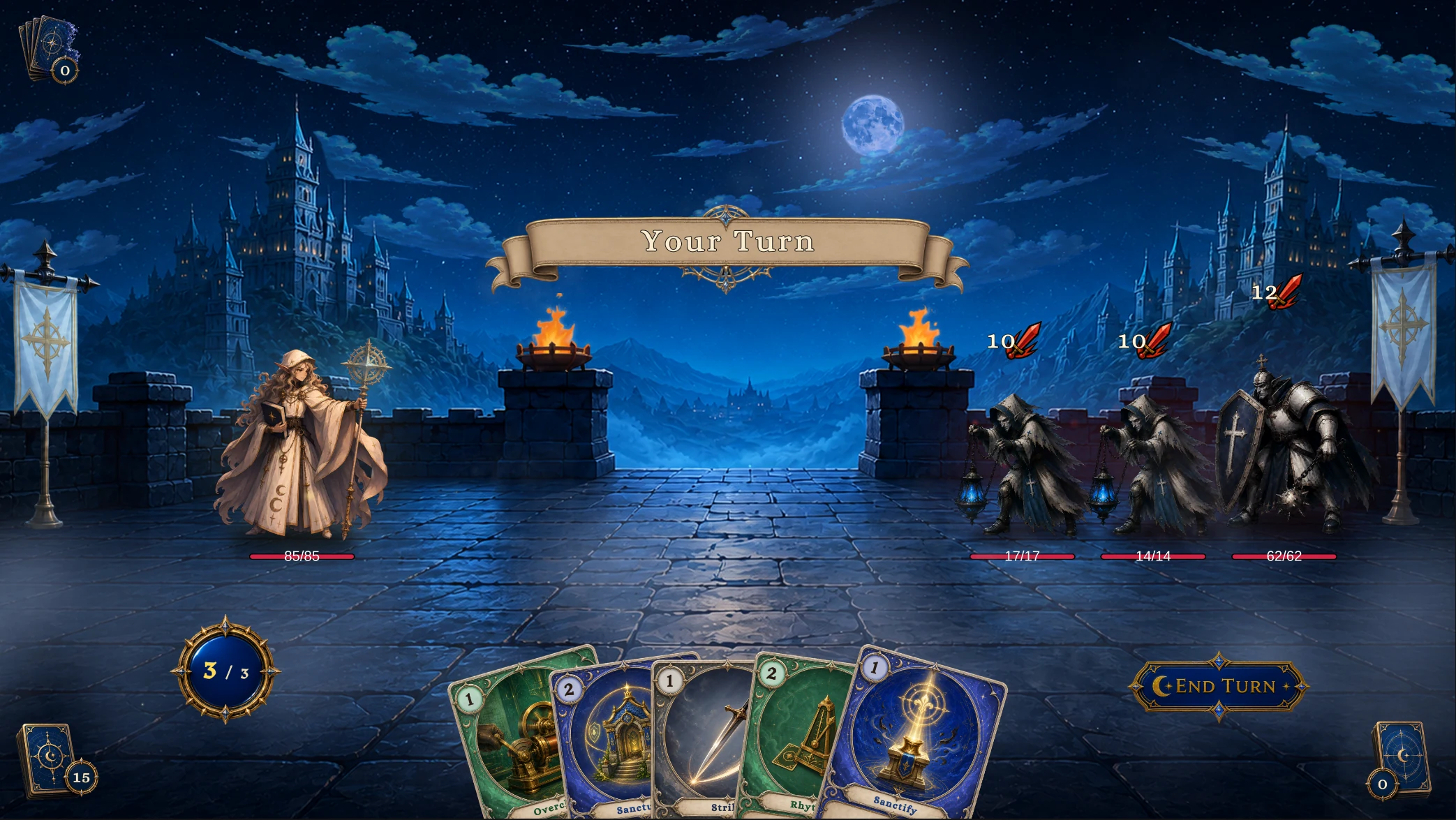
2-The Barred Nave
Cleric 对 Lantern Sister ×2、Order Knight
Boss · Cathedral of Strings
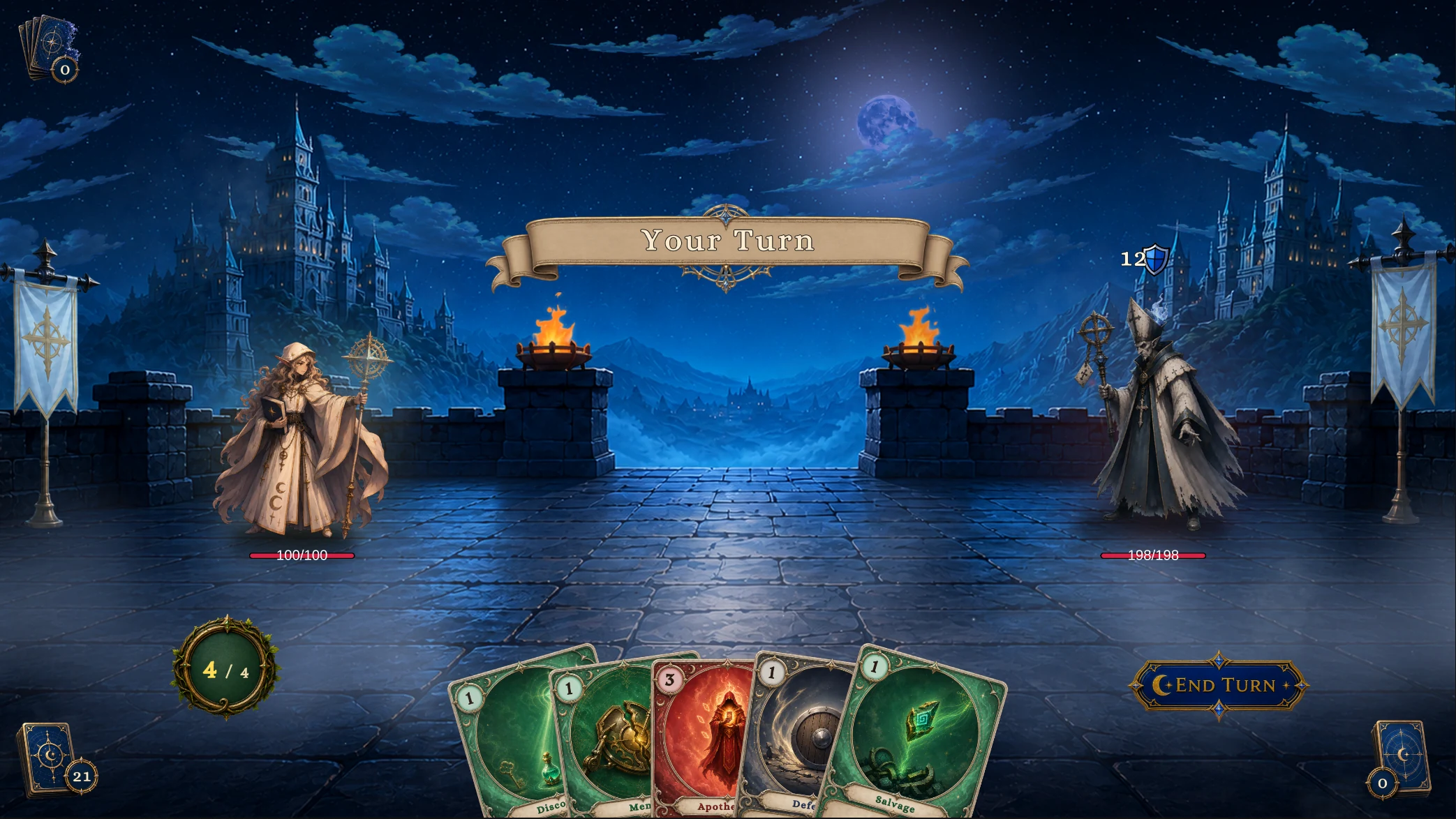
3-Cathedral of Strings
Hierophant 对 Gilded Bishop
Party Showcase
Multi-Character/Party Showcase.unity 使用 Hunter 的 Fenmoss Hollow 场景,Scout、Squire、Apprentice 位于槽位 0、1、2,对手分别是 Normal Plague Stalker、Elite Spore Brute 与 Boss Mire Reaper
Player Unit 1 的 Scout 提供 Party Tactics,全队共享手牌、牌堆与能量,其他两名角色无需重复配置 Deck,每名玩家保留独立的生命、护甲、状态、Hook 与表现对象
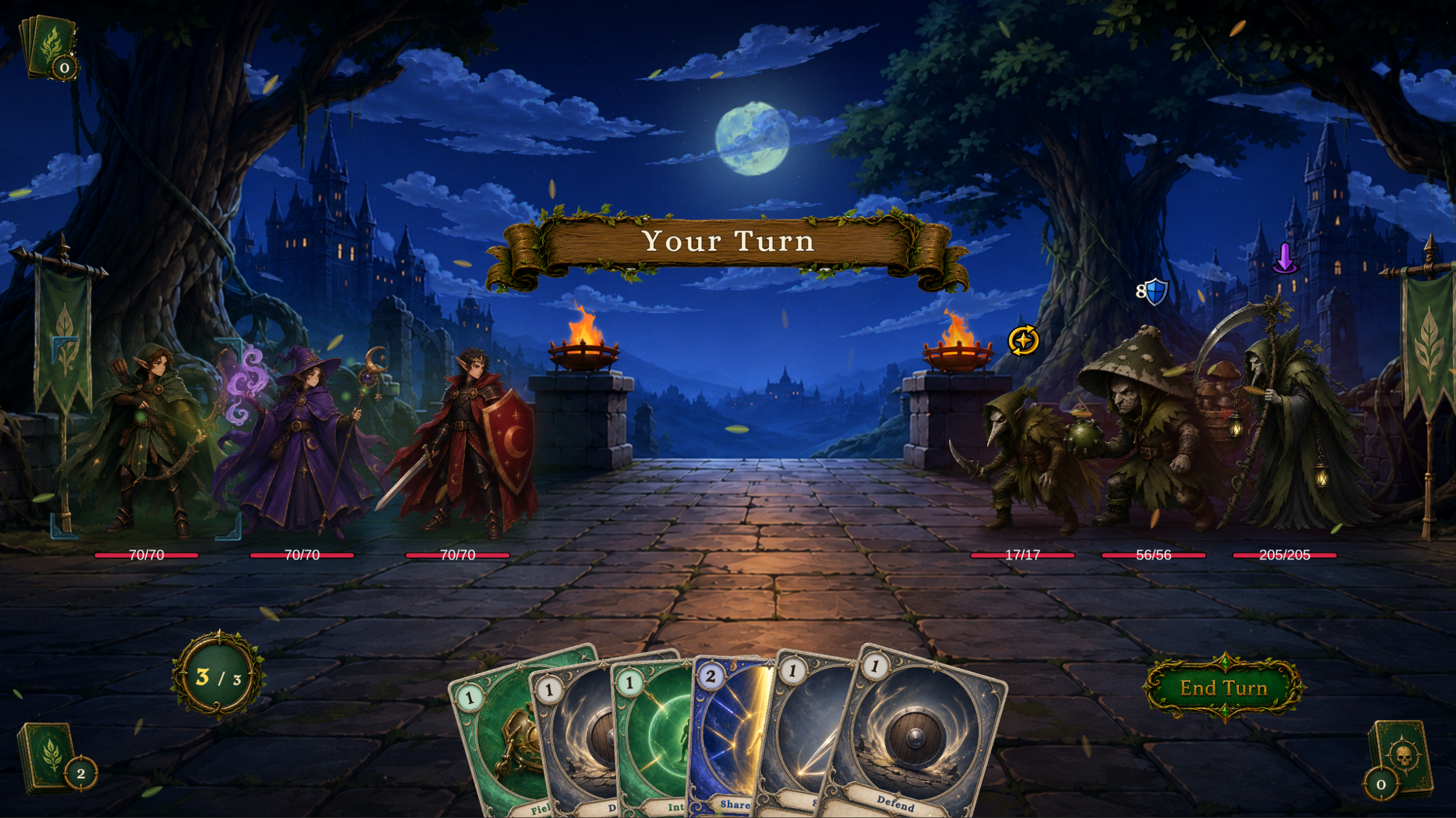
进入 Play Mode 后,点击任一存活玩家可将其设为 Active Player,费用检查、能量显示与卡牌 Source 使用该角色
Field Mend、Interpose、Shared Resolve、Emergency Aid 分别使用指定队友、其他队友、全体队友与随机队友目标,卡组中的攻击牌用于击败敌人
一名玩家死亡后战斗继续,三名玩家全部死亡后失败,仍在队伍中的死亡成员可通过 Revive Unit 复活
这场战斗可用于检查槽位、角色切换、共享资源、独立生命与状态,以及队友目标,增援、移除与复活可通过运行时 API 或节点验证
六个数据库位于 Demo/Databases/Multi-Character/,其中 PartyEncounterDatabase 保存遭遇战,成员身份与共享资源的规则见玩家队伍
各难度适合检查的内容
| 难度 | 战斗形态 | 适合检查 |
|---|---|---|
| Normal | 一名低生命敌人 | 回合节奏、卡牌费用、牌堆和意图结算 |
| Elite | 三名敌人 | 目标选择、多敌人意图和范围效果 |
| Boss | 一名高生命敌人 | 加权意图、生命阈值、召唤和较长的行为图 |
| Party | 三名玩家对三个 Hunter 敌人实例 | 玩家槽位、激活成员、共享资源、队友目标、成员死亡与复活 |
Normal 敌人的起始 HP 为 14 至 18,Elite 为 50 至 70,Boss 为 180 至 240,每个职业还有一名通过 Spawn Unit 节点入场的 Summon 阶级敌人:Stitched Hound、Hex Hound、Bog Polyp 、 Stringed Squire
运行 Demo 场景
-
从
Demo/Scenes/Single-Character/<Class>/打开一个单角色场景,或打开Demo/Scenes/Multi-Character/Party Showcase.unity -
进入 Play Mode
-
确认玩家单位、敌人意图图标、手牌、能量显示和 End Turn 按钮都已出现
-
打出卡牌并结束回合,观察敌人意图的结算
-
打开 Game Card Monitor,检查牌堆、单位、阶段和 FlowGraph 执行记录
Tools > TinyGiants > GCS > Game Card Monitor
如果战斗没有开始,先检查场景中的 Bootstrap、Manager、Default Encounter 与 Console,再根据证据回到对应数据库或内容资产修复